

JBL speakers and headphones for pure and deep sound!
In cart {{totalProductsCount}} item(s)
Your cart is empty
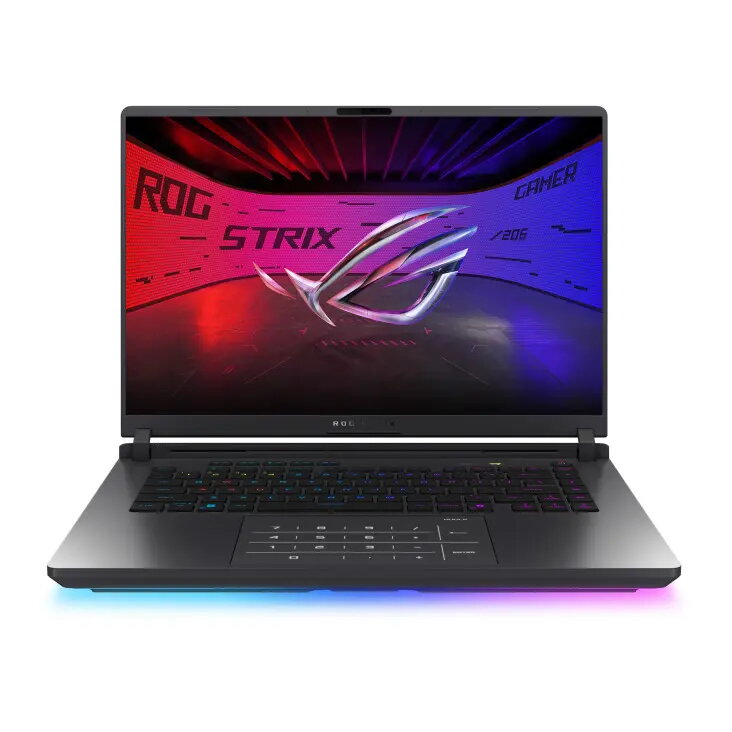
Laptop Asus G615LM 16" G615LM-S5297W — 16-inch, Intel (model 275HX), 32GB RAM, 1TB SSD, NVIDIA GeForce RTX 5060, Windows 11 Home
The Asus G615LM 16" G615LM-S5297W is a 16-inch laptop designed for demanding work and gaming tasks. It combines a high-performance Intel processor (model 275HX), 32 GB of system memory and a 1 TB solid-state drive to provide fast application loading, smooth multitasking and ample local storage. The dedicated NVIDIA GeForce RTX 5060 graphics delivers hardware-accelerated rendering for games, creative applications and GPU-accelerated workflows. The device ships with Windows 11 Home and is configured for use in content creation, advanced productivity and entertainment scenarios.
The combination of a high-frequency Intel 275HX-class processor with 32 GB of RAM supports sustained multi-threaded performance and fluid switching between applications. A 1 TB SSD offers rapid boot and file access times while reducing application load latency compared with mechanical drives. The dedicated NVIDIA GeForce RTX 5060 provides real-time ray tracing support and efficient hardware acceleration for video editing, 3D rendering and modern gaming. Preinstalled Windows 11 Home ensures compatibility with current software ecosystems and provides built-in security and productivity features.
Power on the laptop and complete the Windows 11 Home initial setup by following the on-screen prompts to configure language, user account and network settings. Install required drivers and system updates through Windows Update and the manufacturer's support site to ensure optimal hardware performance. For gaming or creative work, install the latest graphics drivers from NVIDIA and configure application-specific settings (resolution, GPU acceleration, memory allocation) to match your workflow. Use the SSD for the operating system and frequently used applications, and organize large projects on the internal drive or external storage as needed.
For consistent performance in long sessions, place the laptop on a flat, well-ventilated surface and ensure air vents are not obstructed. Regularly update drivers and Windows security patches, monitor GPU driver releases for game and creative app optimizations, and consider periodic backups of important data to external or cloud storage. When running intensive workloads, use power and thermal profiles appropriate for your tasks to balance performance and noise.
{{highlightedFeature.featureTitle}}:
{{getProductFeatureValueById(product, highlightedFeature.featureId)}}
{{ productComparisonGenerationError }}
