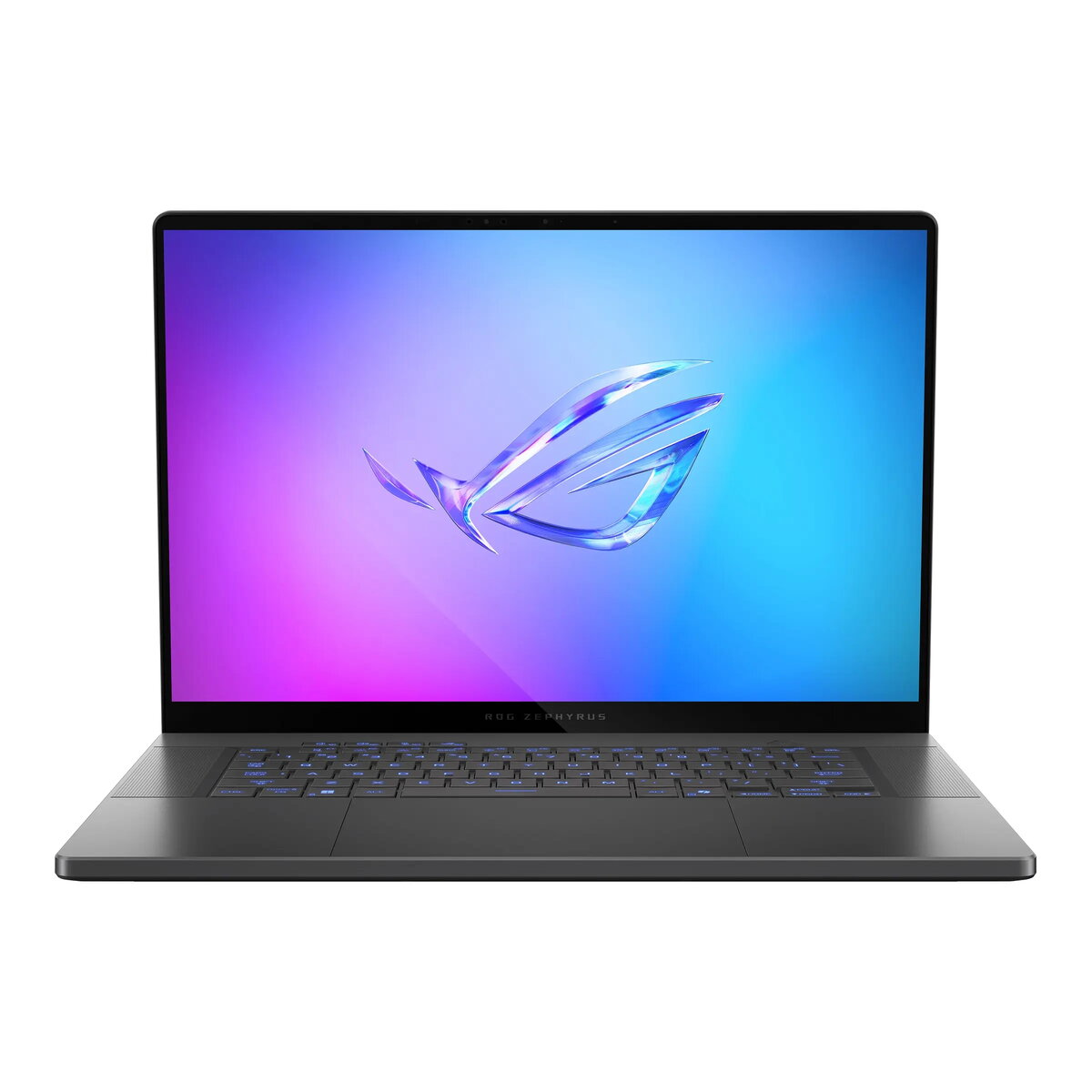
ASUS ROG Zephyrus G16 GU605CW-QR204 is a high-performance 16-inch laptop designed for demanding gaming, content creation and professional workloads. It features a 2560 × 1600 (WQXGA) 16:10 ROG Nebula OLED display with 240 Hz refresh rate, 100% DCI-P3 coverage and Pantone validation, an Intel Core Ultra 9 285H processor with hybrid core architecture, 64 GB LPDDR5X memory soldered on board and a 1 TB PCIe 4.0 NVMe SSD. Graphics are handled by an NVIDIA GeForce RTX 5080 with 16 GB GDDR7, and the system ships without an operating system to allow custom installations. The Eclipse Gray chassis measures 354 × 246 × 14.9–17.4 mm and weighs approximately 1.95 kg, combining a thin, portable design with powerful internal components and advanced thermal, audio and AI features.
Advantages
The laptop delivers a balance of CPU multi-thread performance and GPU power suitable for modern AAA games, GPU-accelerated creative applications and professional compute tasks. The ROG Nebula OLED 2.5K display provides accurate colors and high refresh rate for smooth visuals and precise color work. High-capacity LPDDR5X memory and a fast PCIe 4.0 SSD minimize loading times and support large projects. Integrated AI acceleration and advanced audio features, including Dolby Atmos and AI microphone noise cancellation, improve productivity and communication in studio and remote-work environments.
Suitable for
- High-end gaming at high frame rates and high detail settings
- Video editing, color grading and 3D rendering
- Software development, simulation and data processing workloads
- Live streaming and content creation with quality audio and webcam
- Mobile professional use where performance and display accuracy are required
Key specifications
- Display: 16" 2560×1600 (WQXGA) 16:10 glossy OLED, 240 Hz, 100% DCI-P3, Pantone Validated, G-Sync
- Processor: Intel Core Ultra 9 285H (hybrid 16 cores: P/E/LPE configuration, up to 5.4 GHz)
- Memory: 64 GB LPDDR5X-7467 (soldered, maximum supported 64 GB)
- Storage: 1 TB PCIe 4.0 NVMe M.2 SSD; two M.2 slots available for expansion
- Graphics: NVIDIA GeForce RTX 5080 with 16 GB GDDR7
- Wireless: Wi‑Fi 7 (802.11be, triple band 2×2) and Bluetooth 5.4
- Audio and microphone: 4x bass drivers with Smart Amplifier + 2x tweeters, Dolby Atmos, Hi-Res, 3x microphones with AI noise cancellation
- Webcam: 1080p FHD IR
- Ports: Thunderbolt 4 (with DisplayPort/Power Delivery), USB-C 3.2 Gen 2 (with DisplayPort/PD/G-SYNC), 2× USB-A 3.2 Gen 2, HDMI 2.1 FRL, SD (UHS-II), 3.5 mm combo jack
- Battery and power: 90 Wh battery, 240 W AC adapter
- Security: BIOS admin/user password protection, Firmware TPM
- Physical: Eclipse Gray chassis, dimensions 354×246×14.9–17.4 mm, weight ≈1.95 kg
- Warranty: 2 years (including ASUS pick-up and return service)
How to use
Install your preferred operating system and drivers to enable full hardware functionality, including GPU drivers for the NVIDIA GeForce RTX 5080 and chipset drivers for the Intel platform. Use the Thunderbolt 4 or USB-C ports for external displays and high-speed peripherals; configure power profiles in the system firmware or software utilities to balance performance and battery life. For content creation, calibrate the display using available Pantone or color calibration tools to maintain color accuracy. Maintain adequate ventilation around the laptop during prolonged high-load sessions to ensure stable performance.
Usage recommendations
For optimal performance in demanding applications, connect the laptop to AC power and use the supplied 240 W adapter. Keep system firmware and GPU drivers up to date, use an external SD card or NVMe expansion for additional storage when working with large media files, and employ the AI microphone noise cancellation for clearer voice capture during streaming or conference calls.