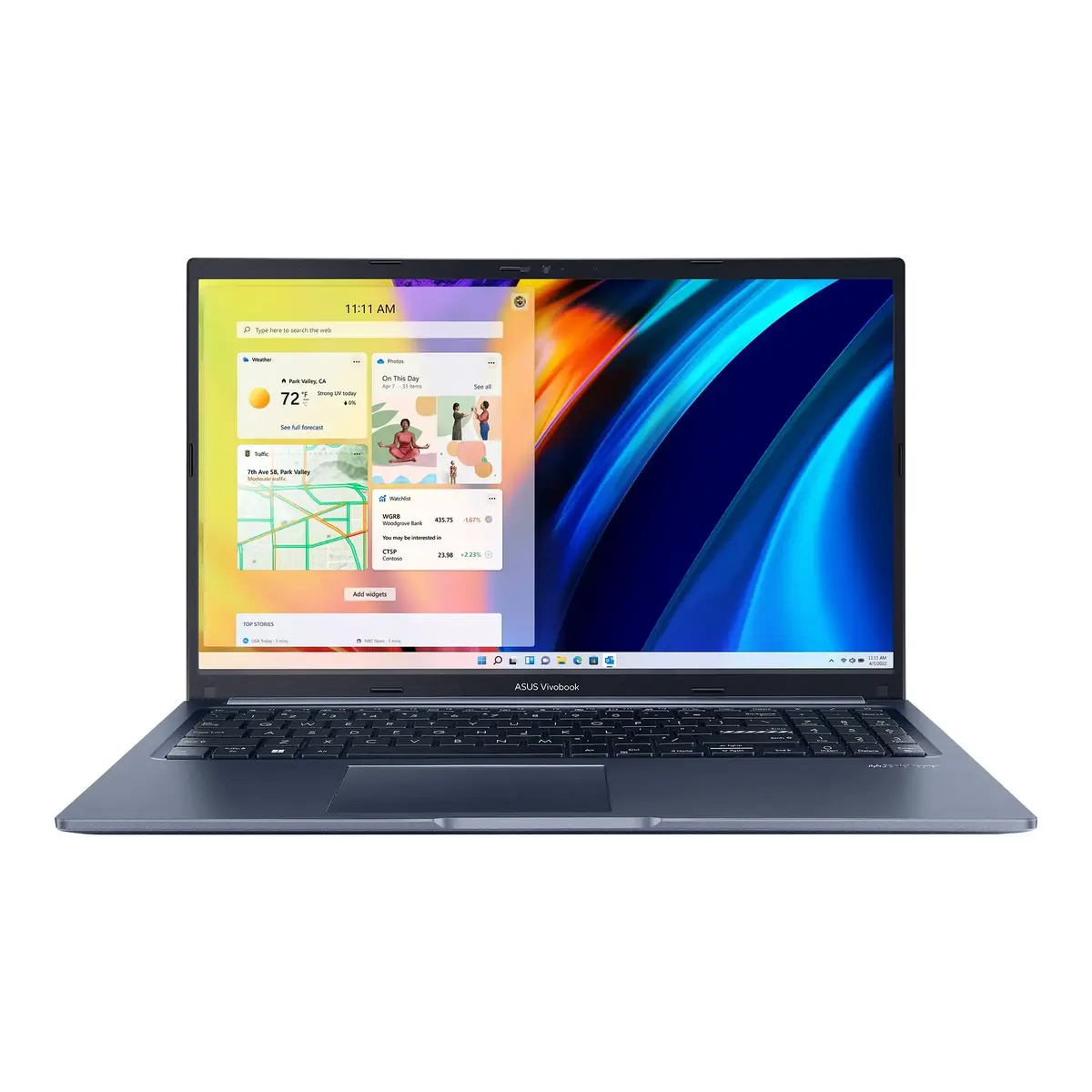
The Asus Vivobook 15 M1502NAQ is a reliable and efficient 15.6-inch laptop designed to handle daily computing tasks with ease. Powered by an AMD Ryzen 5 processor and supported by a generous 24GB of RAM, this device ensures smooth multitasking and responsive performance for both work and study. The vibrant Full HD anti-glare display provides clear visuals, while the 512GB SSD offers ample space and fast access to your files. Finished in a stylish blue color, this laptop combines modern aesthetics with practical features like the ASUS ErgoSense keyboard and a 180-degree hinge for flexible viewing.
Advantages
This laptop stands out due to its robust build quality, meeting the military-grade MIL-STD 810H standard for durability. Users benefit from the integrated ASUS Antimicrobial Guard Plus, which helps maintain a cleaner surface, and the ASUS AI Noise-Cancelling technology that enhances audio clarity during video calls. The inclusion of a backlit keyboard with a numeric keypad improves typing comfort and productivity, especially in low-light environments. Furthermore, the device features comprehensive connectivity options, including multiple USB ports and Wi-Fi 6 support, ensuring you stay connected to all your peripherals and networks without compromise.
Suitable for
- Office work and document processing
- Student assignments and remote learning
- Web browsing and media consumption
- Video conferencing and online meetings
This laptop may not be suitable for professional-grade video editing, high-end 3D rendering, or demanding gaming, as it relies on integrated graphics. Additionally, it lacks a dedicated memory card reader, which may be a limitation for photographers or videographers who frequently transfer data from SD cards.
Key specifications
- 15.6-inch FHD (1920x1080) IPS anti-glare display
- AMD Ryzen 5 processor
- 24GB DDR5 RAM
- 512GB M.2 NVMe PCIe 4.0 SSD
- Integrated AMD Radeon 660M Graphics
- Wi-Fi 6 and Bluetooth 5.4 connectivity
- 720p HD webcam with privacy shutter
- 42Wh battery with 65W USB-C charging
How to use
To begin using your Asus Vivobook 15, connect the provided power adapter to the USB-C port to charge the battery. Press the power button to start the system and follow the on-screen instructions to set up Windows 11 Home. You can connect external devices such as mice, printers, or external drives using the various USB ports located on the sides of the chassis. The 180-degree hinge allows you to lay the screen flat, which is useful for sharing content with others during meetings. Ensure the webcam shutter is open when you need to use the camera and closed when not in use for added privacy.
What to consider before purchase
- The device does not include an optical drive or a memory card reader.
- The graphics are integrated, which limits performance in graphically intensive applications.
- The laptop is designed for productivity and general use rather than high-performance gaming.
Usage recommendations: To maintain optimal performance, keep the laptop's software and drivers updated via the MyASUS app. Avoid placing the device on soft surfaces like beds or blankets to ensure proper airflow through the cooling vents. When traveling, use a protective sleeve to prevent scratches on the plastic casing.