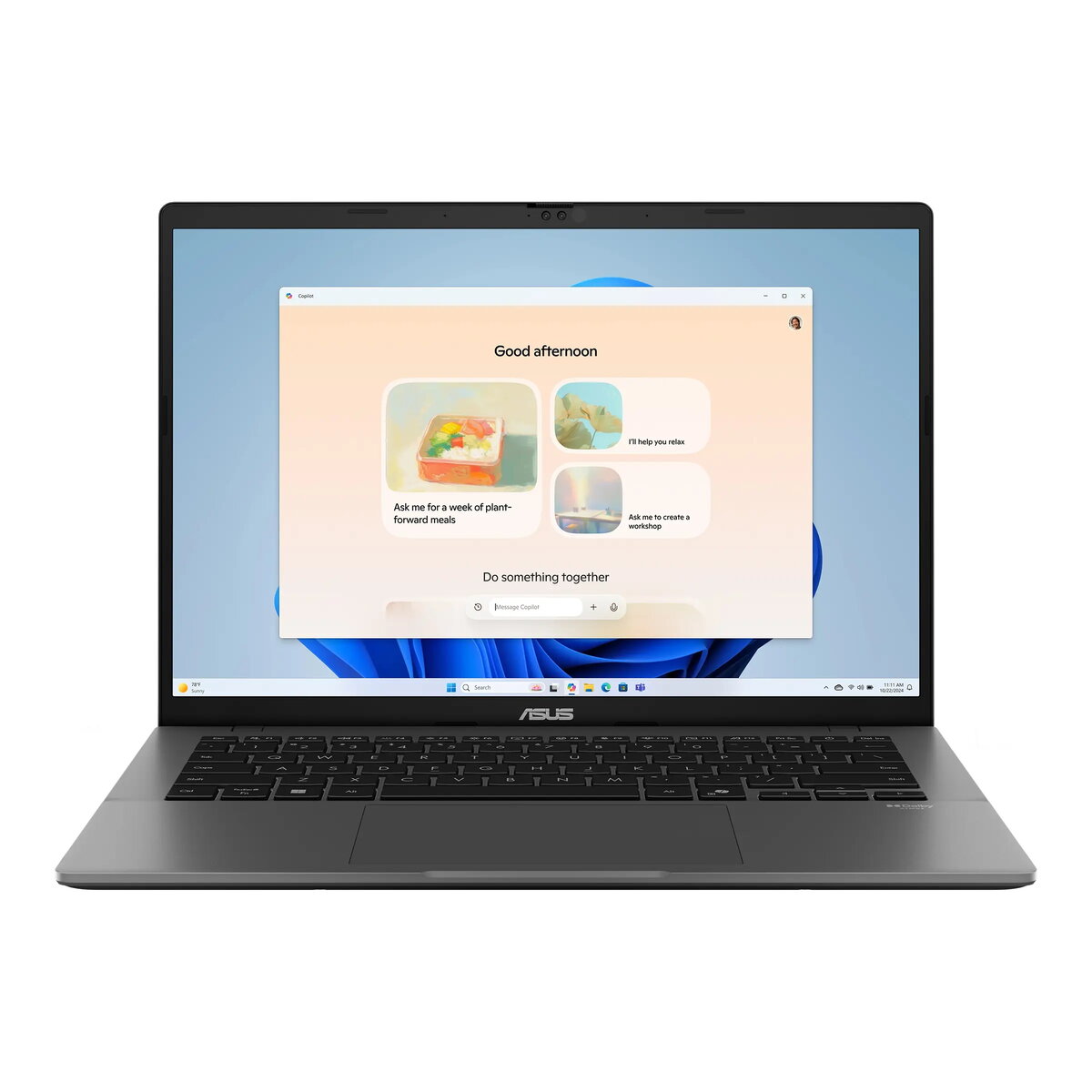
The Asus Vivobook S 14 OLED M3407KA-OLED094W is a 14-inch ultraportable laptop featuring a WUXGA (1920 × 1200) 16:10 OLED display with high contrast, 300 nits peak brightness and 95% DCI-P3 coverage. It is powered by an AMD Ryzen 5 330 (4 cores, 8 threads, up to 4.5 GHz) with an AMD XDNA neural processor and integrated Radeon 820M graphics. The configuration includes 32 GB DDR5 memory (16 GB soldered + 16 GB SO‑DIMM), a 1 TB M.2 NVMe PCIe 4.0 SSD, Windows 11 Home and a matte gray chassis made of aluminum and plastic. With a 70 Wh battery, Wi‑Fi 6, Bluetooth 5.4 and multiple USB-C/USB-A ports plus HDMI 2.1, the Vivobook S 14 OLED targets users who need a compact laptop with vivid OLED visuals, strong multitasking ability and fast storage.
Advantages
The OLED screen provides deep blacks, high color accuracy and wide viewing angles suitable for media consumption and visual tasks. Combined with a PCIe 4.0 SSD and 32 GB of DDR5 memory, the laptop delivers responsive system performance for multitasking, large documents and quick app loading. The inclusion of an AMD XDNA neural processor and a modern Ryzen architecture enables AI-accelerated features and improved performance per watt. Additional advantages include a lightweight design at about 1.4 kg, FHD IR webcam with Windows Hello support, Dolby Atmos audio, military-standard durability and a 70 Wh battery for extended on‑the‑go use.
Suitable for
- Everyday productivity and office work: documents, spreadsheets, email and web browsing.
- Multimedia consumption: streaming video and photo viewing with high-contrast OLED visuals.
- Light content creation: photo editing, layout work and non‑linear workflows that benefit from accurate colors and fast storage.
- Students and mobile professionals who need a compact, durable Ultrabook with long battery life.
When it may not be suitable
This model uses integrated Radeon graphics and is not intended for sustained, high-end gaming or professional 3D rendering workloads that require a discrete GPU. Although the display is 60 Hz and excellent for color-critical work, users who require very high refresh rates for competitive gaming or specialized motion workflows may find the screen refresh limitations restrictive. The laptop lacks an internal optical drive and a memory card reader, so workflows that rely on these physical media will require external adapters.
Key specifications
- Display: 14" WUXGA (1920×1200) 16:10 OLED, 60 Hz, 300 nits, 95% DCI‑P3.
- Processor: AMD Ryzen 5 330 (4 cores, 8 threads, up to 4.5 GHz).
- Neural processor: AMD XDNA (up to 50 TOPS).
- Memory: 32 GB DDR5 (16 GB onboard + 16 GB SO‑DIMM); one SO‑DIMM slot total.
- Storage: 1 TB M.2 NVMe PCIe 4.0 SSD; one additional M.2 2280 PCIe 4.0x4 slot available for expansion.
- Graphics: Integrated AMD Radeon 820M Graphics.
- Audio & webcam: Dolby Atmos, built‑in speakers and microphones, FHD infrared webcam with Windows Hello support.
- Wireless: Wi‑Fi 6 (802.11ax) dual‑band, 2x2 and Bluetooth 5.4.
- Ports: 2× USB‑C (USB 3.2 Gen1 with Display/PD), 2× USB‑A 3.2 Gen1, HDMI 2.1, 3.5 mm combo jack.
- Battery & power: 70 Wh battery, 65 W USB‑C AC adapter.
- Chassis & weight: aluminum + plastic, matte gray, dimensions 315.2 × 223.4 × 15.9–18.6 mm, approx. 1.4 kg.
- Security: TPM firmware, BIOS boot protection, infrared webcam for Windows Hello, Microsoft Pluton processor support.
- Warranty: 2 years (standard pick‑up and return service available).
How to use
Unpack the laptop, connect the 65 W USB‑C adapter for the initial full charge, then follow Windows 11 setup steps to configure user accounts and privacy settings. Use the Precision Touchpad and backlit keyboard for daily navigation. For best display color and contrast, enable any factory‑calibrated color profile in display settings or use Asus display utilities if supplied. Install required applications on the PCIe 4.0 SSD; consider using the free M.2 slot for a secondary drive if additional storage or RAID configurations are needed. Keep wireless drivers updated to ensure optimum Wi‑Fi 6 and Bluetooth performance, and use the IR webcam with Windows Hello for secure sign‑in.
What to consider before purchase
- Evaluate whether integrated Radeon 820M graphics meet your GPU needs or if a discrete GPU is required for your workflows.
- Confirm that a 60 Hz OLED display is acceptable for your use case if you require high refresh rates for gaming or motion work.
- Check peripheral needs: there is no built‑in memory card reader or optical drive, so adapters may be necessary.
- Note the soldered portion of RAM (16 GB onboard) which limits maximum memory reconfiguration despite one SO‑DIMM slot.
Usage recommendations
For reliable day‑to‑day performance, keep the system firmware and drivers up to date, use power‑efficient profiles for longer battery life, and store large media projects on the internal PCIe 4.0 SSD or an additional M.2 drive. When working on color‑sensitive projects, view and export using the OLED display’s native profile and verify colors on a calibrated reference display if required.