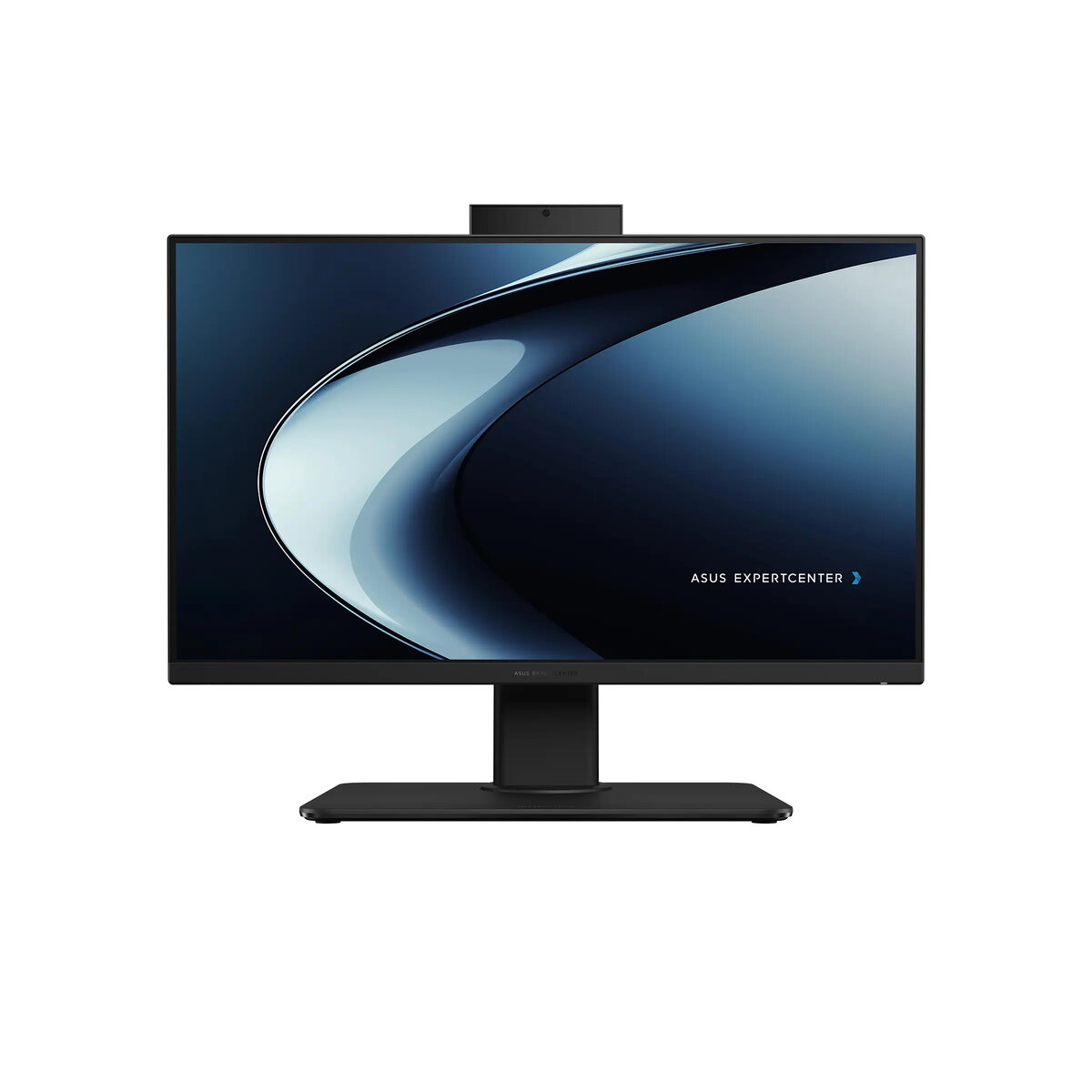
The Asus ExpertCenter P440VAK is a professional 23.8-inch All-in-One desktop computer designed to streamline business workflows and optimize workspace efficiency. Featuring a Full HD anti-glare display with a 100Hz refresh rate, this workstation delivers clear visuals and smooth performance for daily office tasks. Powered by an Intel Core i7-13700H processor, 16GB of DDR5 memory, and a spacious 1TB SSD, it provides the necessary speed and storage for multitasking and demanding business applications. The system comes pre-installed with Windows 11 Pro, ensuring robust security and compatibility for professional environments.
Advantages
This All-in-One PC offers a significant space-saving advantage by integrating all computing components into a single, sleek black chassis, reducing cable clutter on your desk. The inclusion of a height-adjustable stand compatible with VESA mounting allows for ergonomic positioning, helping to maintain comfort during long working hours. With its high-quality 100% sRGB display and integrated Dolby Atmos audio, it provides an excellent foundation for video conferencing and media-rich presentations. Furthermore, the system includes advanced security features such as a TPM 2.0 module, Kensington lock slot, and an IR webcam for secure Windows Hello authentication, ensuring your data and privacy remain protected.
Suitable for
- General office productivity and administrative tasks
- Video conferencing and remote collaboration
- Professional multitasking with business applications
- Space-constrained office environments
This device may not be suitable for users requiring high-end dedicated graphics performance, such as professional 3D rendering, complex video editing, or intensive gaming, as it relies on integrated graphics. Additionally, it is not designed for users who need to frequently upgrade internal hardware components beyond memory, as the All-in-One form factor limits physical expansion options.
Key specifications
- Display: 23.8-inch FHD (1920x1080) anti-glare, 100Hz, 100% sRGB
- Processor: Intel Core i7-13700H
- Memory: 16GB DDR5 SO-DIMM
- Storage: 1TB M.2 NVMe PCIe 4.0 SSD
- Webcam: 5MP with IR for Windows Hello
- Connectivity: Wi-Fi 6E, Bluetooth 5.4, Gigabit Ethernet
- Security: TPM 2.0, Kensington lock slot
- Ports: USB-C, multiple USB-A, HDMI in/out, 3.5mm audio
To begin using the Asus ExpertCenter P440VAK, connect the provided power adapter to the DC-in port and attach the included USB keyboard and mouse. Once powered on, follow the on-screen Windows 11 Pro setup instructions to configure your user account and network settings. You can adjust the height and tilt of the display using the integrated stand to achieve an ergonomic viewing angle. For external devices, utilize the various USB and HDMI ports located on the rear and side of the unit.
What to consider before purchase
- Verify that the integrated graphics meet your specific software requirements.
- Ensure your workspace has sufficient desk depth to accommodate the adjustable stand.
- Check if your existing peripherals are compatible with the available USB-A and USB-C ports.
- Consider the 3-year onsite warranty coverage for long-term business reliability.
Usage recommendations: To maintain optimal performance, keep the system updated with the latest drivers via the Asus support portal and ensure the ventilation areas remain unobstructed. Regularly clean the anti-glare screen with a soft, dry microfiber cloth to maintain display clarity.