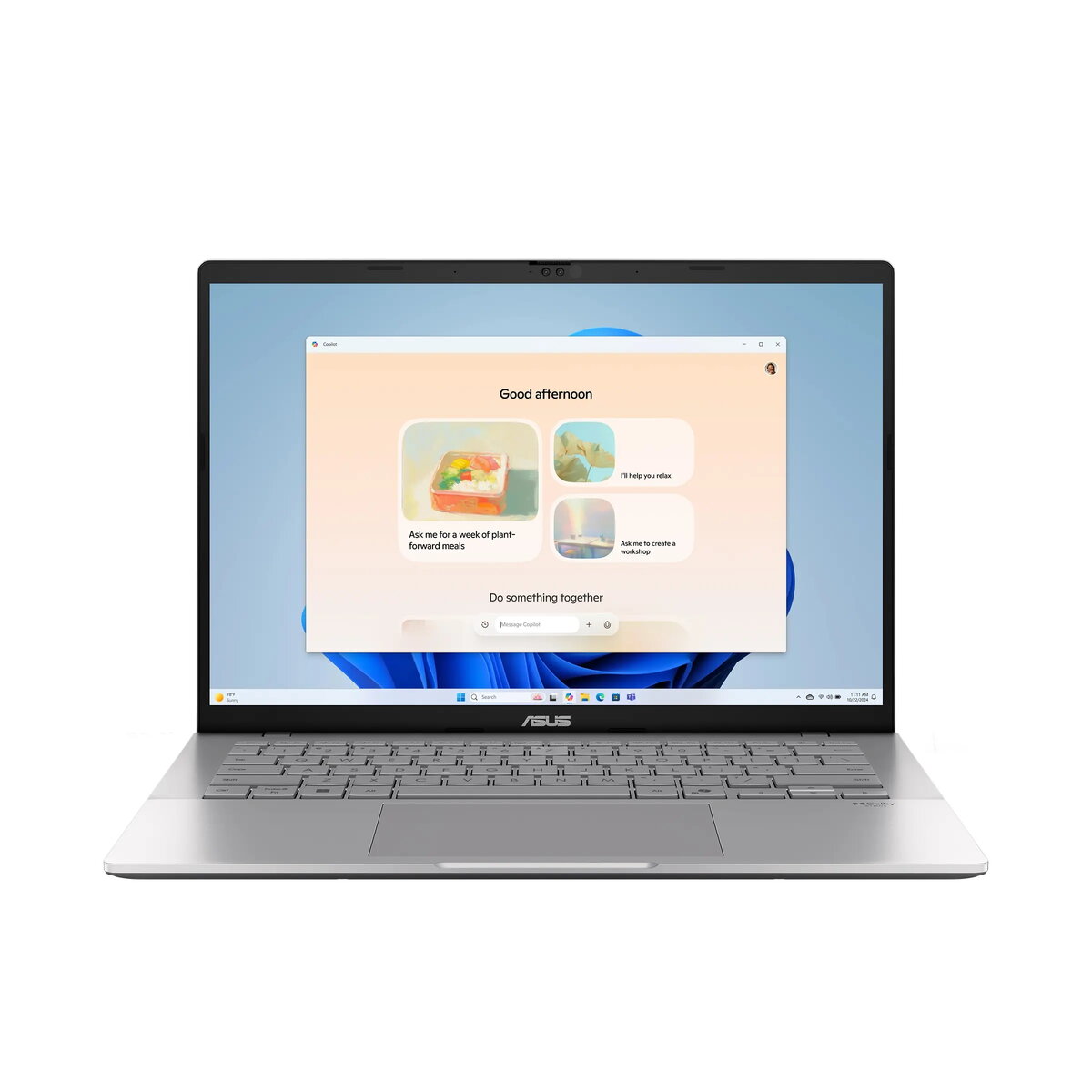
The ASUS Vivobook S14 (S3407AA-OLED019X) is a 14.0-inch laptop running Windows 11 Pro, powered by an Intel® Core™ Ultra 7 355 processor with integrated Intel Arc/Intel Graphics. It combines a 14" WUXGA (1920×1200) 16:10 glossy OLED display with 95% DCI‑P3 coverage, 32 GB DDR5 memory (16 GB onboard + 16 GB SO‑DIMM), and a 1 TB M.2 NVMe PCIe 4.0 SSD. The system includes an FHD IR webcam for Windows Hello, dual USB‑C with Display/Power Delivery, HDMI 2.1, Wi‑Fi 6 and Bluetooth 5.4, and a 70 Wh battery in a silver aluminum/plastic chassis that meets selected MIL‑STD 810H durability criteria.
Advantages
The Vivobook S14 offers strong multitasking performance with a hybrid 32 GB DDR5 memory configuration and a high‑speed 1 TB PCIe 4.0 SSD for fast app loading and file access. The OLED 14" screen provides high contrast and wide color gamut suitable for content viewing and color‑aware work. Built‑in IR webcam with Windows Hello and multiple modern ports including USB‑C with power and display support make the laptop convenient for productivity and connectivity on the go.
Suitable for
- Office productivity and business applications
- Everyday multitasking and web browsing
- Content viewing and light content creation that benefits from accurate colours
- Remote meetings and video calls using the FHD IR webcam
When it may not be suitable
This model uses integrated graphics (Intel Arc/Intel Graphics), so it is not intended for demanding 3D gaming or professional GPU‑heavy rendering workloads. The display is 60 Hz, which is adequate for general use but may not satisfy users who need higher refresh rates for fast‑paced gaming.
Key specifications
- Operating system: Windows 11 Pro
- Processor: Intel® Core™ Ultra 7 355 (8 cores, 8 threads, 2.3–4.7 GHz, 12 MB cache)
- Neural Processor: Intel®, up to 50 TOPS
- Memory: 16 GB DDR5 onboard + 16 GB DDR5 SO‑DIMM (one slot)
- Storage: 1 TB M.2 NVMe PCIe 4.0 SSD; one expandable M.2 2280 PCIe 4.0x4 slot
- Display: 14" WUXGA (1920×1200) 16:10 glossy OLED, 300 nits, 60 Hz, 95% DCI‑P3
- Graphics: Integrated Intel Arc / Intel Graphics
- Webcam: FHD with infrared for Windows Hello
- Audio: Built‑in speakers and microphone
- Keyboard: Backlit; Precision Touchpad
- Wireless: Wi‑Fi 6 (802.11ax) 2×2 and Bluetooth 5.4
- Ports: 2× USB 3.2 Gen 1 Type‑C (Display/PD), 2× USB 3.2 Gen 1 Type‑A, HDMI 2.1, 3.5 mm combo audio jack
- Battery: 70 Wh Li‑ion (4‑cell)
- Power adapter: 68 W USB‑C
- Chassis: Silver (Cool Silver), aluminum + plastic
- Dimensions & weight: 315.2 × 223.4 × 15.9–17.9 mm; approx. 1.4 kg
- Warranty: 2 years (including two‑year ASUS pick‑up and return service)
How to use
Power on the laptop and complete the Windows 11 Pro setup, including user account and Windows Hello facial sign‑in via the IR webcam if desired. Install required applications and connect to Wi‑Fi using the system settings. Use the USB‑C ports for charging and external displays when needed, and manage storage through Windows Disk Management if adding or replacing an M.2 drive. Keep the system firmware and drivers updated through ASUS support to ensure optimal performance and security.
What to consider before purchase
- Integrated graphics may limit performance for heavy 3D gaming or GPU‑intensive rendering
- The display is 60 Hz—suitable for productivity and media but not optimized for high‑refresh gaming
- No memory card reader or optical drive included
- Expandable storage via one additional M.2 2280 PCIe 4.0x4 slot
Usage recommendations
For balanced productivity and color‑accurate viewing, use the laptop on a stable surface, enable Windows Hello for quick sign‑in, connect external storage or displays through the USB‑C ports when needed, and keep the device plugged in during sustained heavy workloads to maintain maximum performance.