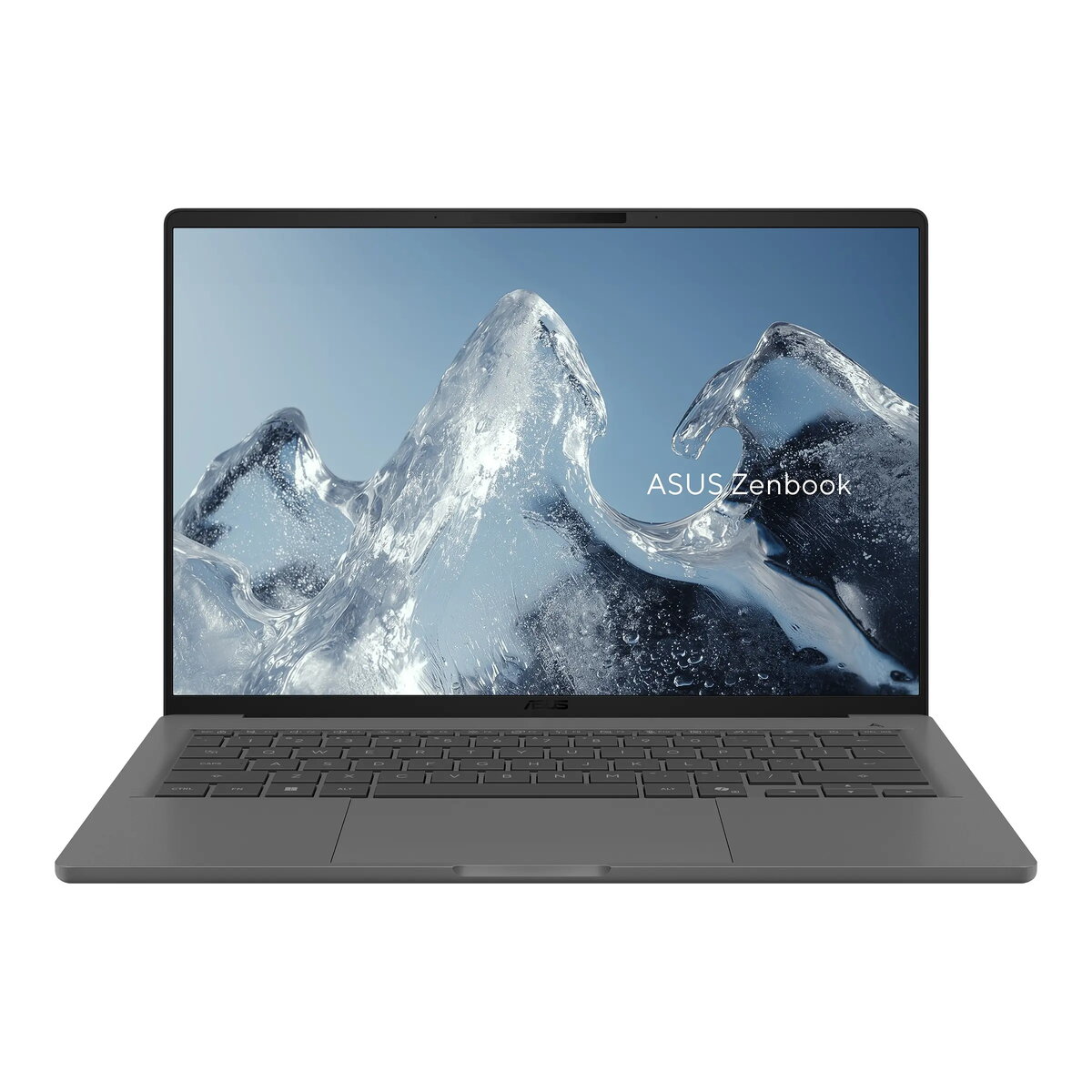
The ASUS Zenbook A14 (UX3407NA-OLED216W) is a premium, ultra-portable laptop designed for users who demand both performance and durability. Built with a sophisticated Ceraluminum™ chassis, this device is engineered to resist wear, scratches, and smudges while maintaining a lightweight profile of approximately 990g. It features a vibrant 14-inch WUXGA OLED display that delivers exceptional color accuracy and deep blacks, making it an ideal choice for both professional work and media consumption. Powered by the advanced Snapdragon® X2 Elite processor and integrated Qualcomm® Hexagon™ neural processing unit, this laptop provides efficient computing power for modern AI-driven tasks.
Advantages
The primary strength of the ASUS Zenbook A14 lies in its robust construction and high-end display technology. The Ceraluminum™ material ensures the laptop remains aesthetically pleasing even with frequent travel, while the MIL-STD 810H military-grade certification guarantees reliability in various environmental conditions. The inclusion of a dedicated Copilot key enhances productivity by providing quick access to AI assistance. Furthermore, the laptop offers excellent connectivity options, including Wi-Fi 7 and versatile USB 4.0 ports, ensuring fast data transfers and seamless peripheral integration. The long-lasting 70Wh battery and included 100W USB-C power adapter provide the endurance needed for a full day of work.
Suitable for
- Business professionals requiring a lightweight, durable device for travel.
- Students needing a high-performance laptop for research and content creation.
- Users who prioritize display quality for photo editing and media streaming.
- Professionals utilizing AI-integrated software and productivity tools.
This laptop may not be suitable for users who require dedicated high-performance graphics hardware for intensive 3D gaming or professional-grade video rendering. Additionally, as the memory is soldered onto the motherboard with no expansion slots, it is not recommended for users who anticipate needing to upgrade their RAM capacity in the future.
Key specifications
- Processor: Snapdragon® X2 Elite X2E88100 (18 cores)
- Memory: 16GB LPDDR5X (soldered)
- Storage: 512GB M.2 NVMe™ PCIe® 4.0 SSD
- Display: 14-inch WUXGA (1920x1200) OLED, 60Hz, 400 nits
- Graphics: Integrated Qualcomm Adreno GPU
- Connectivity: Wi-Fi 7, Bluetooth 5.4
- Ports: 1x USB 3.2 Gen 2 Type-A, 2x USB 4.0 Type-C, 1x HDMI 2.1, 3.5mm audio jack
- Weight: Approx. 990g
To begin using your ASUS Zenbook A14, connect the provided 100W USB-C power adapter to charge the battery fully before the initial setup. Power on the device and follow the on-screen instructions provided by Windows 11 Home to configure your user account and network settings. You can utilize the infrared webcam with Windows Hello for secure, biometric login. For optimal performance, ensure that the system is kept in a well-ventilated area during heavy tasks to allow for efficient cooling.
What to consider before purchase
- The memory is fixed and cannot be upgraded after purchase.
- There is no integrated memory card reader for external storage expansion.
- The device does not feature a numeric keypad, which may impact data entry workflows.
- The laptop is designed for portability and efficiency rather than heavy-duty gaming.
Usage recommendations: To maintain the longevity of the OLED display, it is recommended to use the built-in screen saver settings and avoid displaying static images at maximum brightness for extended periods. Regularly update your system drivers via the official ASUS support portal to ensure compatibility with the latest AI features and security patches.