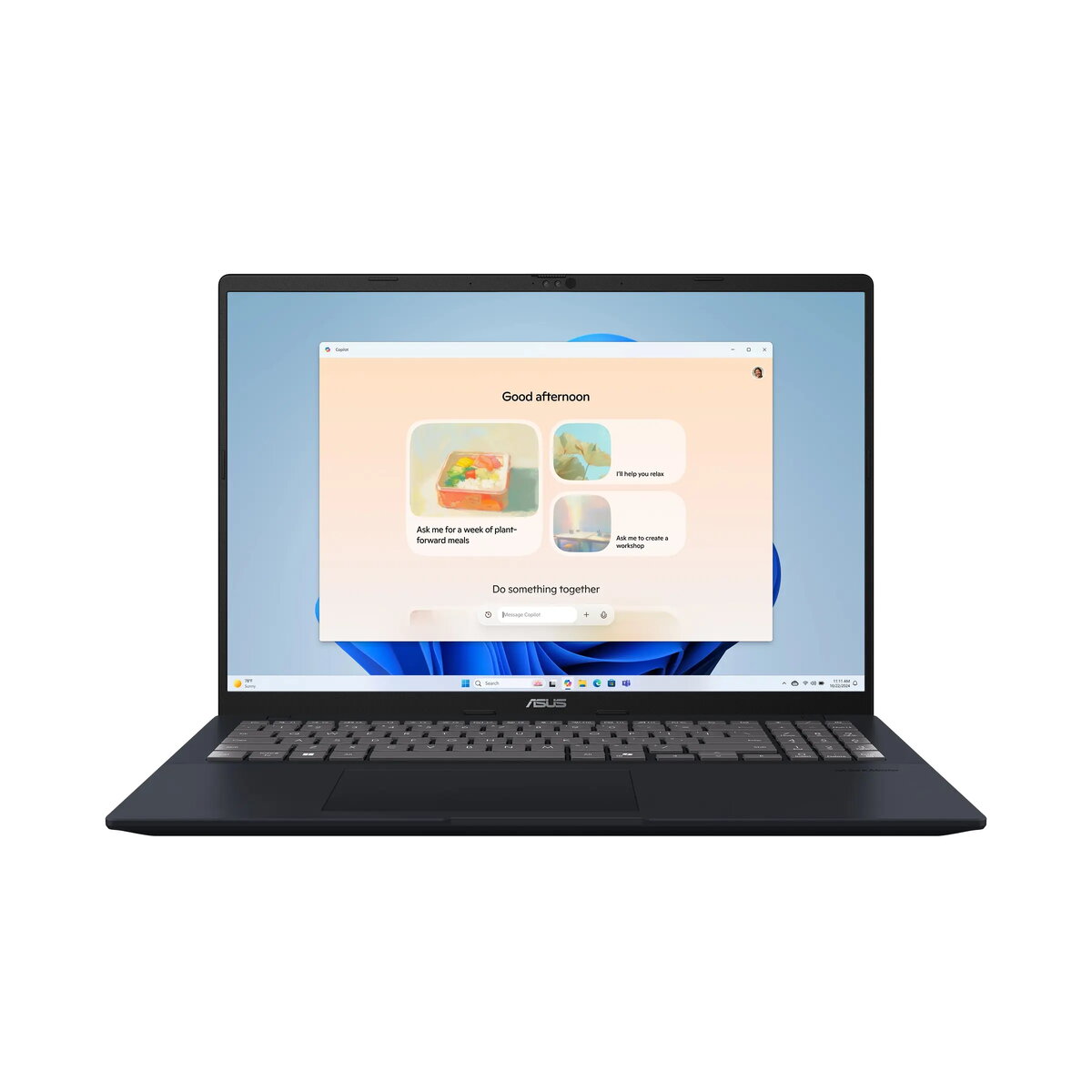
The Asus Vivobook 16 X1607AA-MB002W is a versatile 16-inch laptop engineered to provide a balance of performance and portability for daily computing needs. Featuring an Intel Core Ultra 5 processor and a high-resolution WUXGA display, this device is built to handle multitasking, office productivity, and media consumption with ease. Its durable construction, meeting military-grade standards, ensures reliability for users who require a dependable machine for both home and office environments.
Advantages
This laptop offers significant benefits through its integration of modern hardware, including a fast 1TB SSD and 16GB of DDR5 memory, which facilitate quick system responsiveness and efficient file management. The inclusion of an ASUS ErgoSense keyboard with a numeric keypad enhances typing comfort and productivity, while the integrated AI noise cancellation technology ensures clear audio during video conferences. Furthermore, the device is equipped with a high-definition 1080p webcam and supports Windows Hello for secure, convenient access. Its lightweight design, combined with a robust battery and USB-C power delivery, makes it an excellent choice for users on the move.
Suitable for
- General office tasks and document editing
- Educational purposes and student research
- Media streaming and content consumption
- Video conferencing and remote collaboration
- Everyday multitasking and web browsing
This laptop may not be suitable for professional-grade video editing, high-end 3D rendering, or demanding gaming, as it relies on integrated graphics rather than a dedicated GPU. Additionally, users who require a high-refresh-rate display for competitive gaming or color-critical professional design work may find the 60Hz 45% NTSC panel insufficient for their specific needs.
Key specifications
- 16-inch WUXGA (1920x1200) anti-glare IPS display
- Intel Core Ultra 5 325 processor
- 16GB DDR5 RAM (expandable)
- 1TB M.2 NVMe PCIe 4.0 SSD
- Integrated Intel Graphics
- Wi-Fi 6 and Bluetooth 5.2 connectivity
- FHD 1080p webcam with IR for Windows Hello
- USB 3.2 Gen 1 Type-A and Type-C ports
- HDMI 1.4 output
- 42Wh battery with 68W USB-C power adapter
How to use
To begin using your Asus Vivobook 16, connect the provided USB-C power adapter to the laptop and a wall outlet to ensure the battery is charged. Press the power button to initiate the Windows 11 Home setup process, following the on-screen instructions to configure your user account and network settings. Once set up, you can utilize the ErgoSense keyboard for typing and the precision touchpad for navigation. For external devices, use the available USB-A or USB-C ports, and connect to external monitors via the HDMI port if needed. The integrated webcam and microphone are ready for use in video calls immediately after system configuration.
What to consider before purchase
- The display color gamut is 45% NTSC, which is standard for office work but not ideal for professional color grading.
- The laptop does not include an integrated memory card reader.
- The device features a 60Hz refresh rate, which is suitable for standard tasks but not for high-speed gaming.
- The RAM is partially on-board, though there is one available SO-DIMM slot for future memory expansion.
Usage recommendations: To maintain optimal performance, keep the laptop's ventilation areas clear of obstructions during operation. Regularly update your system drivers and BIOS through the official ASUS support portal to ensure compatibility and security. For extended battery longevity, avoid keeping the device plugged into a power source at 100% charge for prolonged periods if possible.