
JBL speakers and headphones for pure and deep sound!
In cart {{totalProductsCount}} item(s)
Your cart is empty
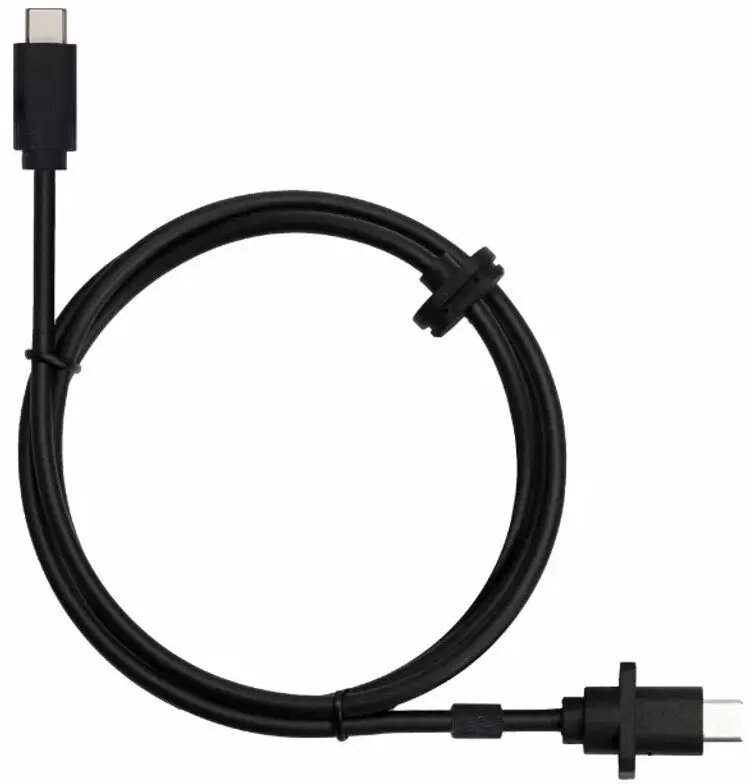
USB Type-C Cable for BambuLab A1 Series Printers — BambuLab, black
USB Type-C cable for BambuLab A1 Series Printers — BambuLab, black is a standard USB-C data cable designed to connect BambuLab A1 series 3D printers to computers or controllers. It provides a wired data link for printer setup, firmware updates, direct printing from a PC and stable communication during operation. The cable features a reversible Type-C connector and a black jacket that matches the printer’s aesthetics while offering everyday durability for desktop use.
This USB Type-C cable delivers a reliable, low-latency wired connection that supports bidirectional data transfer between a computer and a BambuLab A1 series printer. Its reversible connector design simplifies plugging in and reduces wear on ports. The cable’s construction is intended for regular use in a desktop or workshop environment and ensures consistent communication for tasks such as firmware flashing, slicing software control and direct print jobs from a host computer.
Insert one end of the USB Type-C cable into the printer’s USB-C port and the other end into a compatible USB-C or USB-C-equipped computer. Ensure the printer is powered on and recognized by the computer operating system; install or update necessary drivers if prompted. Use your preferred slicing or printer control software to send print jobs, perform firmware updates or monitor printer status. When disconnecting, stop active transfers and safely eject or close the control software to avoid data corruption.
For reliable operation, route the cable to avoid sharp bends and pinching; keep it away from heated components and moving parts of the printer. Use the cable primarily for data tasks and not as a primary power source unless the printer documentation specifies power delivery over USB-C. Replace the cable if the jacket is damaged or connectors show significant wear.
{{highlightedFeature.featureTitle}}:
{{getProductFeatureValueById(product, highlightedFeature.featureId)}}