
Leave your address - as soon as the price of the product goes down, you'll know about it right away
BambuLab Start/Pause Button Module for H2 Series 3D Printers
In cart {{totalProductsCount}} item(s)
Your cart is empty
BambuLab Start/Pause Button Module for H2 Series 3D Printers
Leave your address - as soon as the price of the product goes down, you'll know about it right away
BambuLab Start/Pause Button Module for H2 Series 3D Printers
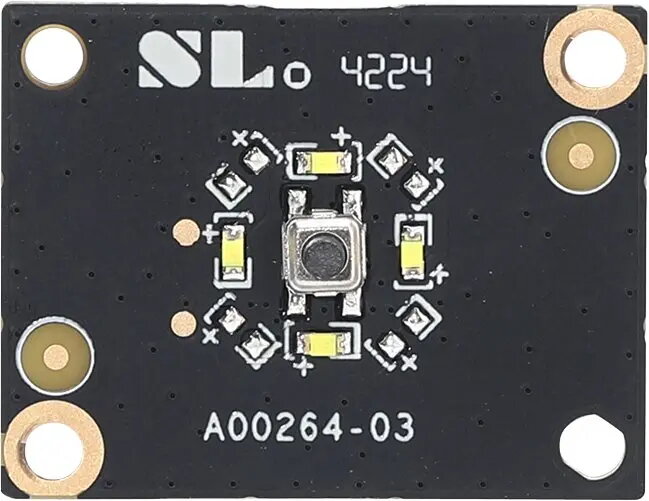
The BambuLab Start/Pause Button Module for H2 Series 3D Printers is a direct replacement control component designed for BambuLab H2 family machines. It restores the printer's physical interface for initiating, pausing and resuming prints when the original button is damaged or worn. The module is intended for maintenance, repair or upgrades and fits the H2 series hardware with the correct mechanical and electrical connections.
This replacement module provides a straightforward way to recover full front-panel control without requiring a full electronics replacement. It is manufactured to match the original form factor and tactile response, ensuring consistent operation when starting, pausing or resuming print jobs from the printer interface. Using a compatible module reduces downtime and preserves existing printer setup and settings.
Power down the printer and follow the manufacturer’s service instructions before attempting replacement. Remove the front-panel bezel or cover to access the existing button module, disconnect any cable or connector securing the old module, and install the replacement unit in the same orientation. Reattach connectors and mounts, replace the bezel, and power the machine back on. Verify operation by initiating a test print or using the printer’s interface to start, pause and resume a job.
Use the replacement module with the printer powered off and follow ESD precautions. If unsure about disassembly or connector orientation, consult the official BambuLab installation instructions or seek assistance from an authorized service provider to avoid damage to the printer’s electronics.
{{highlightedFeature.featureTitle}}:
{{getProductFeatureValueById(product, highlightedFeature.featureId)}}