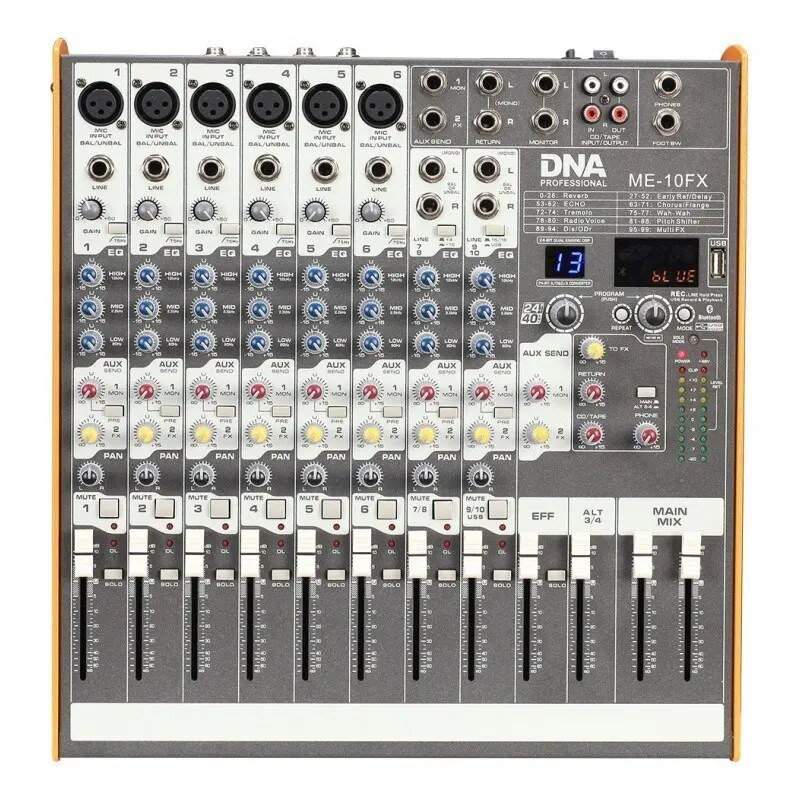
Bitmat DNA ME-10FX — a 10-channel audio mixer designed for live sound, small studio and recording applications. The mixer integrates USB connectivity for use as a digital audio interface and Bluetooth for wireless playback. Its channel controls and built-in basic effects make it suitable for mixing microphones, instruments and line-level sources during events, livestreams and content production.
Advantages
The compact layout provides access to ten input channels with dedicated level and tone controls, while USB connectivity simplifies multichannel or stereo recording to a computer. Bluetooth pairing allows wireless audio playback from mobile devices without additional adapters. Built-in FX give quick access to common processing like reverb or delay for live vocals and instruments, reducing the need for external processors. Routing options and output controls support connection to PA systems, monitors and recording devices.
Suitable for
- Small live events and acoustic performances
- Home and project studios for multitrack recording
- Podcasting and livestreaming with multiple microphones and playback sources
- Rehearsal rooms and band practice where compact mixing and FX are needed
When it may not be suitable
This mixer is aimed at compact live and project-studio use; it may not meet requirements of large-scale professional touring rigs that need extensive routing, high channel counts, or redundant components. Engineers requiring advanced internal digital signal processing, networking protocols (Dante/Waves), or very high-end preamps may find the feature set limited compared with larger-format consoles.
Key specifications
- Number of channels: 10 inputs with a mix of microphone and line-level capability
- Connectivity: USB audio interface functionality and Bluetooth wireless input
- Onboard processing: basic effects (reverb/delay/chorus or similar) for live use
- Controls: per-channel level and tone controls plus master output level and routing
- Outputs: main output suitable for PA connection and monitor outputs for foldback
- Form factor: compact tabletop design intended for small venues and studios
How to use
Connect microphones and instruments to the appropriate inputs and set gain and tone controls to achieve a clean input signal. Use the USB connection to route audio to and from a computer for recording or playback; install drivers if required by your operating system. Pair a phone or tablet via Bluetooth to play backing tracks or reference audio wirelessly. Apply the built-in effects to vocal or instrument channels as needed, then adjust the master output and monitor levels to suit the venue or recording environment.
What to consider before purchase
- Confirm the number and type of inputs you need (mic vs line) for your microphones and instruments
- Check USB compatibility with your computer and DAW software for recording or streaming
- Evaluate whether built-in FX meet your processing needs or if external processors are required
- Ensure outputs and routing options match your PA, amplifier or monitoring setup
Usage recommendations
For reliable live performance, set input gains conservatively to avoid clipping and use the onboard FX sparingly to keep clarity. When recording via USB, monitor latency settings in your DAW and use direct monitoring if available. Keep firmware or driver software up to date and store the mixer in a protective case when transporting between venues.