
Leave your address - as soon as the price of the product goes down, you'll know about it right away
Adapter cable BLOW USB to 3.5mm Mini‑Jack 4‑pole for iPod Shuffle
In cart {{totalProductsCount}} item(s)
Your cart is empty
Adapter cable BLOW USB to 3.5mm Mini‑Jack 4‑pole for iPod Shuffle
Leave your address - as soon as the price of the product goes down, you'll know about it right away
Adapter cable BLOW USB to 3.5mm Mini‑Jack 4‑pole for iPod Shuffle
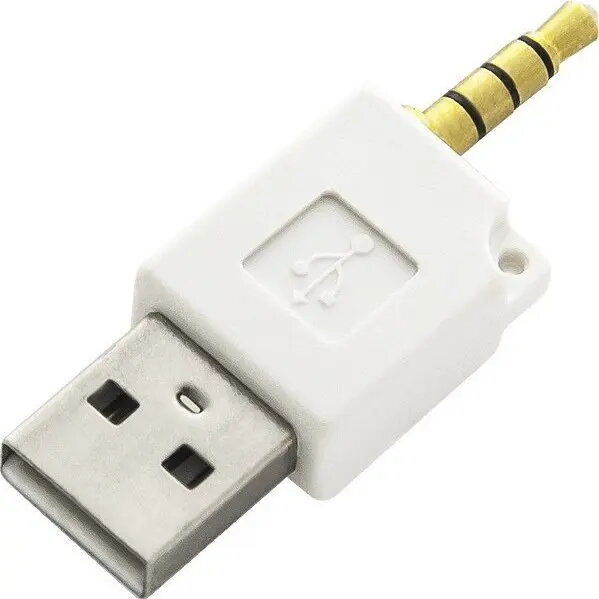
Compact adapter cable from BLOW converts a USB connection to a 3.5 mm mini‑jack 4‑pole plug designed for compatible iPod Shuffle models. The adapter provides a physical interface to connect a USB power source or compatible accessory to the 3.5 mm 4‑pole socket used on certain iPod Shuffle devices, enabling charging, basic data interfacing or accessory functions where that connector format is supported. The cable is compact and lightweight with a white finish suited for discreet desktop or travel use.
This adapter offers a simple and compact solution to bridge between standard USB ports and a 3.5 mm 4‑pole mini‑jack input. Its small form factor makes it easy to carry and position near a computer, power bank or charger. The design minimizes setup complexity by providing a direct physical connection without the need for larger docks or proprietary cables.
Insert the USB plug into a compatible USB port on a computer, charger or power bank. Insert the 3.5 mm 4‑pole mini‑jack into the corresponding socket on the iPod Shuffle or compatible accessory. Ensure the device supports charging or accessory functions via its 3.5 mm 4‑pole connector before use. Monitor the device during initial connection to confirm power or data transfer begins as expected.
Use with compatible iPod Shuffle models and accessories only; check device documentation to confirm support for charging or data through a 3.5 mm 4‑pole connector. Avoid exposing the adapter to moisture and disconnect when not in use to prolong service life.
{{highlightedFeature.featureTitle}}:
{{getProductFeatureValueById(product, highlightedFeature.featureId)}}