
Leave your address - as soon as the price of the product goes down, you'll know about it right away
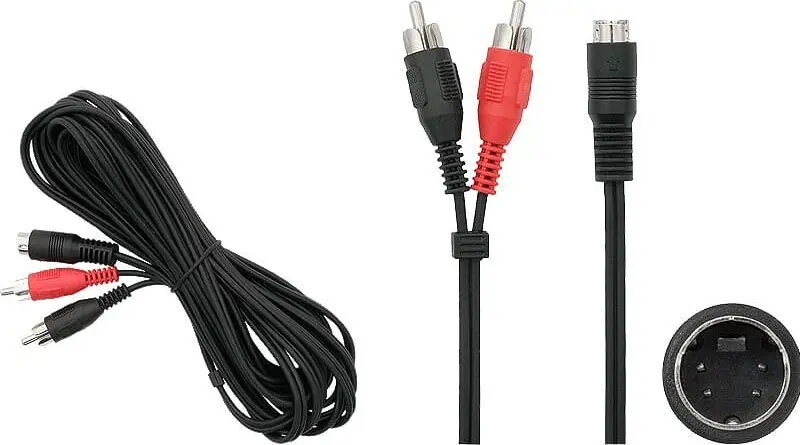
BLOW cable 1.2 m — SVHS to 2×RCA video adapter cable
In cart {{totalProductsCount}} item(s)
Your cart is empty
BLOW cable 1.2 m — SVHS to 2×RCA video adapter cable
Leave your address - as soon as the price of the product goes down, you'll know about it right away
BLOW cable 1.2 m — SVHS to 2×RCA video adapter cable
BLOW cable 1.2 m — SVHS to 2×RCA video adapter cable is an analog video connection cable that converts an S-Video (SVHS) output into two RCA composite video signals. The 1.2 m length provides moderate reach for connecting legacy sources such as camcorders, DVD players or VCRs to displays, capture devices or video converters that accept separate luminance and chrominance inputs via RCA sockets. The cable preserves the separate Y/C channels of S-Video, enabling compatibility with equipment that requires two RCA inputs for video processing.
The adapter cable offers a straightforward, passive connection method without the need for power or drivers, enabling direct transmission of analog video signals. Its 1.2 m length balances flexibility and signal integrity for short to medium connections. The dual RCA termination ensures compatibility with a wide range of legacy playback, recording and capture devices that use RCA video inputs. The cable is suitable for users who need to interconnect older audiovisual equipment where S-Video outputs must be adapted to RCA inputs.
Insert the 4-pin S-Video connector into the S-Video output of the source device, ensuring correct alignment of the pins. Plug the two RCA connectors into the corresponding video input jacks on the display, capture device or converter — typically one for luminance (Y) and one for chrominance (C). Secure connections to avoid loose contacts. After connecting, select the appropriate input on the receiving device or software to display or record the incoming analog signal.
For best results, use short cable runs and avoid coiling the cable tightly. Match the RCA connectors to the correct inputs on the receiving device, and verify signal routing if the display shows no picture. When digitizing footage, use a capture device that supports separate Y/C inputs to preserve the improved separation that S-Video provides over single-wire composite connections.
{{highlightedFeature.featureTitle}}:
{{getProductFeatureValueById(product, highlightedFeature.featureId)}}