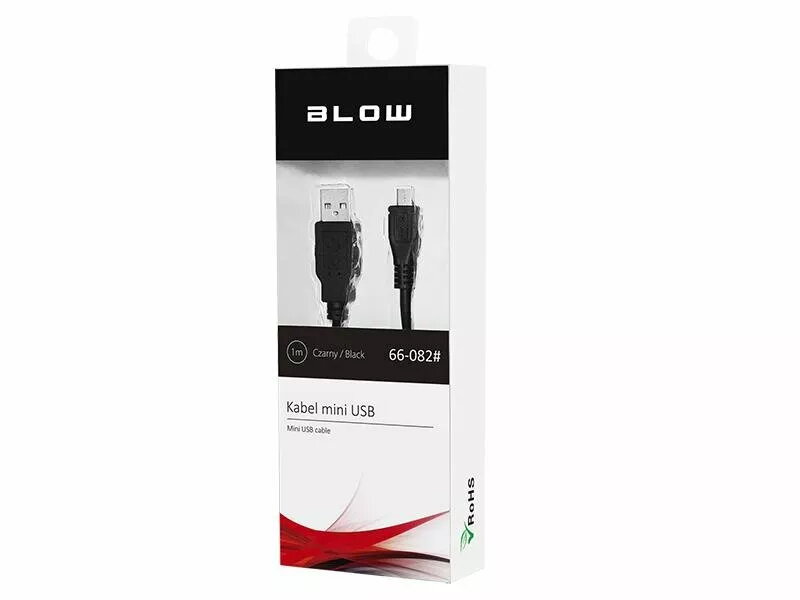
BLOW 66-082# is a 1-meter USB to Mini USB cable in black designed for data transfer and charging between devices that use a Mini USB connector and standard USB hosts or chargers. The cable provides a straight, single-ended connection for syncing photos, transferring files or supplying power to compatible cameras, older mobile phones, GPS units and other electronics. Its compact length and universal USB-A plug make it convenient for desktop use, travel and in-line charging from power banks or wall adapters.
Advantages
The cable combines a Mini USB plug with a standard USB-A connector to support both data exchange and power delivery without additional adapters. At 1 meter length it balances reach and portability, reducing cable clutter while allowing convenient device placement. The simple, reversible handling and plug-and-play operation ensure straightforward connection to computers and chargers. The black insulation provides a neutral appearance that fits common setups.
Suitable for
- Connecting older digital cameras to computers for file transfer
- Syncing and charging legacy mobile phones and PDAs with Mini USB ports
- Powering or updating firmware on GPS units and portable audio devices
- Connecting peripheral devices that require a Mini USB interface to USB-A hosts
Key specifications
- Cable length: 1 meter
- Connector A: Standard USB-A (male)
- Connector B: Mini USB (male)
- Color: Black
- Primary functions: Data transfer and charging
How to use
Plug the USB-A end into a computer USB port, wall charger or power bank, and insert the Mini USB end into the compatible device until it seats securely. For data transfer, allow the connected computer to recognise the device and follow operating system prompts to browse or copy files. For charging, ensure the power source is active; charging typically begins automatically. Disconnect by gently pulling the connector bodies, not the cable, to avoid stress on the terminations.
Usage recommendations
Use the cable in dry, indoor environments and avoid sharp bends or heavy tension to prolong service life. For best data integrity, connect directly to a computer port rather than through unpowered hubs when transferring important files. Replace the cable if connectors are loose, or if the insulation shows visible wear.