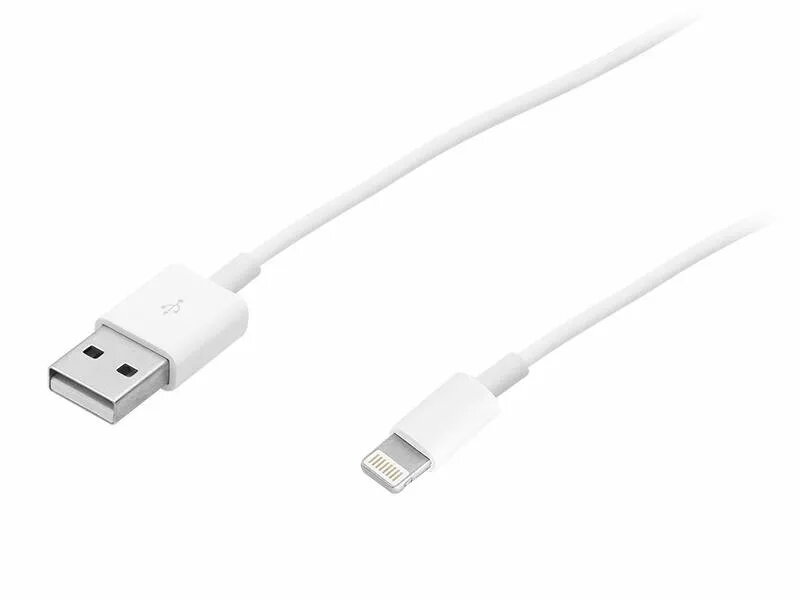
BLOW 66-088# — 1 m USB to Lightning cable in white provides a reliable wired connection for charging and data transfer between USB host ports and Lightning-equipped Apple devices. With a one-metre length, this cable balances reach and portability for everyday use at home, in the office, or while travelling. It supports standard sync and charging functions over the Lightning interface and is designed for straightforward connectivity with smartphones, tablets and other Lightning-compatible devices.
Advantages
The cable offers a durable, flexible jacket and a compact connector design that fits most Lightning device cases. Its 1 m length reduces clutter while allowing comfortable use during charging. The USB to Lightning configuration ensures broad compatibility with USB power adapters, power banks and computer USB ports for reliable charging and data syncing. The white finish matches many devices and accessories for a neutral, unobtrusive look.
Suitable for
- Charging Lightning-equipped smartphones and tablets
- Syncing data between Lightning devices and computers
- Use with USB wall chargers, car chargers and power banks
- Everyday use at home, office or while travelling
Key specifications
- Connector type: USB (host) to Lightning
- Cable length: 1 metre
- Colour: white
- Primary functions: charging and data transfer
- Construction: flexible insulated cable with molded connectors
How to use
Connect the USB end to a compatible USB port on a computer, wall charger, car charger or power bank and insert the Lightning connector into the device's port. Once connected, the cable will allow charging and, when connected to a computer, data synchronization. Ensure both connector ends are fully seated to maintain a stable connection. Avoid excessive bending near the connectors to prolong cable life.
Usage recommendations
For best performance, use with certified USB power adapters and avoid exposing the cable to sharp bends, liquids or prolonged high temperatures. Inspect connectors periodically for debris and clean gently if necessary. Replace the cable if you notice frayed insulation, exposed wires or intermittent connections.