
Leave your address - as soon as the price of the product goes down, you'll know about it right away
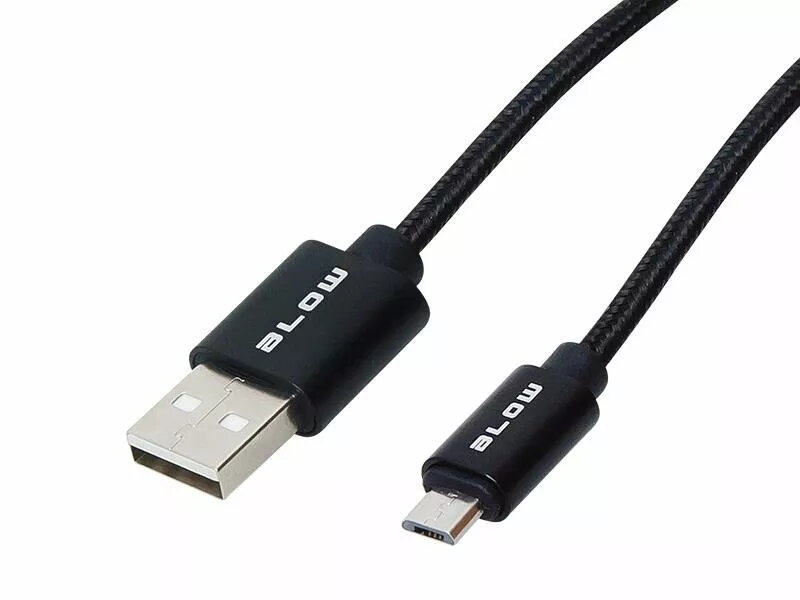
USB data cable BLOW 66-112# — USB A male to Micro USB male, 2 m, black
In cart {{totalProductsCount}} item(s)
Your cart is empty
USB data cable BLOW 66-112# — USB A male to Micro USB male, 2 m, black
Leave your address - as soon as the price of the product goes down, you'll know about it right away
USB data cable BLOW 66-112# — USB A male to Micro USB male, 2 m, black
BLOW 66-112# is a USB data cable with a USB A male connector on one end and a Micro USB male connector on the other. The cable is 2 m long and has a black jacket. It is designed for wired data transfer and charging of devices equipped with Micro USB ports, including older smartphones, tablets, power banks and various accessories. The cable provides a standard, plug-and-play connection for syncing files, charging batteries and performing device maintenance.
The 2 m length offers extended reach compared with short charging leads, allowing convenient placement of devices during syncing or charging. The molded connectors and jacketed cable provide a durable, flexible connection suitable for daily use. The cable supports simultaneous data transfer and charging when used with compatible host devices and chargers. Its universal USB A to Micro USB pinout ensures compatibility with a wide range of legacy devices.
Insert the USB A male connector into a compatible USB host port such as a computer, wall charger or power bank USB output. Connect the Micro USB male connector to the device with a Micro USB receptacle. Ensure both connectors are fully seated to establish a reliable data or charging connection. For data transfer, verify that the host device recognises the connected device and select the required transfer mode on the device if prompted. Disconnect by gently pulling the connector bodies rather than the cable to avoid strain.
For stable charging and reliable data transfer, use appropriate chargers or USB ports that meet your device's power requirements. Avoid bending the cable sharply near the connector ends and store the cable coiled without tight knots to prolong service life. If you need faster charging or higher current delivery for modern devices, consider cables and chargers rated for higher current and newer connector standards.
{{highlightedFeature.featureTitle}}:
{{getProductFeatureValueById(product, highlightedFeature.featureId)}}