
Leave your address - as soon as the price of the product goes down, you'll know about it right away
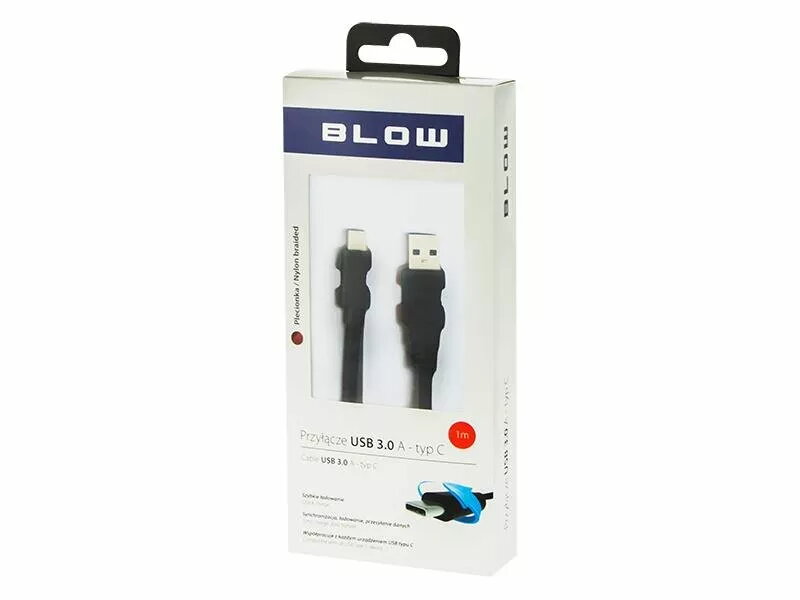
USB 3.0 to USB 3.0 Type-C cable BLOW 66-126# — 1 m, black
In cart {{totalProductsCount}} item(s)
Your cart is empty
USB 3.0 to USB 3.0 Type-C cable BLOW 66-126# — 1 m, black
Leave your address - as soon as the price of the product goes down, you'll know about it right away
USB 3.0 to USB 3.0 Type-C cable BLOW 66-126# — 1 m, black
BLOW 66-126# is a 1 m USB 3.0 to USB 3.0 Type-C cable in black designed to connect devices with a standard USB 3.0 Type-A host or port to peripherals that use a USB Type-C connector and support USB 3.0 signaling. The cable supports high-speed data transfer and can be used for device charging and for connecting external drives, smartphones and other Type-C peripherals where USB 3.0 performance is required.
The cable provides USB 3.0 performance over a Type-C connector, enabling faster data rates compared with earlier USB generations when both connected devices support USB 3.0. Its 1 metre length balances reach and convenience for desktop and mobile use while the black jacket offers a neutral, low-profile appearance. The reversible Type-C plug simplifies insertion and the standard Type-A end ensures compatibility with a wide range of hosts and chargers that implement USB 3.0 ports.
Insert the USB Type-A connector into a host port (computer, charger or hub) that supports USB 3.0 and the Type-C connector into the peripheral device. Ensure both devices support USB 3.0 to achieve SuperSpeed transfer rates; otherwise, the connection will fall back to the highest mutually supported USB version. No software installation is required for data or charging functions; the cable is plug-and-play.
For optimal performance, use the cable with devices that advertise USB 3.0 or SuperSpeed capability and avoid routing the cable near large sources of electromagnetic interference. Inspect connectors regularly for debris and insert straight to avoid stressing the ports. If fast charging or specific power delivery is required, verify device compatibility since power characteristics depend on the connected devices and ports.
{{highlightedFeature.featureTitle}}:
{{getProductFeatureValueById(product, highlightedFeature.featureId)}}