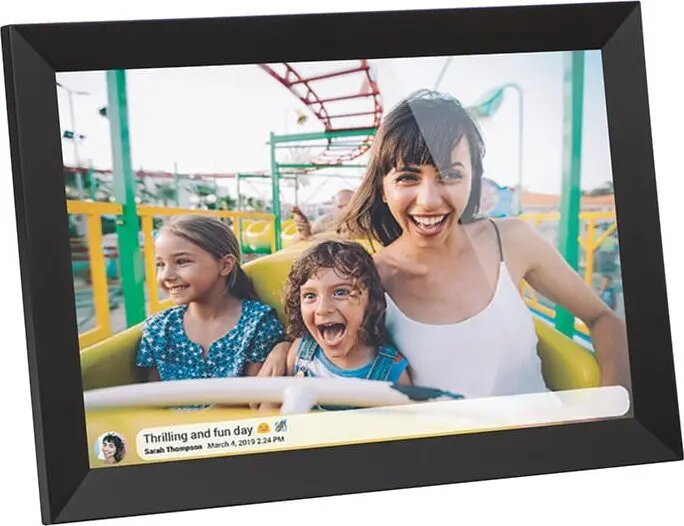
The BLOW 79-702# digital photo frame features a 10.1" display with Wi‑Fi connectivity and support for the Frameo app, enabling wireless image transfer and remote slideshow control. Designed for tabletop or shelf placement in living rooms, kitchens, or offices, this digital frame displays photos and memories without the need for a connected computer. The device accepts images sent via the app or cloud services (as supported) and plays them in configurable slideshows to keep photo collections up to date.
Advantages
This digital photo frame offers simple wireless setup and convenient photo sharing through the Frameo app and Wi‑Fi. The 10.1" display provides a compact but clear viewing area suitable for portrait or landscape images. Integrated connectivity removes the need for manual transfers via USB or memory cards when using app-based sharing, and built-in slideshow functionality automates image playback with adjustable intervals and transition options.
Suitable for
- Displaying family photos on a desk, shelf, or bedside table
- Remote photo sharing from friends and relatives via the Frameo app
- Rotating slideshows in small offices, reception areas, or home entryways
- Presenting recent event photos without a computer or printer
When it may not be suitable
This frame is intended for photo viewing and basic slideshow playback; it may not be suitable for users who need high-resolution photo editing, professional color calibration, or very large displays. If you require extensive local storage or support for uncommon file formats, check compatibility with your image sources before purchase.
Key specifications
- Display size: 10.1 inches
- Connectivity: Wi‑Fi for wireless image transfer and remote control
- App compatibility: Frameo app for sending photos and managing slideshows
- Display orientation: Supports portrait and landscape viewing modes
- Playback: Slideshow playback with configurable intervals and transitions
How to use
Place the frame on a stable surface and connect it to a power source. Use the on-screen setup to connect the frame to a local Wi‑Fi network, then install the Frameo app on a compatible smartphone or tablet. Pair the app with the frame following the app instructions to send photos directly to the device. Once connected, manage playlists and slideshow settings in the app or via the frame's menu to control display order, interval timing, and transition styles.
What to consider before purchase
- Ensure availability of a stable Wi‑Fi network where the frame will be used
- Confirm that your smartphone or tablet is compatible with the Frameo app
- Decide on preferred display orientation (portrait or landscape) and placement space
- Verify supported image formats and file size limitations in the product manual
Usage recommendations
For reliable performance, keep the frame’s firmware and the Frameo app up to date, place the frame within good Wi‑Fi coverage, and prepare images at resolutions suitable for a 10.1" screen to ensure clear display during slideshows.