
Leave your address - as soon as the price of the product goes down, you'll know about it right away
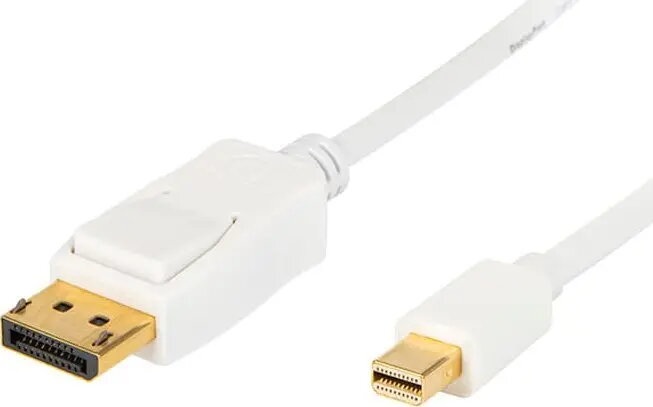
DisplayPort to Mini DisplayPort cable BLOW 2.0 m (model 92-025#)
In cart {{totalProductsCount}} item(s)
Your cart is empty
DisplayPort to Mini DisplayPort cable BLOW 2.0 m (model 92-025#)
Leave your address - as soon as the price of the product goes down, you'll know about it right away
DisplayPort to Mini DisplayPort cable BLOW 2.0 m (model 92-025#)
This DisplayPort to Mini DisplayPort cable by BLOW offers a passive, direct digital connection between devices equipped with DisplayPort and Mini DisplayPort ports. At 2.0 m length, the cable is designed to provide straightforward audio and video transmission without the need for adapters or signal conversion, making it suitable for desktop workstations, portable computers and docking stations where a short to medium cable run is required.
The cable supports native digital video and audio transmission through a single cable, reducing cable clutter and eliminating the need for separate audio connections. Its passive construction ensures plug-and-play compatibility with devices that support DisplayPort and Mini DisplayPort standards, and the 2.0 m length balances reach and desk tidiness. The simple one-directional connection minimizes setup complexity and is compatible with a wide range of monitors and laptops that offer the corresponding ports.
Connect the full-size DisplayPort end to the DisplayPort input on your monitor or projector and insert the Mini DisplayPort end into the Mini DisplayPort output on your laptop or docking station. Power on both devices and select the appropriate input source on the display if necessary. The passive cable relies on the source and display to negotiate supported resolutions and audio channels; adjust display settings in the operating system or monitor menu to achieve the desired resolution and audio output routing.
For reliable performance, avoid sharp bends or kinks near the connectors and route the cable to prevent excessive strain. Use the 2.0 m length for desktop or short-range setups; if longer runs or active signal conversion are required (for example to convert to HDMI or to extend beyond typical DisplayPort signal limits), choose an appropriate active adapter or repeater. Keep connectors free of dust and ensure firm seating to maintain stable video and audio signals.
{{highlightedFeature.featureTitle}}:
{{getProductFeatureValueById(product, highlightedFeature.featureId)}}