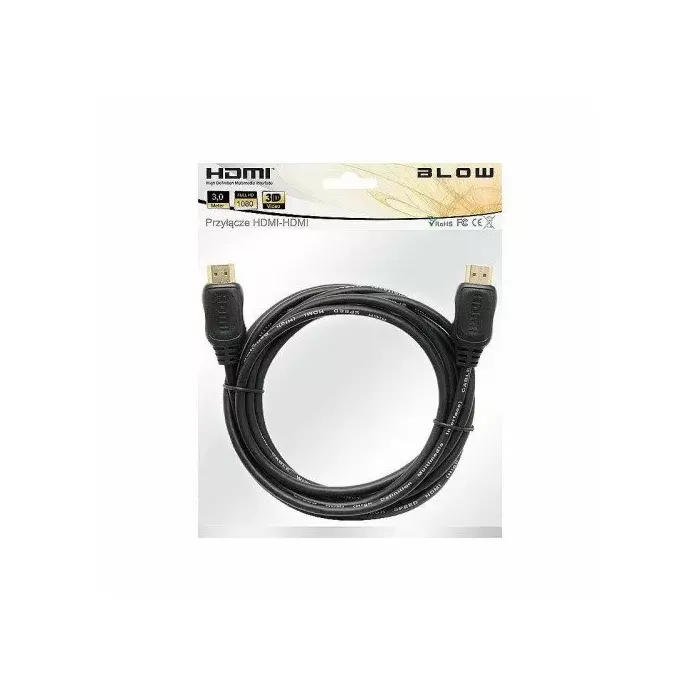
BLOW HDMI-HDMI 3m is a 3.0-meter HDMI to HDMI high-speed cable designed to transmit uncompressed digital audio and video between compatible devices. It supports a direct HDMI connection for TVs, monitors, projectors, game consoles and media players, providing a straightforward wired link where a 3.0 m length is required. The cable is intended for typical home and office AV setups that need reliable signal transfer without adapters.
Advantages
The cable offers a fixed 3.0 m length that balances reach and manageability, reducing the need for extensions. Its HDMI-to-HDMI design enables direct digital transmission of high-definition video and multichannel audio with minimal signal loss when used within standard HDMI application ranges. The simple construction makes it compatible with common HDMI-equipped devices and easy to install in living rooms, meeting rooms, or workstation environments.
Suitable for
- Connecting a TV to a set-top box or media player
- Linking monitors or projectors to laptops and desktop PCs
- Connecting game consoles to displays
- Home theatre and small conference room AV setups
Key specifications
- Cable type: HDMI to HDMI high-speed cable
- Length: 3.0 meters
- Signal type: digital audio and video
- Connector orientation: standard HDMI plugs on both ends
- Compatibility: standard HDMI-enabled TVs, monitors, projectors, consoles and media players
How to use
Connect one end of the BLOW 3.0 m HDMI cable to the HDMI output port of your source device (such as a Blu-ray player, game console or laptop) and the other end to the HDMI input port of your display device (TV, monitor or projector). Select the corresponding HDMI input on the display and, if necessary, configure the source device output resolution in its display settings. Ensure connectors are fully inserted and avoid excessive bending of the cable near the connectors to maintain signal integrity.
Usage recommendations
For stable performance, route the cable away from power cables and sources of electromagnetic interference. If using with high-resolution or high-refresh-rate setups, verify that both source and display support the desired format and set the correct resolution and audio output in device settings.