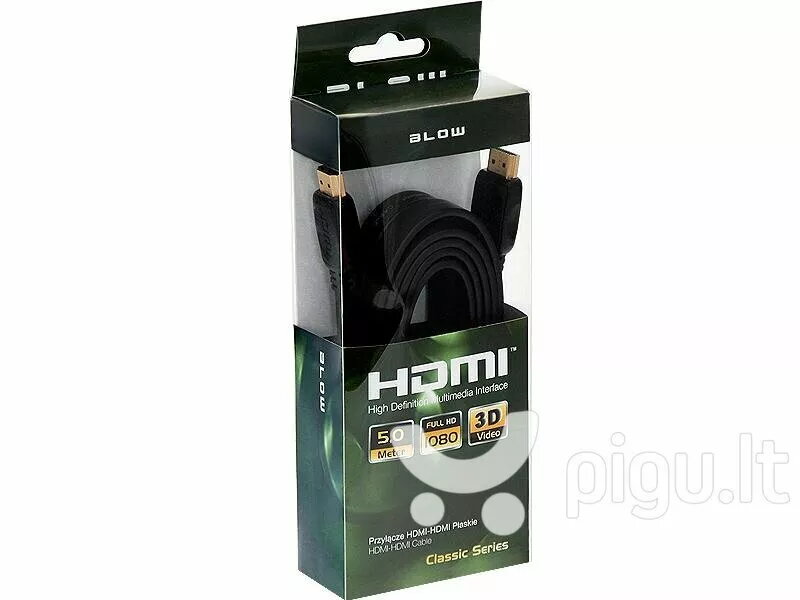
Flat HDMI to HDMI cable by BLOW, 5 meters long, designed for reliable transmission of high-definition video and digital audio between HDMI-equipped devices. The cable’s slim, flat profile reduces bulk, simplifies routing under carpets or along skirting boards, and helps keep installations tidy in living rooms, offices, or AV cabinets. Suitable for connecting TVs, monitors, projectors and AV receivers over a 5 m distance while preserving HDMI signal integrity for standard HD and Full HD use.
Advantages
The flat construction minimizes cable thickness and increases flexibility for tight routing paths and concealed installations. A length of 5 m provides extended reach without the need for intermediate signal boosters in typical setups. Built for plug-and-play use with standard HDMI ports, the cable supports stable digital audio and video transfer over a single lead, reducing cable clutter and simplifying setup. The low-profile design reduces the chance of visible bulges under floor coverings and enables neater cable management along walls and furniture.
Suitable for
- Connecting a TV to a set-top box, media player or AV receiver across a medium-length distance
- Linking a monitor or projector to a laptop or desktop computer
- Routing under carpets or along skirting boards where a slim cable profile is required
- Home theatre and office multimedia installations with concealed cable runs
Key specifications
- Connector type: HDMI to HDMI
- Cable length: 5 meters
- Design: flat, low-profile cable
- Signal: digital audio and video over HDMI standard
- Compatibility: devices with standard HDMI ports (TVs, monitors, projectors, AV receivers, computers)
How to use
Insert one HDMI connector into the HDMI output of the source device (for example a set-top box, Blu-ray player or computer) and the other connector into the HDMI input of the display device (TV, monitor or projector). Ensure connectors are fully seated to establish a secure connection. Route the flat cable along the desired path, tucking it under skirting boards or carpets where needed, taking care to avoid sharp bends or heavy compression at the connector ends. Power on connected devices and select the corresponding HDMI input on the display.
Usage recommendations
For best results, avoid tight folds near connector ends and prevent prolonged compression under heavy objects. If you need extended length beyond 5 m or require support for the newest HDMI features (such as higher bandwidth for 4K at high refresh rates), verify device compatibility or consider an active cable or certified high-speed HDMI alternative.