
Leave your address - as soon as the price of the product goes down, you'll know about it right away
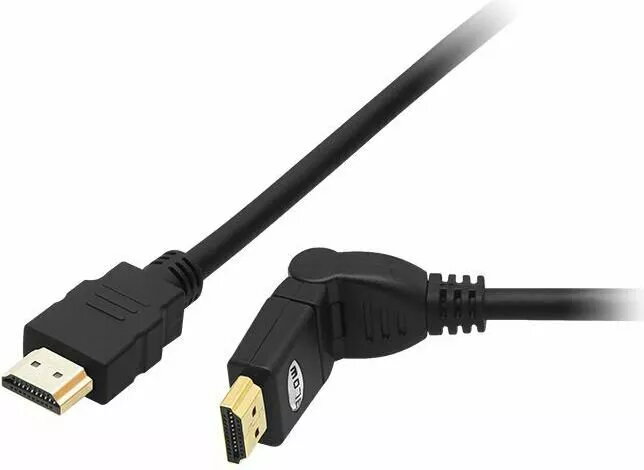
HDMI cable BLOW HDMI-HDMI 2.0 4K angled connector, 3 m
In cart {{totalProductsCount}} item(s)
Your cart is empty
HDMI cable BLOW HDMI-HDMI 2.0 4K angled connector, 3 m
Leave your address - as soon as the price of the product goes down, you'll know about it right away
HDMI cable BLOW HDMI-HDMI 2.0 4K angled connector, 3 m
BLOW HDMI-HDMI 2.0 cable, 3 m, with an angled connector designed to transmit 4K video between compatible devices. The cable follows the HDMI 2.0 specification to support high-definition signal transfer for TVs, monitors, projectors, gaming consoles and media players. The angled plug helps with tight installation spaces and reduces stress on the connector and port when devices are placed close to walls or inside cabinets.
The cable supports HDMI 2.0 bandwidth for 4K resolution at standard frame rates and preserves audio and video synchronization over a single connection. Its angled connector enables neater cable routing and reduces mechanical strain on ports compared to straight plugs, which is useful for wall-mounted displays and compact AV setups. The 3 m length provides flexibility to position devices without the need for extensions or repeats, while the single HDMI-to-HDMI connection keeps installation simple.
Connect one end of the cable to the HDMI output of the source device (for example a Blu-ray player, game console or media player) and the other end to the HDMI input of the display device (TV, monitor or projector). If space behind the display is limited, orient the angled connector so it matches the available clearance and route the cable along the rear panel to avoid sharp bends. Power on both devices and select the corresponding HDMI input on the display. Adjust display resolution and audio settings on source or display devices as needed to match desired 4K output and audio format.
For reliable 4K performance, avoid tightly coiling the cable and keep it away from strong electromagnetic sources. If long runs or higher bandwidth features (such as higher frame rates or advanced HDR formats) are required, verify compatibility of connected devices and consider higher-specification cables or active solutions.
{{highlightedFeature.featureTitle}}:
{{getProductFeatureValueById(product, highlightedFeature.featureId)}}