

Leave your address - as soon as the price of the product goes down, you'll know about it right away
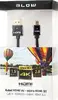
HDMI to micro HDMI cable BLOW PROFESSIONAL 4K 2.0, 1.5 m
In cart {{totalProductsCount}} item(s)
Your cart is empty
HDMI to micro HDMI cable BLOW PROFESSIONAL 4K 2.0, 1.5 m
Leave your address - as soon as the price of the product goes down, you'll know about it right away
HDMI to micro HDMI cable BLOW PROFESSIONAL 4K 2.0, 1.5 m
The BLOW PROFESSIONAL HDMI to micro HDMI cable 4K 2.0, 1.5 m provides a direct wired connection between devices with standard HDMI and micro HDMI ports. Designed to support HDMI 2.0 bandwidth, this cable enables transmission of high-resolution video up to 4K and multichannel audio between cameras, tablets, laptops and compatible displays. Its 1.5 m length balances mobility and reach for on-set monitoring, presentations and media playback where a compact micro HDMI interface is required.
This cable supports the HDMI 2.0 specification, allowing 4K video throughput and reliable digital audio transfer. The compact micro HDMI connector fits small devices while the full-size HDMI plug connects to TVs, monitors, capture cards and projectors. The 1.5 m length reduces cable clutter while offering sufficient distance for typical desktop and camera setups. Construction and connector fit are optimized for frequent plug-and-play use without active adapters or converters.
Insert the micro HDMI connector into the device with the micro HDMI output and plug the full-size HDMI connector into the target display, capture device or projector. Power on both devices and select the appropriate input on the display or capture device. The connection is plug-and-play for most modern devices that support HDMI 2.0; adjust display resolution and audio settings on source or display as needed to match 4K output and preferred audio format.
Use the cable in environments where a secure, direct digital connection is required. Avoid sharp bends near the connectors, keep the cable away from sources of strong electromagnetic interference, and disconnect by the connector body rather than pulling the cable. For stable 4K output, verify that both source and display support HDMI 2.0 and are configured to the correct resolution and refresh rate.
{{highlightedFeature.featureTitle}}:
{{getProductFeatureValueById(product, highlightedFeature.featureId)}}