
Leave your address - as soon as the price of the product goes down, you'll know about it right away
Reversing Camera BLOW BVS-549 infrared – BLOW model BVS-549
In cart {{totalProductsCount}} item(s)
Your cart is empty
Reversing Camera BLOW BVS-549 infrared – BLOW model BVS-549
Leave your address - as soon as the price of the product goes down, you'll know about it right away
Reversing Camera BLOW BVS-549 infrared – BLOW model BVS-549
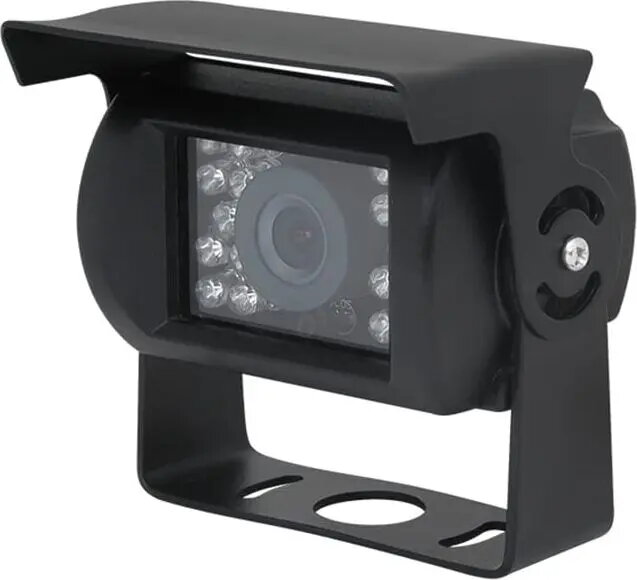
The Reversing Camera BLOW BVS-549 infrared is a wired rear-view camera designed for mounting on the rear of cars, vans and light commercial vehicles to assist with parking and reversing. The unit provides a continuous video feed to compatible monitors or head units and features built-in infrared LEDs that improve visibility in low-light and night conditions. The camera housing is compact to fit a range of vehicle mounting points while offering a straightforward wired connection for video and power.
The camera offers infrared illumination to enhance night-time visibility without relying on ambient lighting. Its wired design ensures a stable video signal to the monitor and reduces the risk of interference common to wireless systems. The compact housing simplifies installation on license plate surrounds, bumpers or other rear mounting points, and the camera is compatible with common 4-pin video inputs and typical vehicle power sources used by in-dash displays and aftermarket monitors.
Mount the camera at a suitable rear position, such as the license plate area or bumper, ensuring the lens has an unobstructed view. Route the video and power cables from the camera to the monitor or head unit, and connect the video output to the monitor video input and the power leads to the vehicle's reverse light circuit or appropriate 12 V source. Adjust the camera angle to achieve the desired field of view and test the system by engaging reverse gear to confirm the image appears on the display and infrared illumination activates in low-light conditions.
For reliable operation, use shielded video cable for longer cable runs and protect cable routing from sharp edges and moving parts. Confirm compatibility with your monitor's video input format and secure all electrical connections. Regularly check the camera lens and housing for dirt or damage and clean with a soft cloth to maintain clear image quality.
{{highlightedFeature.featureTitle}}:
{{getProductFeatureValueById(product, highlightedFeature.featureId)}}