


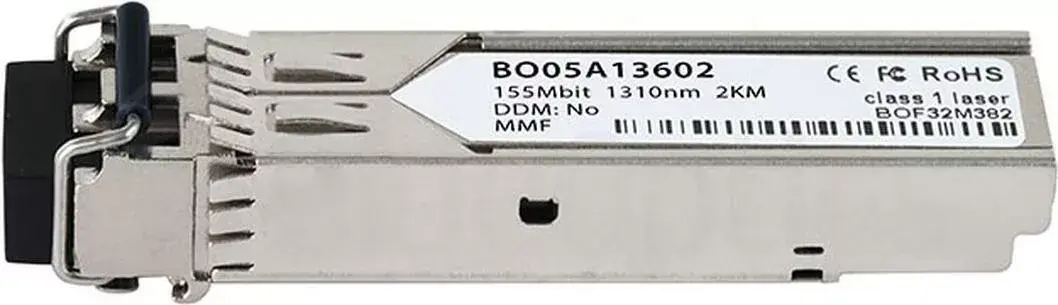
Fiber Optic Transceiver CBO E1MG-100FX 100 Mbps multimode
Offer for a legal entity, non-cash payment.
Short description

Cheapest delivery:
Unisend LV
Product information
Description
CBO E1MG-100FX 100 Mbps multimode is a fiber optic transceiver from BlueOptics designed to convert electrical Ethernet signals to optical signals for multimode fiber links at 100 Mbps. The module provides a straightforward solution for establishing point-to-point fiber connections between switches, routers or media converters. It is intended for environments that require immunity to electromagnetic interference, stable data transfer and extended link distance compared with copper cabling.
Advantages
The transceiver supports a standard 100 Mbps data rate over multimode fiber, delivering consistent throughput for legacy Fast Ethernet applications. Its optical conversion reduces susceptibility to electrical noise and ground loop problems, enabling reliable connectivity in industrial or enterprise installations. The compact form factor and standardized interface simplify integration into existing network equipment and media conversion setups, while passive optical components contribute to low power draw and operational stability.
Suitable for
- Connecting network switches across short to medium multimode fiber runs
- Extending Ethernet links between routers and media converters
- Industrial environments with high electromagnetic interference
- Enterprise backbone segments and wiring closets requiring fiber link isolation
Key specifications
- Data rate: 100 Mbps (Fast Ethernet)
- Fiber type: multimode
- Function: electrical-to-optical and optical-to-electrical conversion
- Application: point-to-point fiber links between network devices
- Compatibility: standard Fast Ethernet interfaces on network equipment
How to use
Install the transceiver into the compatible network device or media converter slot following the device manufacturer’s guidance for module insertion. Connect multimode fiber patch cords with appropriate connectors to the transceiver’s optical interface, and ensure both ends of the fiber link are properly terminated and clean. Power the network devices and verify link status via device indicators or management interfaces. If necessary, adjust duplex and speed settings on connected equipment to match the 100 Mbps operation.
Usage recommendations
Use certified multimode fiber and clean connector endfaces to maintain optimal optical performance. Keep fiber patch cords properly routed to avoid tight bends and mechanical strain. For reliable operation in electrically noisy environments, verify grounding and follow installation best practices for fiber runs separate from high-voltage cabling.


