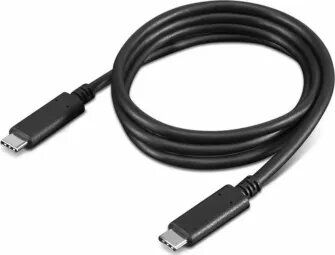
brackton USB Type-C to USB Type-C cable, 1.5 m, supports up to 100W power delivery, data transfer rates up to 20 Gbit/s and video output up to 4K at 60 Hz. The cable is designed to charge laptops, tablets and smartphones, synchronize large files between compatible devices and deliver high-resolution video to monitors, docking stations or projectors. Its 1.5 m length provides a balance between reach and portability for office, travel and home setups.
Advantages
The cable supports high-power charging up to 100W, enabling fast charging of power-hungry laptops and rapid replenishment of smaller devices. With data throughput up to 20 Gbit/s it enables fast file transfers and responsive connections for external drives and peripherals. Video support up to 4K/60Hz allows clear, high-frame-rate output to external displays. The reversible USB Type-C connectors simplify connection and reduce wear from repeated plugging. The 1.5 m length offers flexible placement without excessive cable clutter.
Suitable for
- Charging laptops, tablets and smartphones that accept USB-C power delivery
- High-speed file transfer between computers, external SSDs and docks
- Connecting laptops or media players to external 4K displays at 60 Hz
- Use in office desks, home workstations and while travelling
Key specifications
- Cable type: USB Type-C to USB Type-C
- Length: 1.5 m
- Maximum power delivery: up to 100 watts
- Data transfer speed: up to 20 Gbit/s
- Video output: supports up to 4K resolution at 60 Hz
- Connector orientation: reversible USB-C on both ends
How to use
Plug one USB-C connector into the source device (laptop, smartphone, dock or power adapter) and the other into the target device (charger, external display or peripheral). For power delivery, ensure both devices support the desired charging profile and that the power source can provide sufficient wattage. For video output, connect to a display or dock that accepts USB-C video and select the correct input on the display. For data transfer, use the operating system’s file manager or transfer software to move files; speeds depend on the connected devices’ capabilities.
Usage recommendations
Avoid bending the cable sharply near the connectors and keep the cable away from extreme heat sources. Use certified chargers and devices that support the required power and data profiles to ensure safe operation. If using with a dock or monitor for 4K/60Hz video, confirm the host device supports USB-C video output at that resolution and refresh rate.