Dreame vacuums for fast and efficient cleaning!
In cart {{totalProductsCount}} item(s)
Your cart is empty
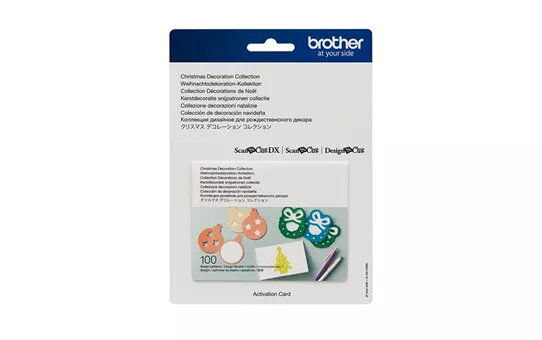
Design set Brother Scanncut CACDCP01 Christmas craft kit for ScanNCut machines
Design set Brother Scanncut CACDCP01 Christmas craft kit for ScanNCut machines is a themed digital design collection created for use with compatible Brother ScanNCut cutting machines. The kit contains a selection of Christmas-related cut and pattern files formatted for direct import and use on ScanNCut models that accept Brother design sets. It is intended to simplify creation of holiday cards, decorations, gift tags, fabric appliqués and paper craft projects by providing ready-made vector shapes and patterns optimized for cutting and drawing functions.
This design set provides ready-to-use seasonal designs that save time on layout and trace preparation. Files are optimized for precise contour cutting and for the drawing/stipple functions available on ScanNCut machines, reducing manual tracing and resizing. The collection is useful both for small batch projects and for rapid prototyping of multiple holiday items, with vector-based shapes that maintain clean edges on a range of materials including paper, cardstock and light fabrics. Installation and selection of designs on compatible ScanNCut models follow the standard design-set workflow, allowing consistent results across similar projects.
Transfer the design set to a compatible Brother ScanNCut machine following the manufacturer’s import instructions for design sets. Open the chosen design on the machine, adjust size and position to match your material and project requirements, and select appropriate blade depth, pressure and cutting speed for the material in use. If the design includes drawing or stipple elements, load the suitable pen or tool and select the corresponding tool settings. Perform a test cut on a scrap piece to confirm settings before processing the final material.
For best results, match blade types and settings to the material thickness, use a clean cutting mat to prevent slipping, and perform a small test run when switching materials. When working with fabric, use stabilizer or adhesive-backed interfacing to ensure crisp edges. Keep design file backups and follow ScanNCut firmware and software guidance for importing and applying design sets.
{{highlightedFeature.featureTitle}}:
{{getProductFeatureValueById(product, highlightedFeature.featureId)}}
{{ productComparisonGenerationError }}