Leave your address - as soon as the price of the product goes down, you'll know about it right away
USB Type-C to USB Type-C cable C2G Brackton 2 m, supports 8K video
In cart {{totalProductsCount}} item(s)
Your cart is empty
USB Type-C to USB Type-C cable C2G Brackton 2 m, supports 8K video
Leave your address - as soon as the price of the product goes down, you'll know about it right away
USB Type-C to USB Type-C cable C2G Brackton 2 m, supports 8K video
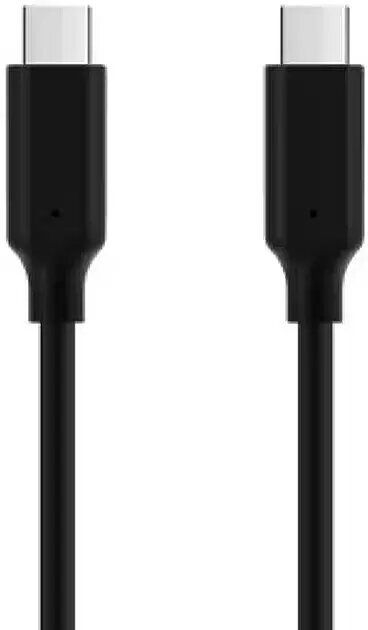
The C2G Brackton USB Type-C to USB Type-C cable (2 m) provides a direct, reversible connection between Type-C ports for video, data transfer and charging. Designed for compatibility with laptops, monitors, docking stations and mobile devices that support USB-C, this cable supports high-resolution video output up to 8K when used with compatible devices and hosts. Its 2-meter length offers flexibility in desktop and AV setups where extra reach is needed without additional adapters.
The cable features symmetrical Type-C connectors on both ends for easy plug-and-play use and reduced connector wear. Support for 8K video ensures it can carry high-bandwidth video signals when paired with devices that implement the required video alt mode or USB4/DisplayPort over USB-C capabilities. The 2 m length balances reach and signal integrity for typical workstation and multimedia arrangements.
Insert one end of the cable into the USB-C port of your source device (laptop, dock, mobile device) and the other end into the USB-C input of the display, dock or target device. For high-resolution video, verify that both devices support the necessary video alt mode or USB4/DisplayPort over USB-C and that display settings are configured to the desired resolution. For charging or data transfer, ensure the connected devices negotiate appropriate power delivery and data modes; some features depend on host and peripheral capabilities.
To achieve optimal 8K video performance, use the cable with devices and monitors that explicitly support 8K over USB-C and maintain firmware and drivers up to date. Avoid sharp bends and heavy tension on the cable to preserve signal quality and connector lifespan.
{{highlightedFeature.featureTitle}}:
{{getProductFeatureValueById(product, highlightedFeature.featureId)}}