Powerful EcoFlow stations for energy anywhere!
In cart {{totalProductsCount}} item(s)
Your cart is empty
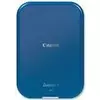
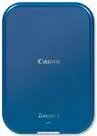
Canon Zoemini 2 Instant Photo Printer Premium Kit, Marine Blue
The Canon Zoemini 2 Instant Photo Printer Premium Kit in Marine Blue is a compact and portable solution for printing high-quality photos directly from your smartphone. Utilizing advanced Zink zero-ink technology, this device eliminates the need for messy ink cartridges or toners by using heat-activated paper to create vibrant, durable images. Its sleek, lightweight design makes it an ideal companion for travel, events, or daily creative projects, ensuring you can capture and print your favorite moments instantly.
This printer offers exceptional convenience through its seamless wireless connectivity, allowing users to pair their mobile devices via Bluetooth quickly. The integration with the Canon Mini Print app provides a user-friendly interface for editing, adding filters, and customizing photos before printing. The resulting prints are not only smudge-proof and water-resistant but also feature a tear-resistant finish, making them perfect for long-term preservation in albums or as gifts. Because it operates without traditional ink, the maintenance is minimal, and the device remains small enough to fit into a pocket or small bag.
This device is designed for small-format printing and may not be suitable for users requiring professional-grade photo quality or larger print sizes. It is intended for casual, creative use rather than high-volume commercial photography or archival-quality printing.
To begin, ensure the printer is fully charged using the provided USB-C cable. Load the Zink photo paper into the device according to the markings inside the paper tray, ensuring the blue calibration sheet is facing down. Download and open the Canon Mini Print app on your smartphone, enable Bluetooth, and pair it with the printer. Once connected, select your desired photo from your gallery, apply any edits or filters within the app, and send the image to the printer. The device will automatically process the print, and your photo will emerge ready to be peeled and stuck onto your chosen surface.
For the best print results, keep the printer on a flat surface during the printing process and avoid touching the surface of the photo paper before it is printed. Always store your Zink paper in a cool, dry place to maintain print quality.
{{highlightedFeature.featureTitle}}:
{{getProductFeatureValueById(product, highlightedFeature.featureId)}}