Leave your address - as soon as the price of the product goes down, you'll know about it right away
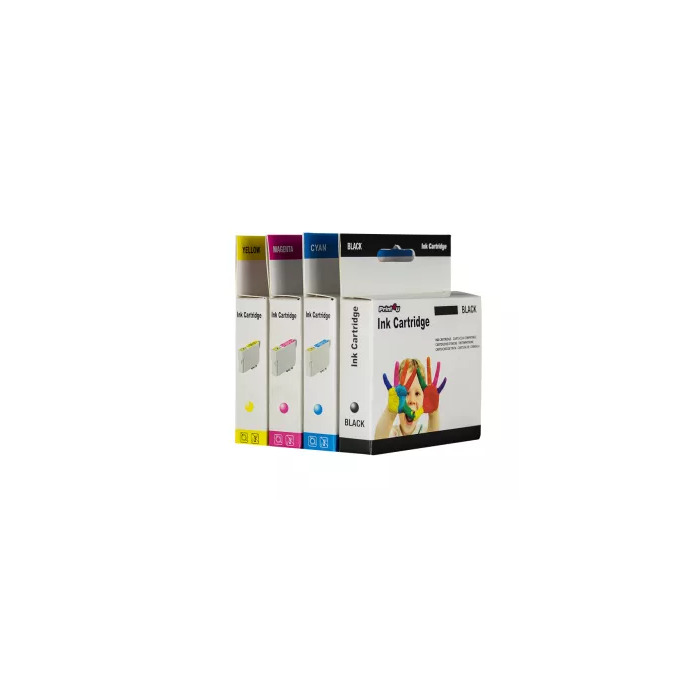
Ink Cartridge Compatible Print4U Canon CLI-581XXL Cyan
In cart {{totalProductsCount}} item(s)
Your cart is empty
Ink Cartridge Compatible Print4U Canon CLI-581XXL Cyan
Leave your address - as soon as the price of the product goes down, you'll know about it right away
Ink Cartridge Compatible Print4U Canon CLI-581XXL Cyan
Compatible Print4U Canon CLI-581XXL Cyan ink cartridge for Canon printers provides cyan printing colour compatible with a range of Canon PIXMA models. The cartridge is intended as a replacement consumable for home and office printing tasks and fits multiple Canon PIXMA TS and TR series printers listed in the product source.
The Print4U Canon CLI-581XXL Cyan cartridge delivers consistent cyan output and is designed for straightforward installation in supported Canon PIXMA printers. It is positioned as a cost-effective alternative to original cartridges while maintaining reliable performance for everyday colour printing needs.
Turn the printer on and open the ink compartment according to your Canon PIXMA model’s instructions. Remove the used cartridge following the printer prompts, unpackage the replacement cartridge, remove any protective seals, and insert the cartridge into the correct cyan slot until it clicks into place. Close the compartment and run any recommended alignment or nozzle checks from the printer menu to ensure proper installation.
Store the cartridge in a cool, dry place and use it before the manufacturer’s recommended period where applicable. For best results, run periodic nozzle checks and printer maintenance routines; replace cartridges when print quality degrades.
{{highlightedFeature.featureTitle}}:
{{getProductFeatureValueById(product, highlightedFeature.featureId)}}