Dreame vacuums for fast and efficient cleaning!
In cart {{totalProductsCount}} item(s)
Your cart is empty
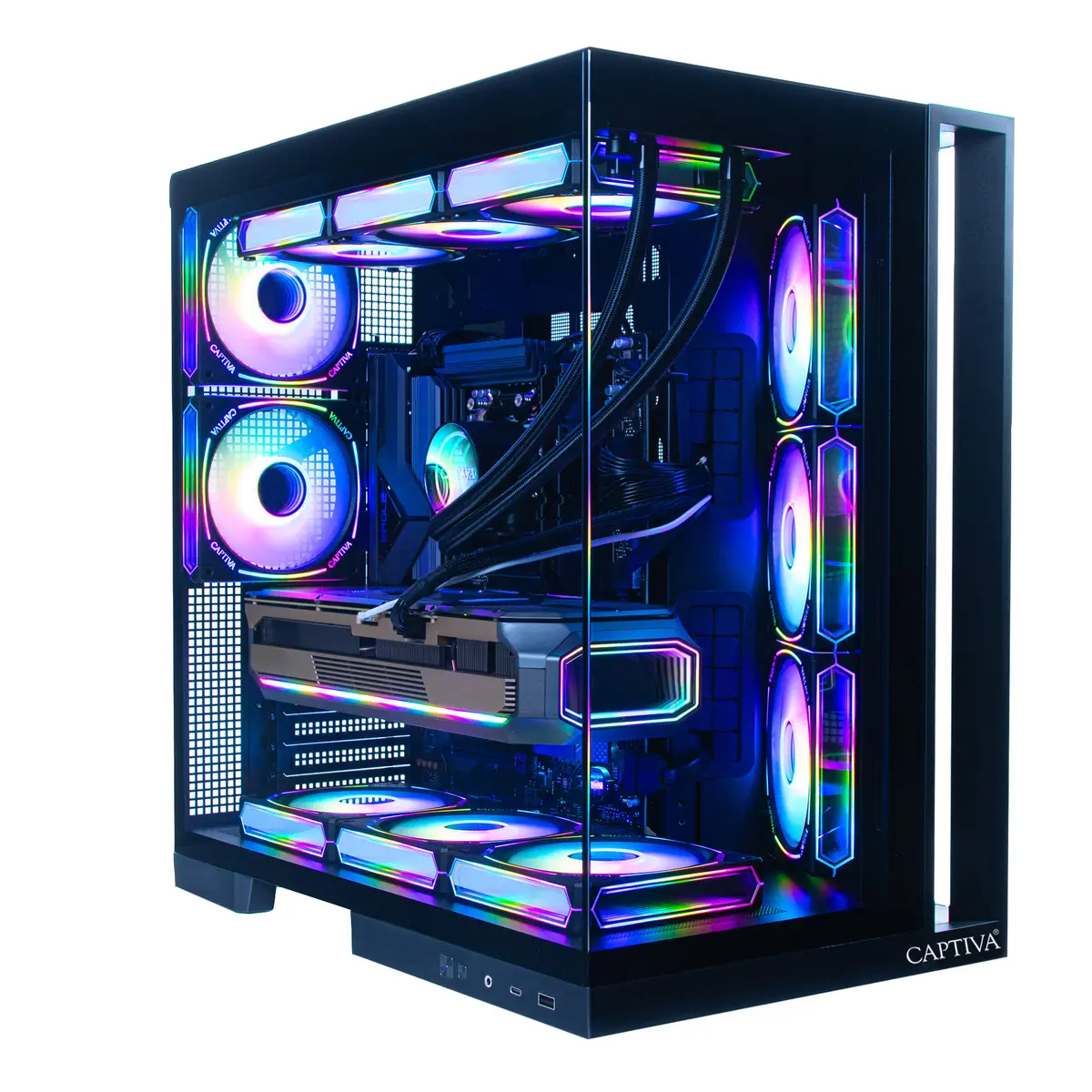
Computer Captiva PC Highend Gaming R90-059 Ryzen 9 7900X 64GB 2TB RTX5070 w/o OS
The Captiva PC Highend Gaming R90-059 is a high-performance desktop configured for demanding gaming and content-creation workloads. Equipped with an AMD Ryzen 9 7900X CPU, 64GB of system memory and a 2TB solid-state drive, this system is built to deliver fast application response, quick load times and reliable multitasking. A dedicated NVIDIA RTX 5070 graphics card with 12GB of GDDR7 memory provides hardware-accelerated rendering, ray tracing and smooth frame rates at high settings. The system ships without an operating system installed, allowing users to select and install the OS that best fits their needs. Integrated WLAN enables wireless network connectivity out of the box.
The combination of a 12-core Ryzen 9 7900X processor and 64GB of RAM supports intensive multitasking, streaming and modern game engines. A large 2TB SSD ensures ample fast storage for games, projects and libraries while reducing load times compared with traditional drives. The RTX 5070 with 12GB GDDR7 memory delivers a balance of performance and efficiency for high-resolution gaming and GPU-accelerated creative applications. Shipping without a preinstalled OS gives flexibility for custom software environments, and built-in WLAN simplifies network setup.
Install your preferred operating system and drivers to enable full hardware functionality, starting with the latest motherboard chipset and graphics drivers from the manufacturers. Use the system BIOS/UEFI to verify memory configuration and storage recognition before OS installation. For gaming, install game clients and configure in-game graphics settings to match your display resolution and performance targets. For creative workflows, install GPU-accelerated applications and confirm they detect the RTX GPU for optimal processing speed.
Ensure regular driver and firmware updates to maintain stability and performance. For consistent thermal performance under load, place the PC in a well-ventilated location and monitor temperatures with system utilities. When installing an operating system, back up any existing data on storage devices and follow manufacturer guidance for driver installation.
{{highlightedFeature.featureTitle}}:
{{getProductFeatureValueById(product, highlightedFeature.featureId)}}
{{ productComparisonGenerationError }}