Leave your address - as soon as the price of the product goes down, you'll know about it right away
Scientific calculator CASIO FX-82 CW CLASSWIZ — CASIO, model 501015
In cart {{totalProductsCount}} item(s)
Your cart is empty
Scientific calculator CASIO FX-82 CW CLASSWIZ — CASIO, model 501015
Leave your address - as soon as the price of the product goes down, you'll know about it right away
Scientific calculator CASIO FX-82 CW CLASSWIZ — CASIO, model 501015
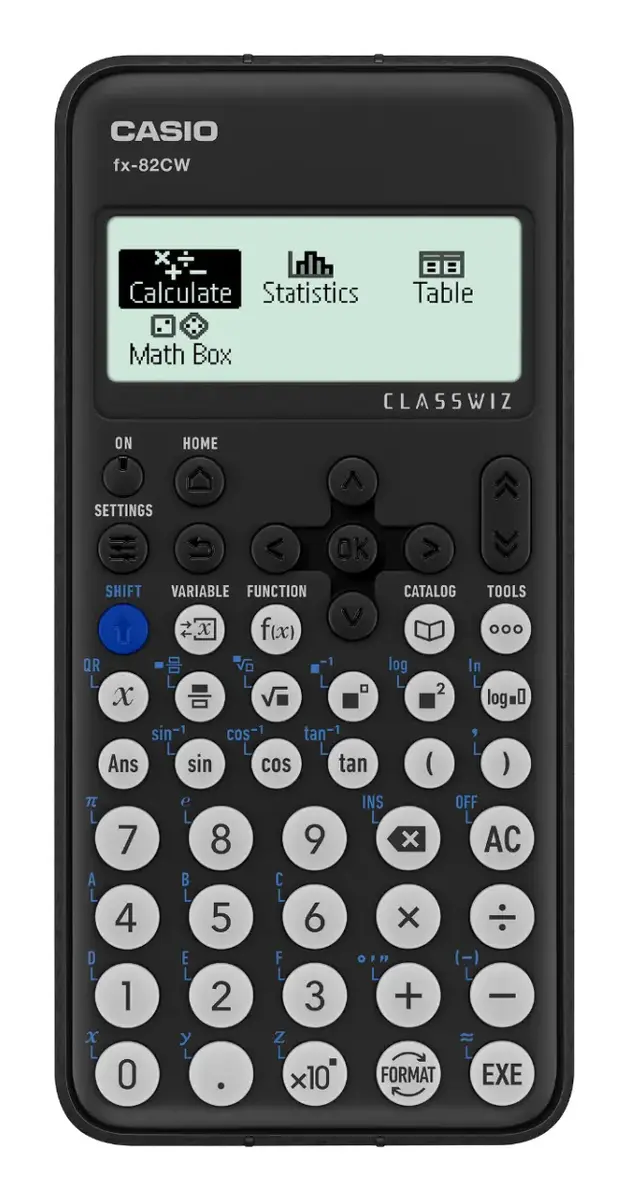
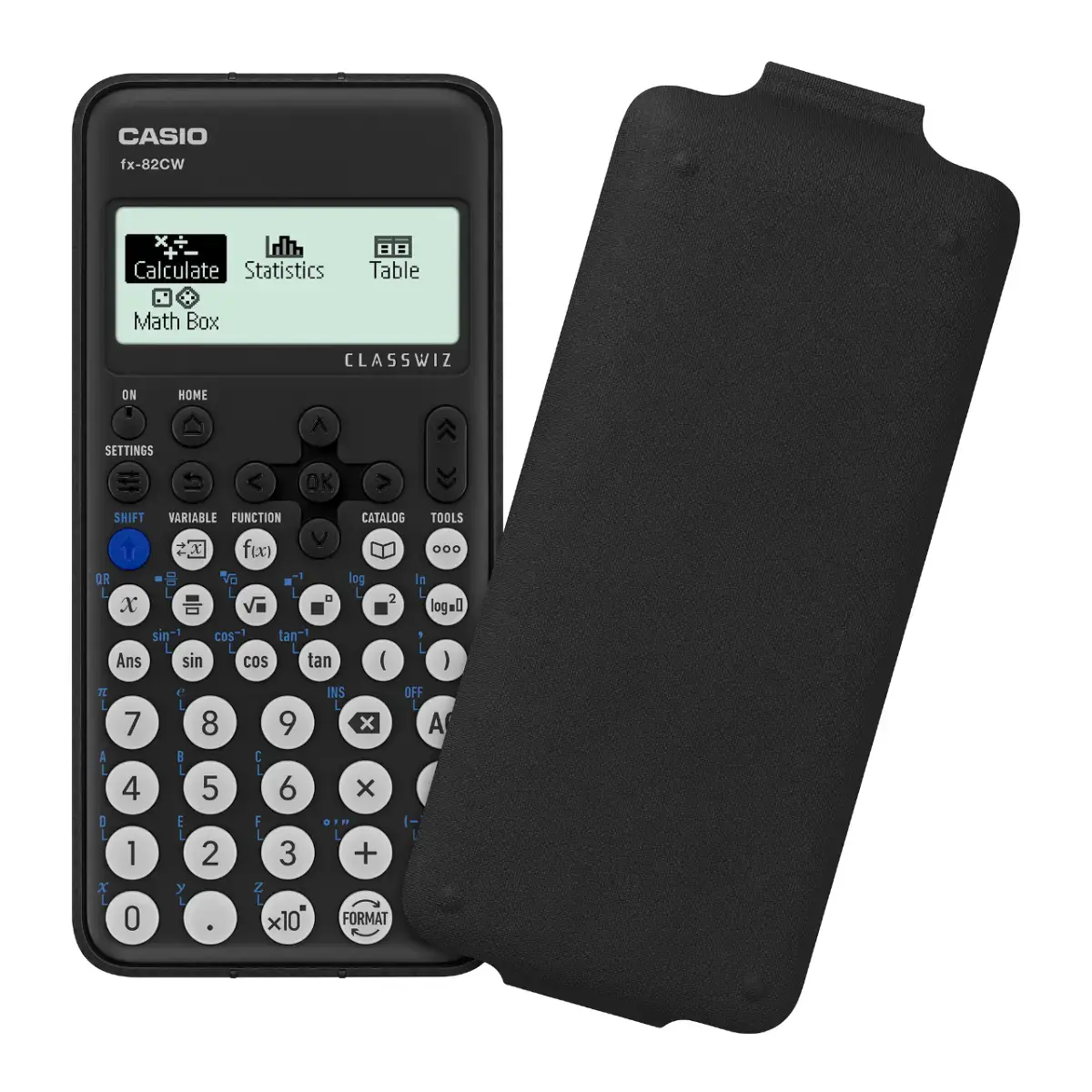
CASIO FX-82 CW CLASSWIZ is a handheld scientific calculator designed for school and university use. It offers a multi-line display that shows formulas and results clearly, and supports a wide range of functions including fractions, trigonometry, logarithms, statistical calculations and basic algebraic operations. The calculator is intended for exam settings and everyday technical calculations where reliable numeric processing and clear presentation of expressions are required.
The FX-82 CW CLASSWIZ combines a compact, durable body with an intuitive keypad layout and a high-contrast multi-line display for improved readability. Its function set covers common scientific and statistical needs, enabling efficient handling of fractions, powers, roots, trigonometric and logarithmic operations. The device is battery-powered with low power consumption, making it suitable for prolonged classroom and field use.
Turn the calculator on using the power key and enter expressions using the keypad and function keys. Use the multi-line display to check input and results before confirming operations. Select appropriate mode settings for degrees or radians when performing trigonometric calculations and choose statistical or normal calculation modes depending on the task. Use fraction and conversion keys for fractional input and result display. Refer to on-device labelling for accessing secondary functions and clearing entries.
For reliable results in classroom and exam settings, verify permitted calculator models and set the device to the correct angle unit (degrees or radians) before starting calculations. Replace batteries as needed and store the calculator in a protective case to prevent keypad wear and display damage.
{{highlightedFeature.featureTitle}}:
{{getProductFeatureValueById(product, highlightedFeature.featureId)}}