Leave your address - as soon as the price of the product goes down, you'll know about it right away
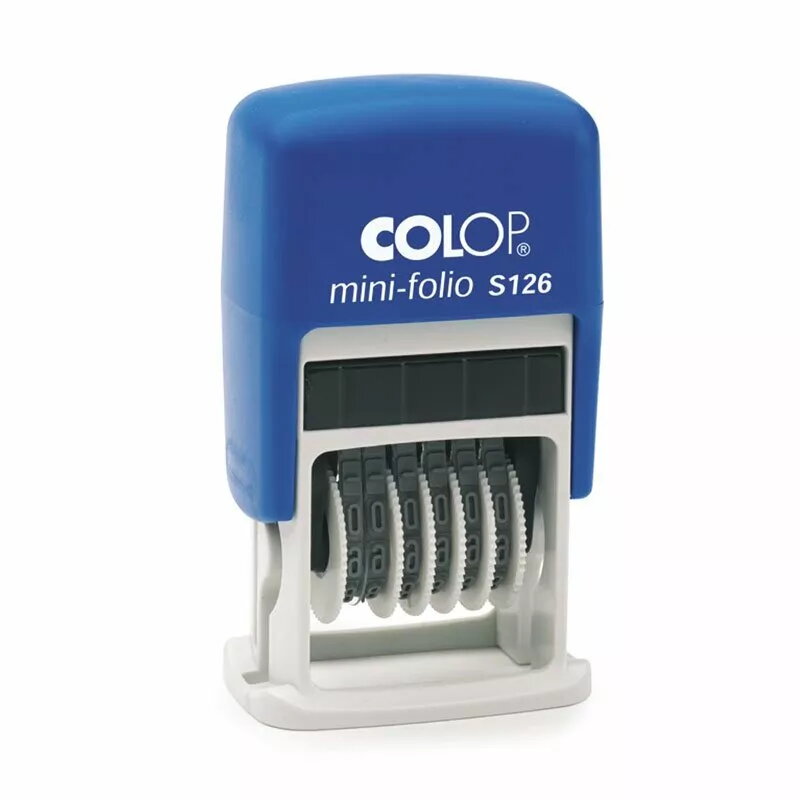
Stamp COLOP MINI Folio S126 with black ink pad, 4 mm characters, 6 digits
In cart {{totalProductsCount}} item(s)
Your cart is empty
Stamp COLOP MINI Folio S126 with black ink pad, 4 mm characters, 6 digits
Leave your address - as soon as the price of the product goes down, you'll know about it right away
Stamp COLOP MINI Folio S126 with black ink pad, 4 mm characters, 6 digits
COLOP MINI Folio S126 is a compact self-inking numeric stamp with a built-in black ink pad and six-digit impression. The device produces clear 4 mm high characters intended for repetitive marking of numbers, dates or short codes on paper and other standard office documents. Its small footprint and straightforward mechanism make it suitable for desktop use where a reliable, easy-to-operate numeric stamp is required.
The self-inking mechanism ensures consistent impressions without separate ink bottles, while the integrated black ink pad is easy to replace when exhausted. The 4 mm character height and six-digit layout provide legible numeric impressions for accounting, inventory or form processing tasks. The compact housing and lightweight construction enable convenient handling and save desk space compared with larger stamping units.
Place the stamp on a flat, firm surface and position the area of the document you want to mark beneath the impression window. Press the top evenly until the mechanism completes the imprint and release. For best results, keep the stamp perpendicular to the paper and apply steady downward pressure. When digits need to be adjusted or reset, follow the manufacturer's adjustment method to avoid misaligned impressions.
Store the stamp horizontally in a cool, dry place to preserve the ink pad. When impressions fade, replace or re-ink the built-in pad with compatible black stamp ink and test on scrap paper until print quality is restored. Avoid stamping on glossy or wet surfaces and clean the device periodically to prevent ink build-up.
{{highlightedFeature.featureTitle}}:
{{getProductFeatureValueById(product, highlightedFeature.featureId)}}