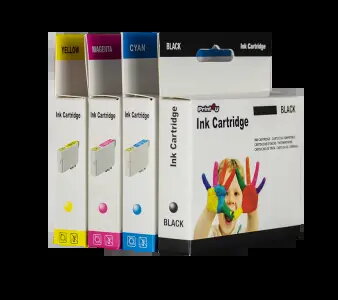
Compatible Print4U cyan ink cartridge designed as a high-capacity replacement for Canon CLI-581XXL (1995C001). The cartridge contains cyan pigment ink formulated for inkjet photo and document printing on Canon printers that accept the CLI-581 series. It is intended as a lower-cost alternative to original consumables while providing continuous colour output for mixed text and image print jobs.
Advantages
This high-capacity cyan cartridge increases page yield compared with standard cartridges, reducing the frequency of replacements for users with moderate to high printing volume. The cartridge is compatible with Canon printers that support the CLI-581 family and provides consistent cyan colour necessary for accurate colour balance in documents and photos. Using a replacement cartridge from a compatible manufacturer can lower running costs while maintaining acceptable print quality for everyday office and home use.
Suitable for
- Everyday colour document printing where cyan tones are required
- Photo prints and graphic materials with moderate colour fidelity needs
- Home offices and small businesses seeking higher-yield, lower-cost ink options
- Users who maintain printers that use the Canon CLI-581 series cartridges
When it may not be suitable
This compatible cartridge may not be suitable for users who require manufacturer-certified inks for guaranteed colour accuracy, archival permanence, or professional photographic output. If precise colour matching, extended longevity, or print-head warranty conditions explicitly requiring original cartridges are critical, consider original Canon cartridges instead.
Key specifications
- Ink colour: Cyan
- Type: High-capacity inkjet cartridge
- Intended use: Photo and document printing
- Compatibility: Designed for printers that accept the CLI-581 series cartridges
How to use
Install the compatible Print4U cyan cartridge by following the printer manufacturer's replacement procedure: power on the printer, open the cartridge access cover, wait for the carriage to stop, remove the empty cyan cartridge and insert the new cartridge until it clicks into place, then close the cover. After installation, run the printer's alignment or nozzle check routine as recommended to ensure correct cyan nozzle performance and colour registration.
What to consider before purchase
- Confirm that your printer model supports CLI-581 series cartridges
- Check whether you require high-capacity (XXL) cartridges for reduced replacement frequency
- Verify any warranty conditions related to the use of compatible (non-original) consumables
- Consider your required colour accuracy and archival requirements for final prints
Usage recommendations
Store the cartridge in a cool, dry place and install it before the printed expiration period on the packaging. Use regular nozzle checks and print-head maintenance cycles to prevent clogging and maintain consistent cyan output. For long gaps between prints, perform a short purge cycle to keep ink flowing.