


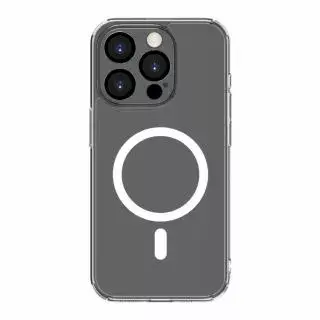
Protective Clear Case connect for Apple iPhone 14 Pro Max with Magnetic Camera Protection
Short description

Cheapest delivery:
Unisend LV
Product information
Description
Transparent protective case by connect designed specifically for the Apple iPhone 14 Pro Max. The slim cover protects the device's back and edges while maintaining the original appearance and color of the phone. A detachable magnetic camera protection element covers and secures the camera module to reduce the risk of scratches and minor impacts without obstructing flash or lenses. The case offers precise cutouts and tactile button coverage for uninterrupted access to ports, controls and wireless charging.
Advantages
The clear material preserves the phone’s design while providing daily protection against scratches and dirt. The magnetic camera protector attaches securely and aligns with the camera module to add protection where the device is most exposed. The case is thin and lightweight, allowing easy handling and compatibility with most charging pads and accessories. Cutouts and button covers are designed for accurate fit and unobstructed functionality.
Suitable for
- Everyday drop and scratch protection for Apple iPhone 14 Pro Max
- Users who want to keep the original design visible while protecting the device
- Situations where camera protection is needed without a bulky cover
- Compatibility with wireless charging and standard port access
Key specifications
- Material: transparent protective polymer blend for back and edges
- Design: slim profile with reinforced camera area and separate magnetic camera protector
- Compatibility: fits Apple iPhone 14 Pro Max dimensions and button layout
- Access: precise cutouts for ports, speaker and microphone; covered but responsive buttons
- Weight and thickness: lightweight construction with minimal added bulk
How to use
Align the case with the phone by placing the device into the back shell and gently pressing along the edges until it snaps into place. Attach the magnetic camera protector over the camera module so that it sits flush and secures the lenses. To remove, carefully lift one corner of the case and slide the phone out, then detach the magnetic camera protector. Regularly clean the case and camera protector with a soft, lint-free cloth to remove dust and fingerprints.
Usage recommendations
For optimal performance, avoid prolonged exposure to direct sunlight to prevent potential yellowing of the clear material; check that the magnetic protector is aligned before each use to ensure full camera coverage. Use with compatible wireless chargers and avoid excessive force when attaching or removing the magnetic element.


