
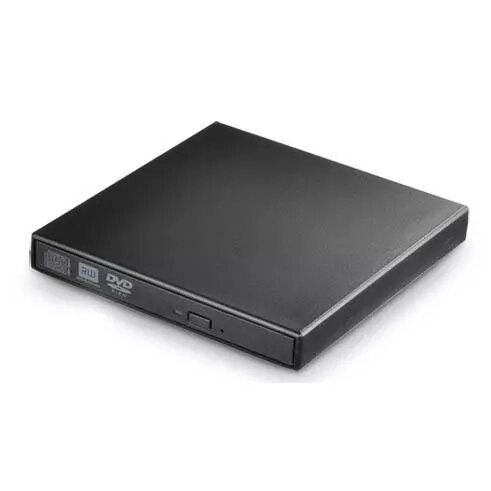
Optical Disc Drive CoreParts MSE-DVDCDRW
76.49 €
{{selectedOffer && selectedOffer.price | formatAmount}}
Offer for legal entity, cashless payment.
Why is an item available only for a legal entity?
This is due to long delivery times and limited product warranties.
This is due to long delivery times and limited product warranties.
Short description
The CoreParts MSE-DVDCDRW is a black DVD-ROM optical drive designed for laptops. It features IDE/ATAPI interface, CE and FCC certification. With a CD write speed of 24x and rewrite speed of 10x, it provides efficient data handling. The drive reads CDs at 24x and DVDs at 8x, ensuring quick access to your media. Average random access times are 110 ms for CD-ROM and 120 ms for DVD, making it a reliable choice for your laptop needs.
Available for order:
25 pcs.
Warranty:
2 Years
SKU:
3695480


Cheapest delivery:
Unisend LV
Pick-up points
Unisend LV
Cost
1.79 €
Deliver
{{selectedOffer.parcelStationDeliveryString}}
Customer service center
2b. Kengaraga str., Riga, Latvia, LV-1063
26.08.2026
{{selectedOffer.officeDeliveryString}}
free
Courier Delivery
Please note that in case of a large parcel additional delivery costs may apply!
From 4.99 € (Weight: 0.20 kg)
Parcel couriers
Unisend LV / Venipak Pickup LV / Venipak Locker LV / Latvijas Pasts pakomāts / DPD Paku skapis / Omniva LV / Latvijas Pasts nodaļa
31.08.2026
{{selectedOffer.parcelStationDeliveryString}}
From 1.79 €

Payment Methods:
Bank transfer


