


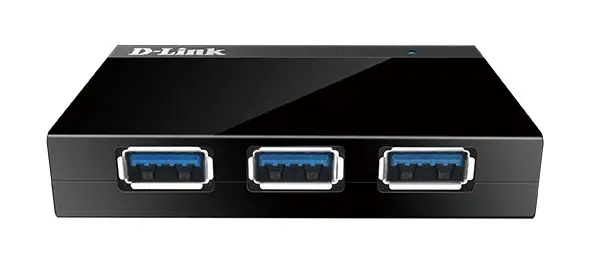
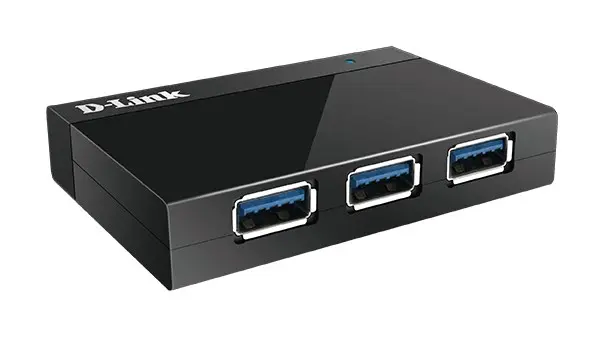
D-Link DUB-1340 Black 4-Port USB 3.2 Gen 1 Hub with Plug and Play and DC-in Jack
Short description


Cheapest delivery:
Unisend LV
Product information
Description
The D-Link DUB-1340 Black 4-Port USB 3.2 Gen 1 Hub with Plug and Play and DC-in Jack is a practical peripheral designed to expand the connectivity of computers and laptops. Featuring four USB 3.2 Gen 1 Type-A ports, this device enables users to connect multiple peripherals simultaneously for efficient data transfer and workspace management. Its compact black housing makes it suitable for both home and office environments.
Advantages
This USB hub offers seamless integration through Plug and Play functionality, eliminating the need for complex driver installations. The inclusion of a DC-in jack ensures stable power delivery, particularly when connecting multiple power-demanding devices. Additionally, full Mac compatibility broadens its usability across different operating systems, while the lightweight and compact construction allows for easy placement on any desk.
Suitable for
- Connecting multiple USB peripherals to a single computer or laptop
- Expanding USB 3.2 Gen 1 Type-A port availability in office or home setups
- Users requiring stable power delivery for connected devices via a DC-in jack
- Mac and Windows computer environments needing extra connectivity options
When it may not be suitable
This device may not be suitable for users who require USB-C connectivity or older USB standards exclusively without Type-A ports. It is also not designed for high-power industrial applications that exceed the specified electrical output parameters.
Key specifications
- Product colour: Black
- Ports quantity: 4
- USB 3.2 Gen 1 Type-A ports quantity: 4
- Plug and Play supported: Yes
- DC-in jack: Yes
- Input voltage: 5 V
- Output current: 4 A
- Mac compatibility: Yes
- Dimensions: 97.97 x 72.45 x 20.27 mm
- Weight: 60 g
- Operating temperature range: 0 - 40 °C
How to use
To use the D-Link DUB-1340 Black hub, connect the included USB cable from the hub to an available USB port on your computer or laptop. If required, connect the power supply to the DC-in jack for stable operation. The Plug and Play system will automatically recognize the device without requiring manual driver installation. You can then plug your USB peripherals into any of the four Type-A ports for immediate use.
What to consider before purchase
- Verify that your computer or laptop features compatible USB ports to connect the hub
- Check if your peripherals utilize USB Type-A connections
- Consider whether you need the DC-in power supply for your specific connected devices
For optimal performance and stable operation, ensure the device is used within the recommended temperature range of 0 to 40 degrees Celsius and place it on a flat, dry surface.
Product comparison
In this comparison, the main product D-Link DUB-1340 Black 4-Port USB 3.2 Gen 1 Hub is compared against several alternative USB hubs from D-Link and InLine. All selected devices are designed to expand connectivity options for computers and laptops, but they differ in host interfaces, power delivery methods, port counts, and data transfer speeds, making them suitable for different use cases.
⚙️ Below is a detailed specification comparison table highlighting host connections, port configurations, and power features to help you understand the technical differences between the models.
| Parameter | D-Link DUB-1340 (main) | D-Link DUB-1340 (variant 1) | D-Link DUB-1340 (variant 2) | D-Link DUB-2340 | InLine Slim USB-C Hub | Practical conclusion |
|---|---|---|---|---|---|---|
| Host interface | USB | USB | USB | USB Type-C | USB Type-C | The D-Link DUB-1340 models use standard USB host connections, whereas the DUB-2340 and InLine models require modern USB Type-C ports. |
| Ports quantity | 4 Type-A ports | 4 ports | 4 ports | 5 ports (4x Type-A, 1x Type-C) | 4 ports (1x USB 3.0, 3x USB 2.0) | While all hubs offer 4 to 5 connection slots, the InLine hub relies partly on slower USB 2.0 interfaces. |
| Power supply | DC-in jack | 5V / 4A power output | 5V / 4A power output | Power Delivery up to 60W | Unpowered design | The D-Link DUB-1340 features a dedicated DC-in jack for stable peripheral power, and the DUB-2340 supports pass-through charging up to 60W. |
◎ The table below evaluates different user needs and usage scenarios against each product to help you choose the right model for your setup.
| Use case | Recommended product | Why |
|---|---|---|
| Connecting to standard computers with a need for stable external power | D-Link DUB-1340 Black 4-Port USB 3.2 Gen 1 Hub | Provides four USB Type-A ports and a dedicated DC-in jack to ensure stable power delivery for connected peripherals. |
| Using modern laptops requiring simultaneous device charging | D-Link DUB-2340 USB-C to 4-Port USB 3.0 Hub | Features a USB Type-C host connection and Power Delivery support up to 60W for charging while expanding ports. |
| Basic office peripheral connection | InLine Slim USB-C Hub 4-port | Offers a slim design with a mix of one USB 3.0 and three USB 2.0 ports for straightforward office tasks. |
The main product D-Link DUB-1340 Black 4-Port USB 3.2 Gen 1 Hub differs from the alternatives by offering a dedicated DC-in power jack combined with four reliable USB Type-A ports, making it ideal for standard desktop environments where stable power is essential. If you require a USB Type-C connection or laptop charging capabilities, the alternative USB-C hubs will be a more suitable choice.


