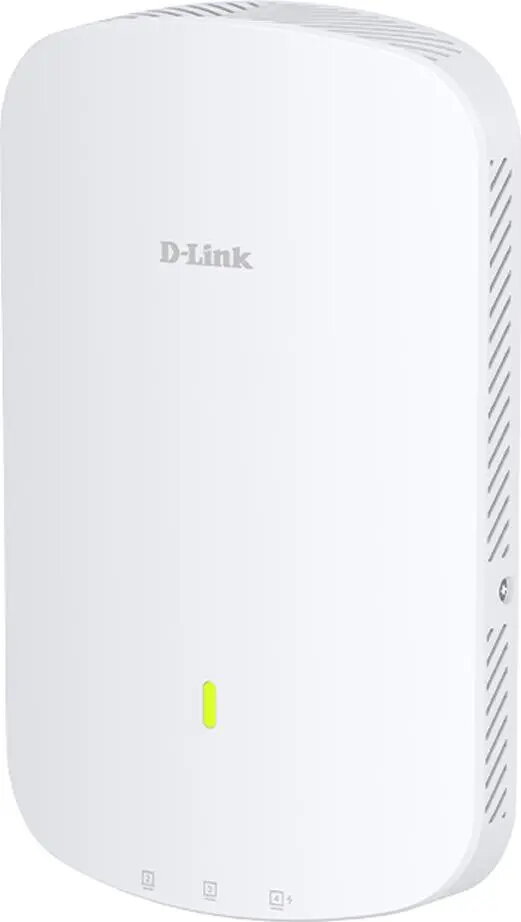
The D-Link DAP-X3060W Wi‑Fi 6 Nuclias Connect AX3000 is a business-grade wireless access point designed to deliver high-speed dual-band connectivity in dense deployment scenarios. Supporting the 802.11ax standard, this access point provides AX3000 aggregate throughput, enhanced multi-user performance, and features for centralized management via Nuclias Connect. It is intended for office floors, meeting rooms, retail spaces, and education environments that require stable wireless access, increased client density, and straightforward network administration.
Advantages
This access point offers Wi‑Fi 6 technologies such as OFDMA and MU‑MIMO for improved spectral efficiency and simultaneous multi-client handling. Dual‑band operation (2.4 GHz and 5 GHz) and a combined AX3000 data rate help balance legacy and modern client devices while reducing congestion. Integration with Nuclias Connect enables centralized provisioning, monitoring, and firmware management, simplifying deployment and ongoing administration in multi‑AP networks. The device also includes features typical for enterprise deployments, such as multiple SSIDs, VLAN support, and security options to separate traffic and protect resources.
Suitable for
- Office environments with medium to high user density
- Meeting rooms and conference areas requiring stable connections for multiple devices
- Retail stores and hospitality venues needing guest Wi‑Fi and segmented networks
- Educational facilities and classrooms with mixed device types
When it may not be suitable
This model is focused on managed, business deployments and may be more advanced than necessary for simple home networks where managed features and high client density are not required. Environments that require only single‑device coverage or very limited throughput may find consumer‑grade routers or access points more cost‑effective.
Key specifications
- Wireless standard: Wi‑Fi 6 (IEEE 802.11ax)
- Aggregate data rate class: AX3000 (dual‑band combined throughput)
- Bands: 2.4 GHz and 5 GHz dual‑band operation
- Multi‑user technologies: OFDMA and MU‑MIMO
- Management: Centralized management via Nuclias Connect
- Network features: Multiple SSIDs, VLAN support, guest network capabilities
- Deployment: Designed for ceiling or wall mounting in business environments
How to use
Install the DAP‑X3060W in a central location according to site‑survey guidance to ensure optimal coverage and minimize interference. Connect the device to the local network and power it via PoE or the recommended power supply where supported. Use Nuclias Connect for initial provisioning: discover the access point, apply network templates, configure SSIDs, security settings, and VLANs, then push the configuration to multiple devices if applicable. Monitor client performance and adjust radio settings through the management console to maintain reliable service as user patterns change.
What to consider before purchase
- Ensure your network infrastructure supports PoE or provide appropriate power options
- Confirm central management via Nuclias Connect fits your operational model and licensing needs
- Assess coverage requirements and perform a wireless site survey for optimal placement and quantity of APs
- Verify compatibility with existing authentication and VLAN setups in your network
Usage recommendations
For best results in high‑density environments, deploy multiple DAP‑X3060W units following a planned RF layout, enable band steering and appropriate airtime fairness settings, and keep firmware updated via Nuclias Connect to benefit from performance and security improvements.