Leave your address - as soon as the price of the product goes down, you'll know about it right away
Wireless USB Adapter D-Link DWA-137/A1 — USB Wi‑Fi dongle
In cart {{totalProductsCount}} item(s)
Your cart is empty
Wireless USB Adapter D-Link DWA-137/A1 — USB Wi‑Fi dongle
Leave your address - as soon as the price of the product goes down, you'll know about it right away
Wireless USB Adapter D-Link DWA-137/A1 — USB Wi‑Fi dongle
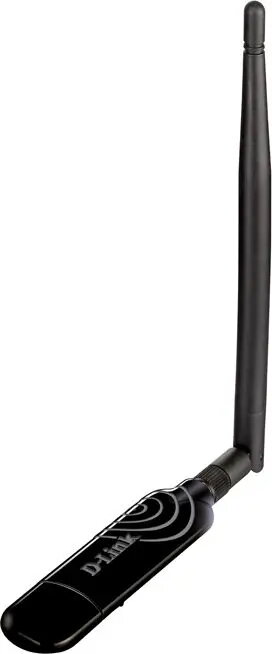
The D-Link DWA-137/A1 wireless USB adapter is a compact USB Wi‑Fi dongle that adds wireless network connectivity to desktop PCs and laptops. It plugs into a standard USB port to enable internet access, web browsing, email, and streaming on systems without built‑in Wi‑Fi. The small form factor is intended for portable use and simple installation without internal hardware changes.
This USB Wi‑Fi adapter offers a simple plug‑and‑play approach to wireless networking, allowing quick setup and immediate network access. Its low-profile design reduces interference with adjacent USB ports and is convenient for mobile or travel use. The adapter supports standard wireless security protocols to help maintain a secured connection and is compatible with common operating systems for broad device support.
Insert the wireless USB adapter into an available USB Type‑A port on the computer. Install the supplied drivers or download the latest drivers from the manufacturer's website if automatic installation does not occur. Use the operating system's network utility to scan for available Wi‑Fi networks, select the desired network, and enter the network password to connect. Position the adapter so it is not obstructed by metallic surfaces to help maintain signal quality.
For stable performance, place the computer in an area with minimal physical obstructions and avoid locating the adapter directly behind metal objects. Keep device drivers up to date and use recommended security settings (WPA2) when connecting to home or public networks. For bandwidth‑intensive tasks, consider a dual‑band adapter or wired Ethernet if higher throughput is required.
{{highlightedFeature.featureTitle}}:
{{getProductFeatureValueById(product, highlightedFeature.featureId)}}