
Filters you can trust. Pure water every day.
In cart {{totalProductsCount}} item(s)
Your cart is empty
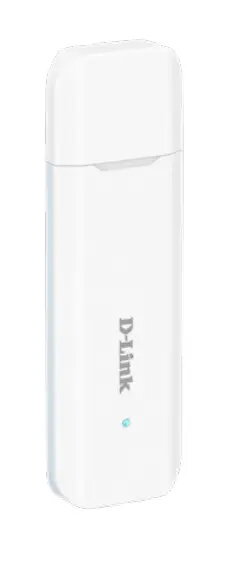
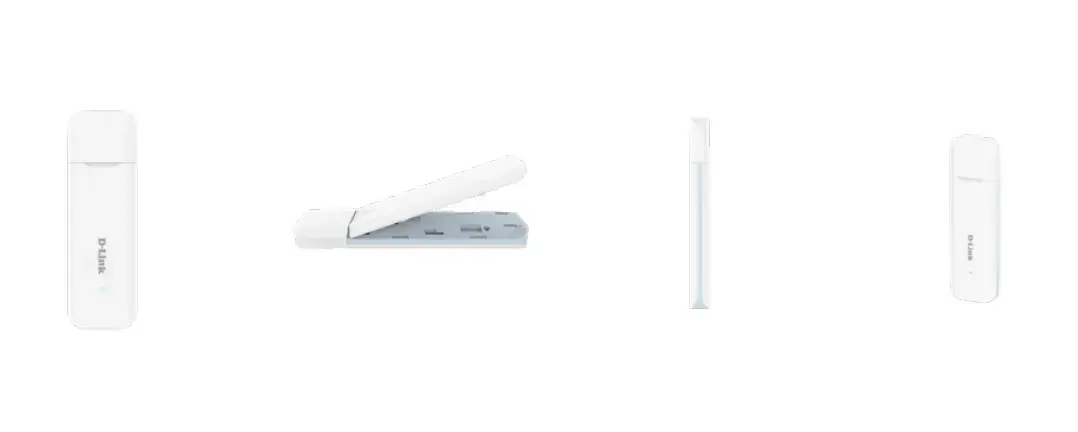
D-Link DWM-222W/R 4G LTE AX300 Wi-Fi 6 USB Adapter, 2.4 GHz
The D-Link 4G LTE AX300 Wi-Fi 6 USB Adapter provides a versatile solution for users requiring reliable internet access in various environments. By utilizing 4G LTE mobile networks, this device allows you to establish a wireless connection where traditional wired infrastructure may be unavailable or impractical. It connects directly to your computer or laptop via a standard USB interface, functioning as a compact network adapter that supports modern Wi-Fi 6 standards for efficient data transmission.
This adapter offers the significant benefit of true portability, allowing you to carry your internet connection with you wherever you go. Its plug-and-play functionality ensures that setup is straightforward, requiring only a SIM card to begin operation. The integration of Wi-Fi 6 technology provides improved efficiency and performance for your wireless network. Furthermore, the device is designed to be lightweight and compact, making it an ideal companion for mobile professionals or travelers who need consistent connectivity without the bulk of traditional networking hardware.
This device is limited to single-band 2.4 GHz operation, which may result in slower performance in environments with high wireless interference compared to dual-band or tri-band systems. It is not intended for high-bandwidth activities such as 4K streaming or heavy online gaming on multiple devices simultaneously.
To use the D-Link 4G LTE AX300 Wi-Fi 6 USB Adapter, insert a compatible SIM card into the designated slot on the device. Once the SIM is secured, plug the adapter into an available USB port on your PC or laptop. The system should recognize the device, allowing you to configure the network settings through the provided interface. Once connected to the 4G network, the adapter will broadcast a Wi-Fi signal, enabling you to connect your wireless devices to the internet.
Usage recommendations: For optimal performance, ensure the adapter is placed in an area with clear reception to the mobile network. Keep the device firmware updated to maintain security and compatibility with the latest network standards.
{{highlightedFeature.featureTitle}}:
{{getProductFeatureValueById(product, highlightedFeature.featureId)}}
{{ productComparisonGenerationError }}