





A curated selection of maximum value offers!
In cart {{totalProductsCount}} item(s)
Your cart is empty
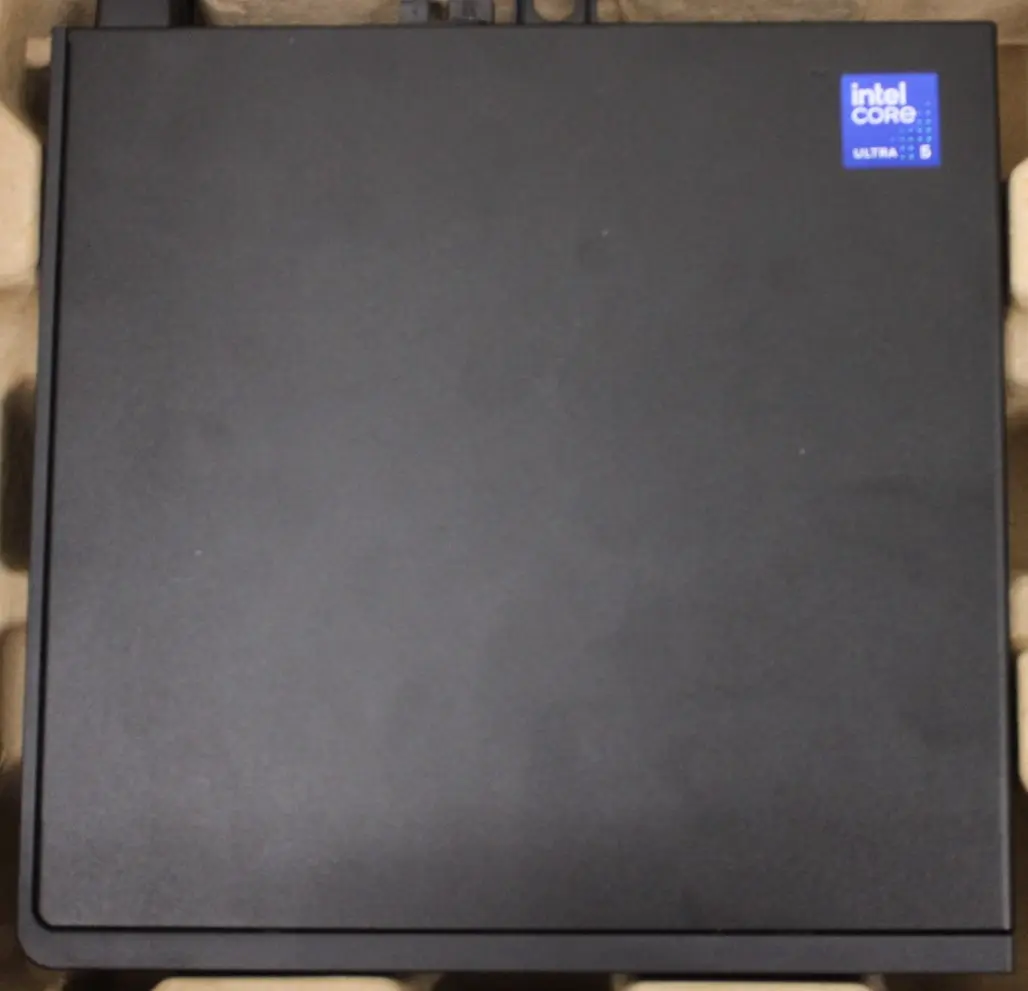
Dell Pro Micro QCM1250 Desktop Intel Core Ultra 5 235T 16GB RAM 512GB SSD Windows 11 Pro
The Dell Pro Micro QCM1250 Desktop is a compact and efficient desktop computer designed to meet the demands of modern professional office environments. Powered by an Intel Core Ultra 5 235T processor featuring 14 cores, this system delivers dependable processing power for everyday multitasking and business applications. Equipped with 16 GB of high-speed DDR5 internal memory and a responsive 512 GB solid-state drive, it ensures quick data access, smooth application loading, and ample storage for essential files. Operating on Windows 11 Pro, this micro desktop provides advanced security and management features tailored for business users, all housed in a space-saving chassis that easily integrates into any workspace.
This desktop computer combines enterprise-grade performance with a remarkably compact micro chassis, making it an ideal choice for offices with limited desk space. The combination of a 14-core Intel processor and DDR5 memory ensures efficient handling of multiple tasks simultaneously without noticeable slowdowns. The built-in solid-state drive offers rapid boot times and quick file transfers, enhancing overall daily productivity. Additionally, integrated modern Wi-Fi connectivity allows for flexible placement without the constraint of wired network cables, while the pre-installed Windows 11 Pro operating system provides immediate access to professional productivity and security tools.
This desktop may not be suitable for high-end tasks that require heavy graphics rendering, professional 3D modeling, or intensive video editing, as it lacks a dedicated high-performance graphics card. It is also not designed for modern, graphically demanding PC gaming or enterprise-level server hosting.
Place the micro desktop on a stable, flat surface with adequate ventilation around the chassis to prevent overheating. Connect a compatible monitor using the appropriate display cables, and attach your preferred USB keyboard and mouse, noting that peripheral devices are not included by default. Plug the power adapter into an electrical outlet and press the power button on the front panel to start the system. Follow the initial on-screen setup prompts for Windows 11 Pro to configure your network and user account, after which the computer is ready for daily professional tasks.
Usage recommendations: Regularly install system updates and security patches through Windows 11 Pro to maintain optimal performance and data protection. Ensure the ventilation openings remain unobstructed to maintain stable operating temperatures during extended daily use.
{{highlightedFeature.featureTitle}}:
{{getProductFeatureValueById(product, highlightedFeature.featureId)}}
The Dell Pro Micro QCM1250 desktop computer viewed on this page is compared here with several similar alternatives from the same product series. All compared devices share the same core hardware foundation featuring a 14-core Intel Core Ultra 5 235T processor and 16 GB of DDR5 RAM, ensuring a consistent level of baseline performance. The primary differences between the options lie in their solid-state drive storage capacity, pre-installed operating system, and wireless connectivity version.
⚙️ The table below compares the key specifications of the devices: processor model, memory and storage capacity, operating system, and connectivity features.
| Parameter | Dell Pro Micro QCM1250 (1018528490/1SO) | Dell Pro Micro QCM1250 (BTO106_QCM1250_EMEA_nokbSO) | Dell Pro QCM1250 Micro (BTO104_QCM1250_EMEA_UBU_nokb) | Dell Pro QCM1250 Micro (BTO104_QCM1250_EMEA_nokb) | Mini PC Dell Pro QCM1250 (3707815115901) | Mini PC Dell Pro QCM1250 (3830077004253) | Practical significance |
|---|---|---|---|---|---|---|---|
| Processor | Intel Core Ultra 5 235T | Intel Core Ultra 5 235T | Intel Core Ultra 5 235T | Intel Core Ultra 5 235T | Intel Core Ultra 5 235T | Intel Core Ultra 5 235T | All models deliver identical high-level computing power for office productivity. |
| Memory | 16 GB DDR5 | 16 GB DDR5 (5600MHz) | 16 GB DDR5 (5600MHz) | 16 GB DDR5 (5600MHz) | 16 GB DDR5 | 16 GB DDR5 | Identical memory capacity ensures smooth multitasking performance across all options. |
| Storage | 512 GB SSD | 512 GB SSD | Not specified | 256 GB SSD | 512 GB SSD | 512 GB SSD | Most models offer 512 GB for ample file storage, while the 256 GB variant requires closer management of available disk space. |
| Operating system | Windows 11 Pro | Windows 11 Pro | Ubuntu | Windows 11 Pro | Windows 11 Pro | Windows 11 Pro | Most units come with Windows 11 Pro for standard business environments, while one option provides Ubuntu for Linux-centric users. |
| Wireless connectivity | Wi-Fi | Wi-Fi 6E | Wi-Fi 6 | Wi-Fi | Wi-Fi | Wi-Fi | Built-in wireless capabilities ensure convenient network connectivity across all configurations. |
◎ The table below evaluates how well each model suits different user needs and usage scenarios.
| Use case | Recommended product | Why |
|---|---|---|
| Standard office work with Windows | Dell Pro Micro QCM1250 (1018528490/1SO) | Pre-installed Windows 11 Pro and a balanced memory configuration make it ideal for everyday professional tasks. |
| Linux development environment | Dell Pro QCM1250 Micro (BTO104_QCM1250_EMEA_UBU_nokb) | Comes with pre-installed Ubuntu, offering a ready-to-use platform for developers and Linux users. |
| Basic office tasks with lighter storage needs | Dell Pro QCM1250 Micro (BTO104_QCM1250_EMEA_nokb) | Features a smaller 256 GB SSD which suits lighter office workflows that rely heavily on cloud storage. |
Dell Pro Micro QCM1250 is a well-rounded desktop solution for professional office environments, offering robust performance inside a space-saving micro chassis. You should prefer this model if you need a ready-to-deploy PC equipped with Windows 11 Pro and sufficient SSD storage for daily business applications right out of the box.
