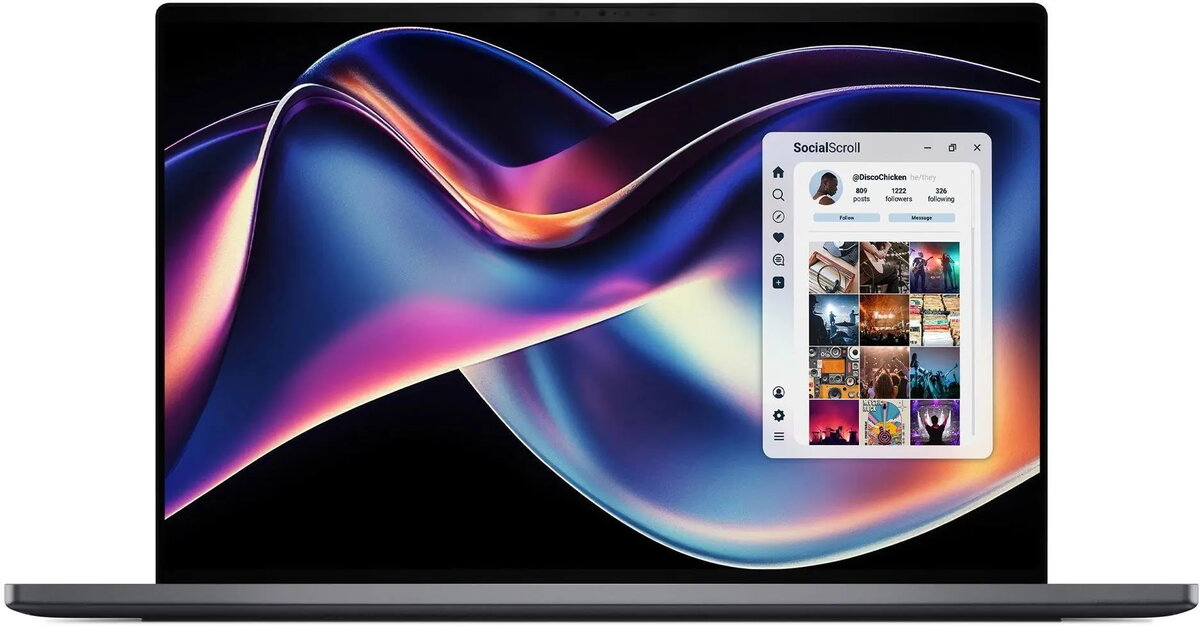
The Dell XPS 16 DA16260 is a 16-inch laptop engineered for content creators, professionals and users who need a high-resolution display combined with strong CPU and memory resources. It is powered by the Intel Core Ultra X7 358H processor, paired with 32GB of RAM and a 512GB solid-state drive. The 16" 2K display offers increased screen real estate for editing, spreadsheets and multitasking, while Intel Arc graphics provide hardware acceleration for graphics tasks. The system runs Windows 11 Pro and includes integrated features such as a fingerprint reader, camera and microphone, a backlit keyboard and a three-cell battery.
Advantages
The combination of an Intel Core Ultra X7 358H CPU and 32GB RAM supports smooth multitasking and responsive performance in productivity and content creation workflows. A 512GB SSD delivers fast boot and application load times. The 16" 2K panel balances sharpness and workspace area for photo and video editing, design work and complex document handling. Intel Arc graphics accelerate rendering and GPU-accelerated workloads. Built-in security and convenience features, including a fingerprint reader and Windows 11 Pro, simplify authentication and management for business use.
Suitable for
- Photo and video editing at moderate to professional levels
- Multitasking with large spreadsheets, virtual machines and multiple apps
- Graphic design, 2D/3D content creation and GPU-accelerated tasks
- Business users who require Windows 11 Pro and hardware-based authentication
- Remote work and video conferencing with integrated camera and microphone
When it may not be suitable
This laptop may not be the best choice for users who require the longest possible battery life on a single charge, as a three-cell battery can offer moderate runtime depending on workload. It may also be excessive for users whose needs are limited to basic web browsing, email and light office applications where lower-spec, more budget-oriented models would be more cost-effective.
Key specifications
- Processor: Intel Core Ultra X7 358H
- Memory: 32GB RAM
- Storage: 512GB solid-state drive (SSD)
- Display: 16-inch, 2K resolution
- Graphics: Intel Arc integrated graphics
- Operating system: Windows 11 Pro
- Security and input: Fingerprint reader, backlit keyboard
- Audio and video: Integrated camera and microphone
- Battery: 3-cell battery
How to use
Set up the laptop by completing Windows 11 Pro initial configuration, connect to a power source for the first charge and create your user account with the fingerprint reader for quick sign-in. Use the 2K display and Intel Arc graphics for photo and video editing applications, and allocate applications across the large screen to improve workflow efficiency. Store active projects on the internal 512GB SSD for fast access and consider external storage or cloud syncing for longer-term archiving. Keep system drivers and Windows updates current to maintain performance and security.
What to consider before purchase
- Evaluate storage needs: 512GB SSD is fast but may require external or cloud storage for large media libraries
- Battery expectations: three-cell battery may provide moderate runtime under heavy workloads
- Ports and expansion: confirm required external ports or adapters for displays, peripherals and docking
- Software compatibility: ensure professional apps you use support Intel Arc graphics and Windows 11 Pro
Usage recommendations
For sustained graphics or CPU-intensive tasks, connect the laptop to power and enable performance mode in system settings. Use external SSDs or network storage for large project libraries and keep regular backups. Adjust display color profiles and calibration when doing color-critical work to ensure accurate results.