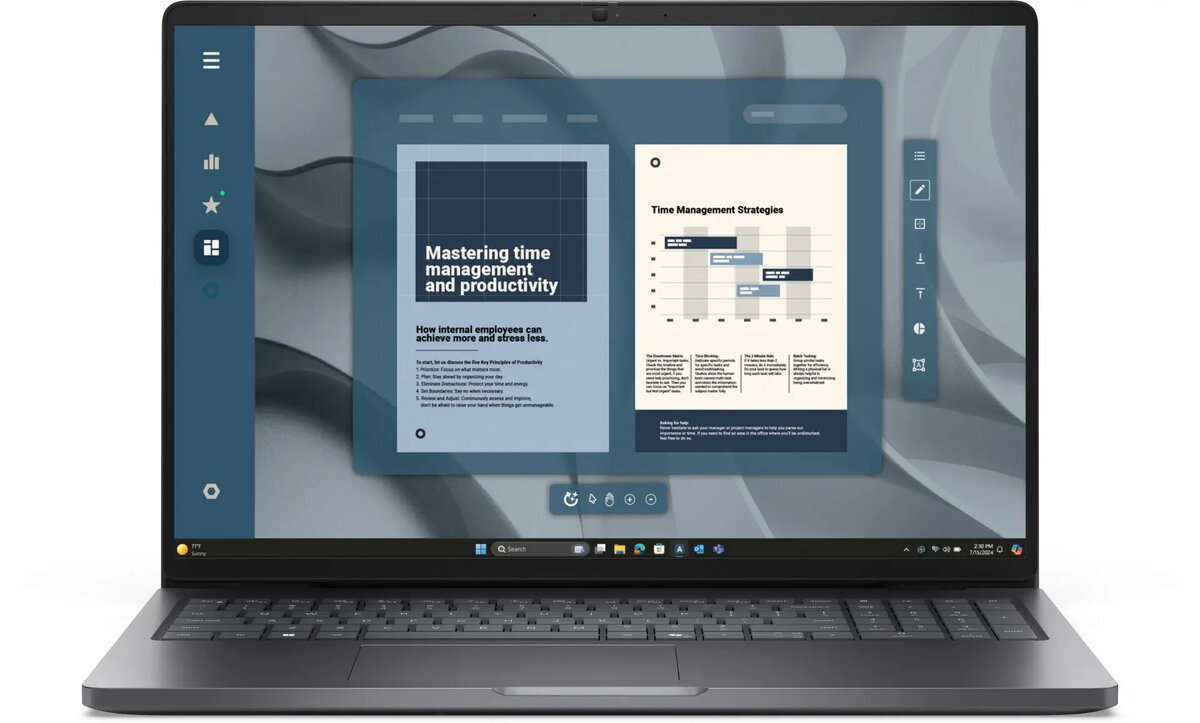
The Dell Pro 16 CTO is a 16-inch business laptop built for hybrid work and professional applications. Powered by an AMD Ryzen 5 PRO 215 processor (6 cores, 12 threads, up to 4.7 GHz) with integrated AMD Radeon 740M graphics, it combines responsive performance with a 16 GB DDR5 memory configuration and a 512 GB SSD. The 16" FHD+ IPS non-touch display (1920×1200, 300 cd/m²) provides a high-definition workspace while a FHD HDR webcam with privacy shutter, dual-array microphones and enterprise connectivity such as Wi‑Fi 6E, Thunderbolt/USB‑C and HDMI 2.1 support collaboration and secure remote meetings. Windows 11 Pro and a range of environmental certifications round out this business-class configuration.
Advantages
The system balance of a modern Ryzen 5 PRO CPU, 16 GB of DDR5 RAM and a fast NVMe SSD delivers smooth multitasking and application responsiveness for office suites, web conferencing and light content creation. The 16" FHD+ IPS panel offers increased vertical space compared with standard 16:9 FHD panels, while 300 cd/m² brightness and an anti‑reflective coating help maintain visibility in varied lighting conditions. Security- and business-oriented features include a privacy shutter for the webcam, enterprise wireless with Wi‑Fi 6E, a variety of ports including Thunderbolt 4 and HDMI 2.1 for external displays, and Windows 11 Pro for centralized manageability.
Suitable for
- Office productivity and multitasking (spreadsheets, email, document editing)
- Hybrid meetings and remote collaboration (FHD HDR webcam, dual microphones, Wi‑Fi 6E)
- Business travel and field work requiring moderate battery life and compact 16" form factor
- Light content creation and image editing using integrated Radeon 740M graphics
- Secure corporate environments needing Windows 11 Pro and professional connectivity
When it may not be suitable
This configuration is not intended for heavy dedicated GPU workloads such as professional 3D rendering, high-end gaming, or large-scale video rendering where a discrete high-performance GPU would be required. Users who need touch input, wide color gamut displays for critical color grading, or extremely long battery runtime under sustained heavy load may find more suitable options in other product lines.
Key specifications
- Processor: AMD Ryzen 5 PRO 215, up to 4.7 GHz, 6 cores / 12 threads
- Graphics: Integrated AMD Radeon 740M
- Memory: 16 GB DDR5 (2 × 8 GB), 5600 MT/s
- Storage: 512 GB SSD (NVMe)
- Display: 16" FHD+ (1920 × 1200) IPS, non-touch, 300 cd/m², anti‑reflective
- Webcam & audio: FHD HDR webcam with privacy shutter, dual-array microphones
- Wireless: Wi‑Fi 6E (2×2) and Bluetooth
- Ports: Thunderbolt 4 / USB‑C (PD/DP), 2× USB‑A 3.2 Gen1, HDMI 2.1, RJ45 Ethernet, audio jack, Kensington lock
- Battery & power: 45 Wh 3‑cell battery with ExpressCharge and ExpressCharge Boost; 65 W USB‑C adapter
- Operating system: Windows 11 Pro (multilingual)
- Dimensions & weight: approx. 35.8 × 25.18 × 1.89–2.09 cm; ~1.92 kg
- Certifications: ENERGY STAR, EPEAT Gold
How to use
Start by charging the laptop with the included 65 W USB‑C adapter until the battery has a sufficient charge. Use Windows 11 Pro initial setup to configure user accounts, corporate policies and security options. Connect to your corporate network via Wi‑Fi 6E or the RJ45 Ethernet port for stable access. Use the Thunderbolt 4 / USB‑C port for fast data transfer or to connect an external monitor via DisplayPort or a compatible dock. Close the webcam privacy shutter when the camera is not in use and use the Copilot key and keyboard backlight as needed for improved workflow. For routine maintenance, keep the system updated through Windows Update and follow company IT guidelines for backups and security.
What to consider before purchase
- Evaluate whether integrated Radeon 740M graphics meet requirements for your graphics workloads.
- Confirm the 16 GB DDR5 memory and 512 GB SSD capacity are sufficient for multitasking and local storage needs.
- Check physical dimensions and weight (approx. 1.92 kg) against portability expectations.
- Consider display properties (non‑touch IPS, 300 cd/m², 45% NTSC) if you need touch input or a wider color gamut.
- Verify required ports (Thunderbolt 4, HDMI 2.1, RJ45) match your peripherals and docking setup.
Usage recommendations
For balanced business use, set power profiles to optimize performance during meetings and battery saver modes for travel. Use hardware encryption and Windows 11 Pro management features where required, and attach external storage or a dock via Thunderbolt/USB‑C for extended connectivity and easier hot‑desking.