


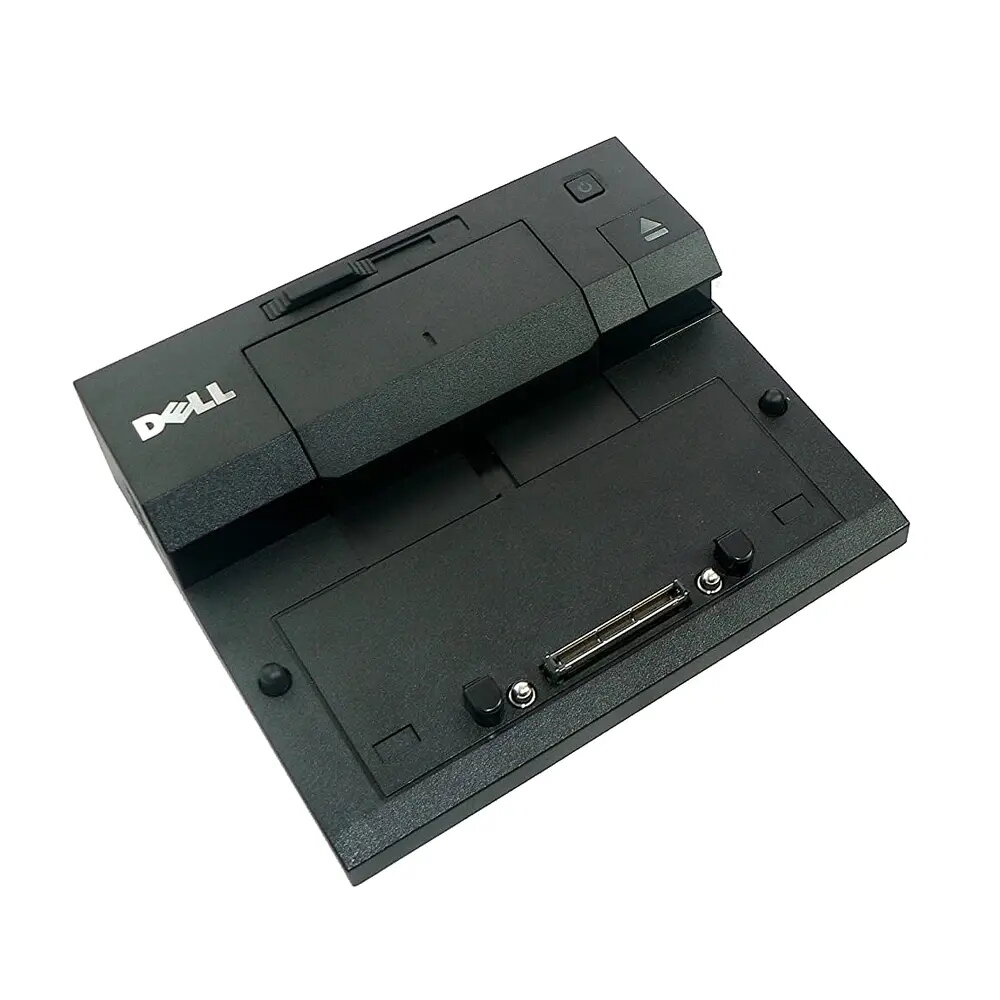
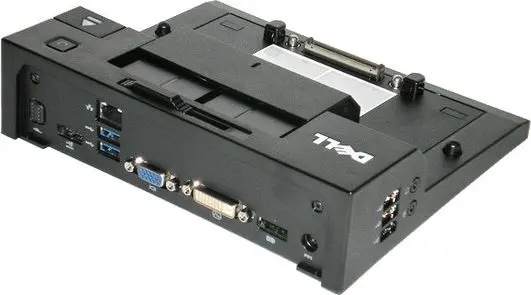
Dell E Series Port Replicator SIMPLE USB3 Docking Station with E-Port Host Interface and Ethernet LAN in Black




Offer for a legal entity, non-cash payment.
Short description


Cheapest delivery:
Unisend LV
Product information
Description
The Dell E Series Port Replicator SIMPLE USB3 Docking Station provides an efficient and reliable way to connect your laptop to multiple peripherals and a wired network. Designed with the E-Port host interface, this docking station helps streamline your workspace by reducing cable clutter on your desk. Finished in a professional black color, it integrates seamlessly into both office and home environments.
Advantages
This docking station enhances daily productivity by offering quick connection and disconnection of your laptop via the E-Port interface, supporting hot docking and undocking capabilities. It features built-in Ethernet LAN connectivity for stable wired network access, along with dual digital monitor capabilities and legacy ports to accommodate various display setups and older peripherals. The organized desktop environment it promotes contributes to a more efficient workflow.
Suitable for
- Office workstations requiring reliable wired network access and peripheral integration
- Home office setups using compatible Dell laptops with E-Port interfaces
- Users needing dual digital monitor support for expanded screen workspace
When it may not be suitable
This device may not be suitable for laptops that lack a compatible E-Port host interface. It is also not designed for modern computer models that rely exclusively on standard USB-C or Thunderbolt connections without proprietary docking port support.
Key specifications
- Host interface: E-Port
- Connectivity technology: Docking
- Ethernet LAN: Yes
- Integrated card reader: No
- Color: Black
How to use
To use the docking station, connect it to a power source using a compatible AC adapter. Place your compatible laptop onto the E-Port connector until it securely clicks into place. Ensure your peripherals such as monitors, keyboard, mouse, and Ethernet cable are plugged directly into the docking station ports. You can then power on your laptop to utilize all connected devices without needing to plug them in individually.
What to consider before purchase
- Verify that your laptop model is fully compatible with the E-Port host interface.
- Check your monitor connection types to ensure compatibility with the available video ports on the replicator.
- Determine whether you need an AC power adapter bundled with the dock or if you already own a compatible power supply.
Ensure the laptop is properly aligned with the E-Port connector before applying pressure to avoid damaging the pins. Disconnect safely using operating system prompts when undocking if required by your system configuration.
Features
- Card reader integrated:
- No
- Ethernet LAN:
- Yes
- USB 3.2 Gen 1 (3.1 Gen 1) Type-A ports quantity:
- 0
- Host interface:
- E-Port
- Connectivity technology:
- Docking
Instructions

Stock data
| Warehouse | Stock | Delivery to the store | Store Price | |
| WH357 | 3 | 08.12.2026 | 85.49 € | Add to cart |
- 85.49 €Stock: 3Delivery Date: 08.12.2026Warehouse: WH357Add to cart
| Warehouse | Stock | Delivery to the store | Store Price | |
| EU6 | 3 | 10.12.2026 | 70.49 € | Add to cart |
| WH109 | 3 | 22.12.2026 | 97.99 € | Add to cart |
- 70.49 €Stock: 3Delivery Date: 10.12.2026Warehouse: EU6Add to cart
- 97.99 €Stock: 3Delivery Date: 22.12.2026Warehouse: WH109Add to cart


