
Powerful EcoFlow stations for energy anywhere!
In cart {{totalProductsCount}} item(s)
Your cart is empty
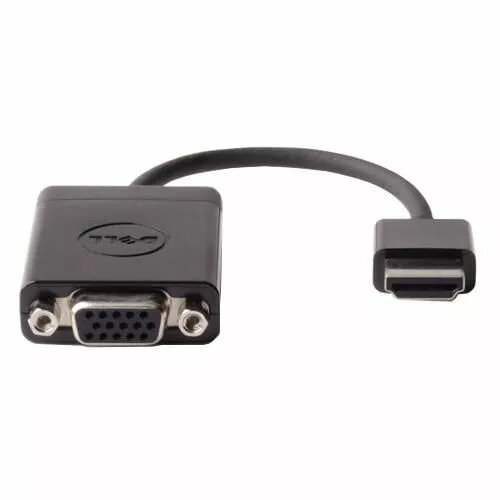
HDMI to VGA adapter Dell 9XJND — passive video converter for HDMI source to VGA display
The Dell 9XJND HDMI to VGA adapter converts a digital HDMI output to an analog VGA input, enabling connection of HDMI-equipped laptops, mini PCs or media players to VGA monitors and projectors. This passive video converter supports video signal conversion only and does not carry audio. Its compact, plug-and-play design requires no drivers and is intended for situations where a VGA input is needed for legacy displays or secondary screens.
The adapter provides a simple physical interface change from HDMI to VGA, allowing continued use of existing VGA displays without changing the source device. Its passive construction keeps the unit compact and lightweight for easy transport and use in meeting rooms or mobile setups. Plug-and-play operation eliminates configuration steps, and the adapter is compatible with typical HDMI video outputs on laptops and media players when only video is required.
Connect the HDMI end of the Dell 9XJND adapter to the HDMI output of your laptop, mini PC or media player, then plug a VGA cable from the adapter's VGA connector to the VGA input on the monitor or projector. Power on both source and display devices; the display should detect the incoming video signal. Adjust the display resolution on the source device as needed to match the VGA monitor's supported resolutions. Because the adapter does not carry audio, use a separate audio connection if sound is required.
Use the adapter for video-only connections where VGA input is required. For full audio and higher compatibility with modern displays, consider devices or cables that explicitly support audio extraction or active conversion when audio or advanced EDID handling is needed.
{{highlightedFeature.featureTitle}}:
{{getProductFeatureValueById(product, highlightedFeature.featureId)}}
{{ productComparisonGenerationError }}
