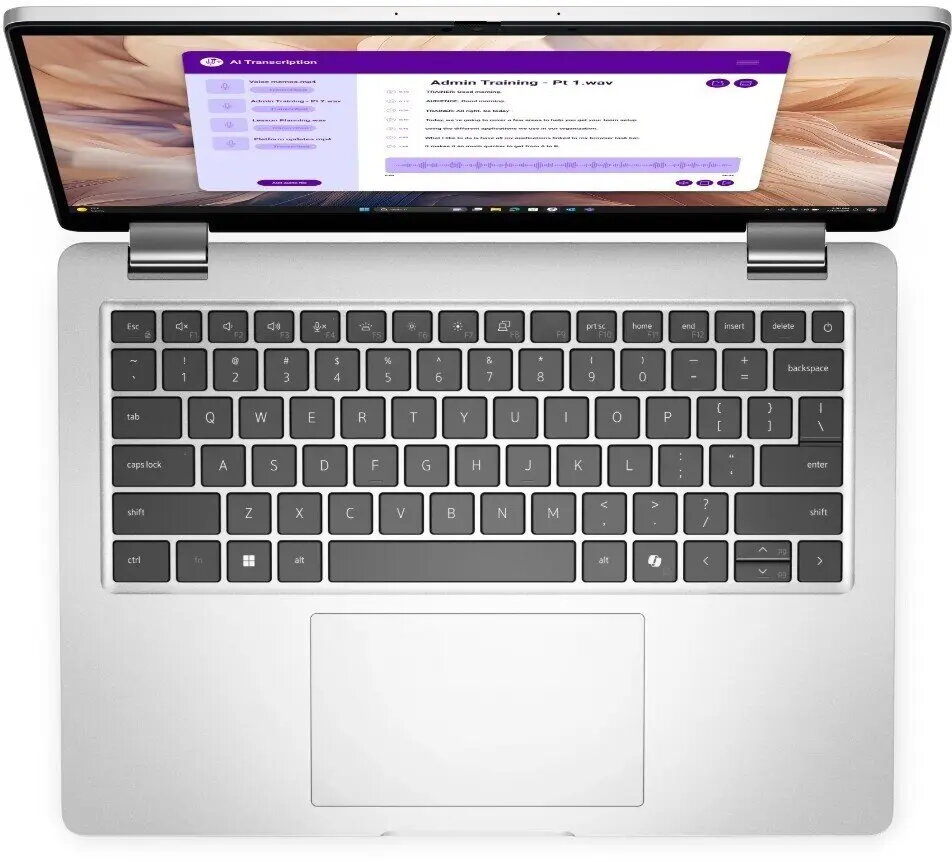
The Dell Pro 14 Plus PB14250 is a professional 14.0" laptop built for business users who need a balance of performance, security and portability. Powered by an Intel U5-238V processor, equipped with 32 GB of RAM and a 512 GB SSD, it runs Windows 11 Pro and offers a 14.0" FHD+ display with 400 nits brightness. Security and remote management are addressed through an integrated fingerprint reader, smart card support, IR camera with microphone and Intel vPro management features. Connectivity options include WLAN and Bluetooth, and the unit includes a backlit keyboard suitable for low-light environments.
Advantages
The laptop provides a combination of a high-brightness FHD+ screen and a high-memory configuration that supports multitasking and on-the-go productivity. Built-in security features — fingerprint reader, smart card support and IR camera — help protect access to corporate data and simplify authentication. The 512 GB SSD offers fast system responsiveness and shorter application load times, while Intel vPro enables remote management for IT departments.
Suitable for
- Business professionals who require secure login and remote management
- Users who run multiple applications simultaneously and need 32 GB RAM
- Mobile workers who need a bright 14.0" display for varied lighting conditions
- IT-managed fleets where Intel vPro and smart card support are required
When it may not be suitable
This model is configured for professional and productivity workloads rather than high-end gaming or workstation-class tasks such as heavy 3D rendering or GPU-accelerated simulation. Users who require discrete high-performance graphics or very large local storage beyond 512 GB may find this configuration limiting without further upgrades.
Key specifications
- Processor: Intel U5-238V
- Memory: 32 GB RAM
- Storage: 512 GB solid-state drive (SSD)
- Display: 14.0" FHD+ with 400 nits brightness
- Operating system: Windows 11 Pro
- Security: Fingerprint reader, smart card support, IR camera with microphone
- Connectivity: WLAN and Bluetooth
- Keyboard: Backlit
- Management: Intel vPro remote management support
How to use
Power on the device and complete the initial Windows 11 Pro setup. Set up Windows Hello using the fingerprint reader and register a smart card if your organisation uses smart card authentication. Connect to your wireless network via WLAN and pair peripherals over Bluetooth as needed. Use the backlit keyboard for typing in low light and adjust display brightness for comfortable viewing. For IT-managed environments, enable Intel vPro features following your IT department's provisioning procedures to allow remote diagnostics and management.
What to consider before purchase
- Confirm that 512 GB SSD capacity meets your local storage needs or plan for external/cloud storage if needed
- Verify corporate compatibility with smart card and Intel vPro management requirements
- Consider whether a discrete GPU or larger internal storage is required for your workflows
Usage recommendations
For secure business use, enable Windows 11 Pro security features, register biometric and smart-card credentials, and keep firmware and drivers up to date. Use a protective case for mobile work and consider using cloud storage or an encrypted external drive for larger datasets.