
Hurry and order now – up to 50% off!
In cart {{totalProductsCount}} item(s)
Your cart is empty
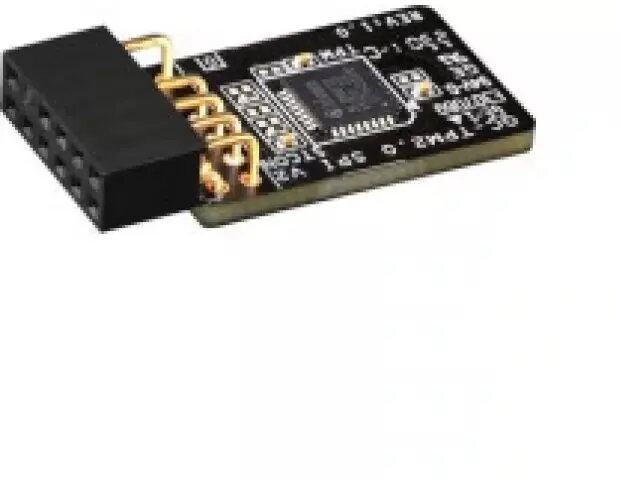
TPM security module Dell FMYG3 2.0 — Trusted Platform Module for hardware-based security
Dell FMYG3 2.0 is a Trusted Platform Module (TPM) security module engineered to provide hardware-based cryptographic services for compatible Dell systems. It supports secure generation and storage of encryption keys, platform integrity verification, and features that enable secure boot and measured boot. The module integrates with operating system and firmware security frameworks to help protect credentials, enable enterprise encryption, and support authentication mechanisms used in business laptops and desktops.
The Dell FMYG3 2.0 TPM delivers a hardware-level root of trust separated from the main CPU and storage, which reduces exposure of sensitive keys and cryptographic operations to software attacks. It offers standardized cryptographic functions that integrate with Windows BitLocker, secure authentication solutions, and management tools used in corporate environments. Installation of the module enables platform integrity checks during boot and supports features that help enforce secure boot policies and measured boot reporting.
Install the module into a compatible Dell system according to the system service manual or manufacturer instructions, ensuring the device is powered off and disconnected from mains before beginning. After physical installation, enable and configure the TPM in the system BIOS/UEFI settings and verify the module is detected by the operating system. Use the OS security management tools to initialize the TPM, create or migrate keys, and enable encryption or authentication features such as BitLocker or platform attestation. Follow your organization’s IT policies for key backup and recovery procedures.
Use the Dell FMYG3 2.0 TPM in systems with verified compatibility and follow manufacturer installation guides. Maintain firmware and BIOS/UEFI updates to ensure interoperability and security patches are applied. Establish key backup and recovery policies and integrate TPM management with your enterprise security and device management workflows.
{{highlightedFeature.featureTitle}}:
{{getProductFeatureValueById(product, highlightedFeature.featureId)}}
{{ productComparisonGenerationError }}
