{{ totalProductsCount }}

In cart {{totalProductsCount}} item(s)

Total:
{{sum | formatAmount}}

Your cart is empty

header-product 34.1" Dell Pro Plus P3425WE monitor — 3440×1440 WQHD, 21:9, LCD, 8 ms, USB hub, VESA, height adjustable, black/grey
703.99 €

34.1" Dell Pro Plus P3425WE monitor — 3440×1440 WQHD, 21:9, LCD, 8 ms, USB hub, VESA, height adjustable, black/grey

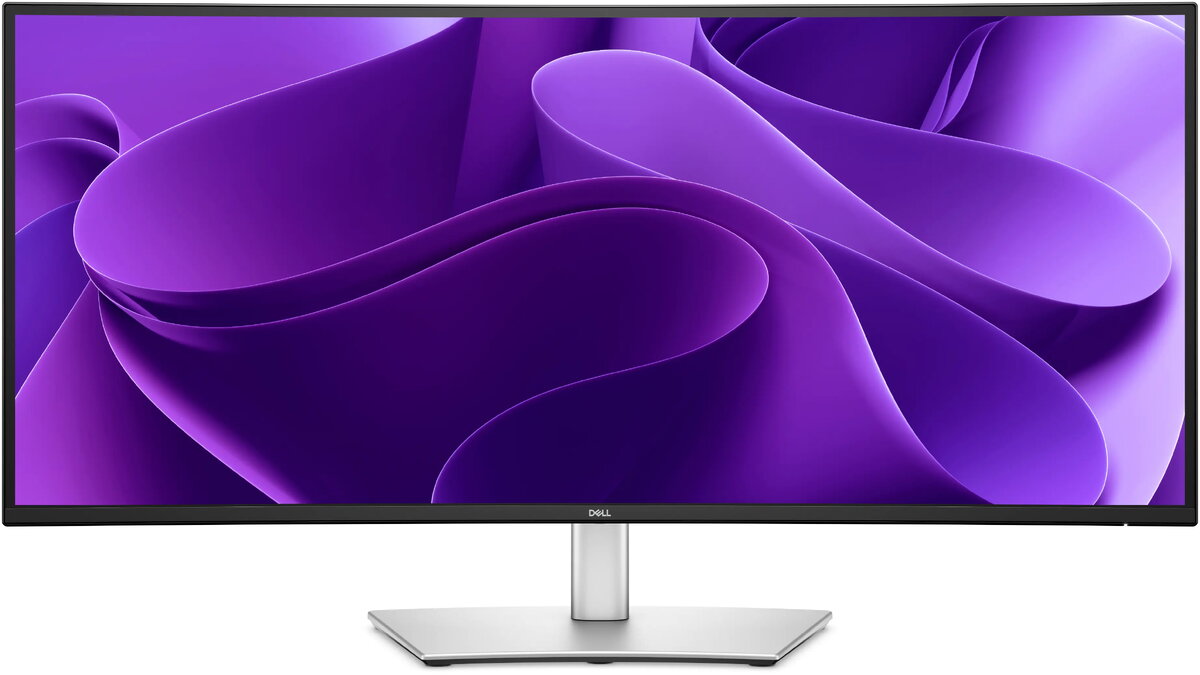
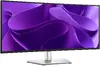
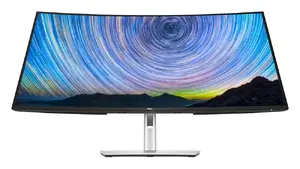
Dell Pro Plus P3425WE 34.1" WQHD monitor Photo 1
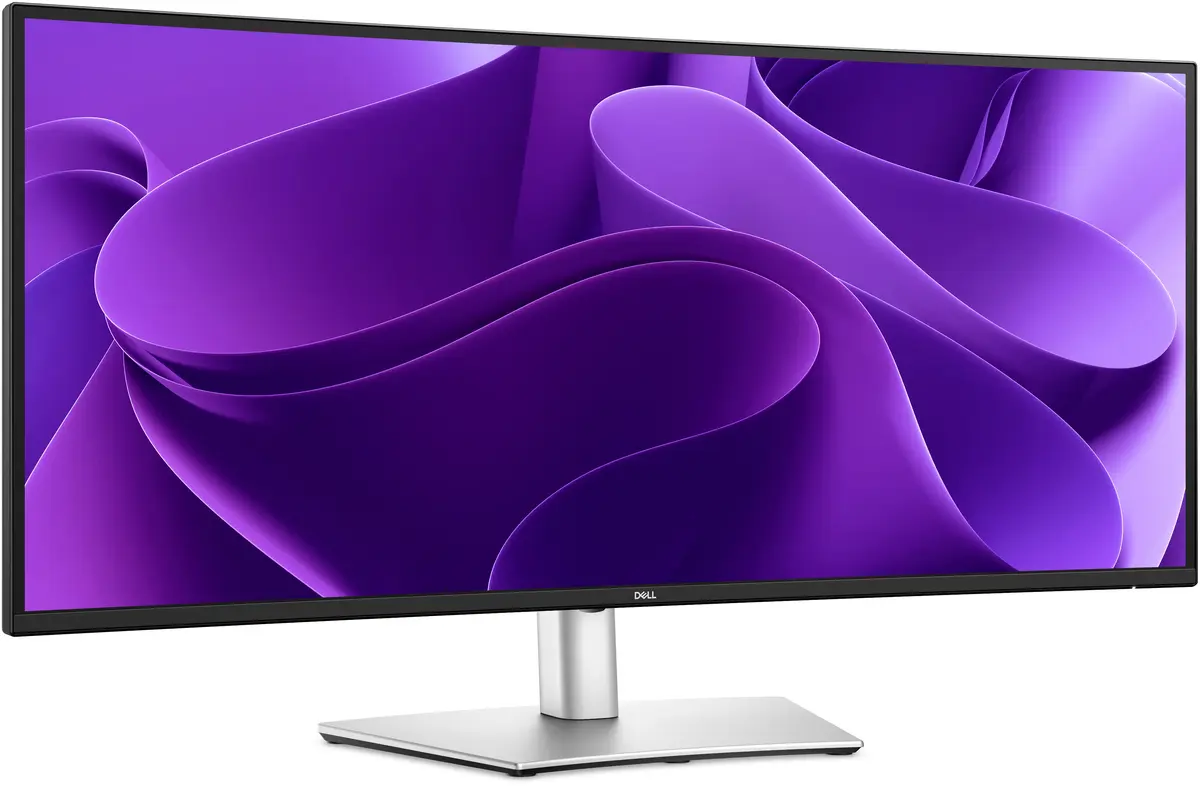
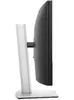
Dell Pro Plus P3425WE 34.1" WQHD monitor Photo 2
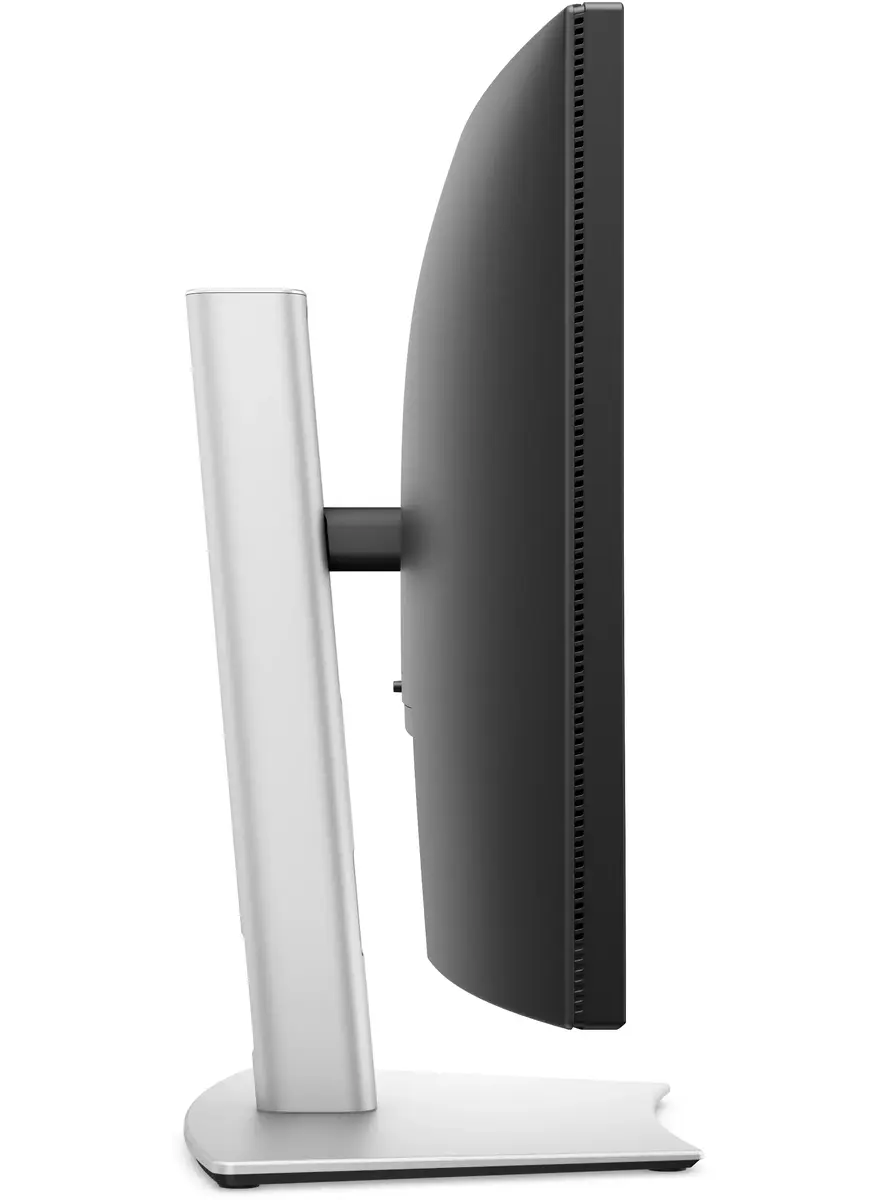
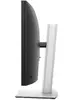
Dell Pro Plus P3425WE 34.1" WQHD monitor Photo 3
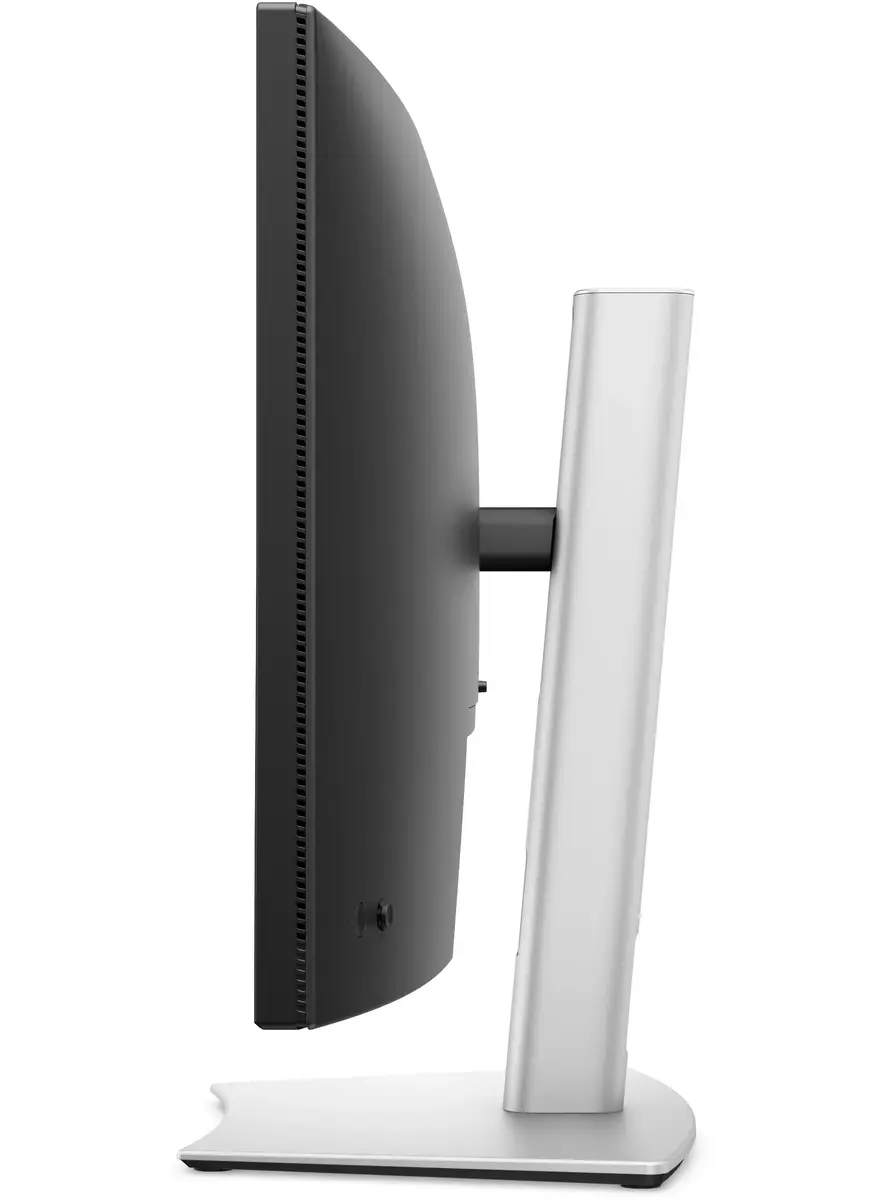
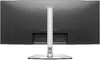
Dell Pro Plus P3425WE 34.1" WQHD monitor Photo 4
Dell Pro Plus P3425WE 34.1" WQHD monitor Photo 5
Dell Pro Plus P3425WE 34.1" WQHD monitor Photo 6
Dell Pro Plus P3425WE 34.1" WQHD monitor Photo 7
Dell Pro Plus P3425WE 34.1" WQHD monitor Photo 1
Dell Pro Plus P3425WE 34.1" WQHD monitor Photo 2
Dell Pro Plus P3425WE 34.1" WQHD monitor Photo 3
Dell Pro Plus P3425WE 34.1" WQHD monitor Photo 4
Dell Pro Plus P3425WE 34.1" WQHD monitor Photo 5
Dell Pro Plus P3425WE 34.1" WQHD monitor Photo 6
Dell Pro Plus P3425WE 34.1" WQHD monitor Photo 7
Keep track of price changes You keep track of price changes
Watch the price drop

Leave your address - as soon as the price of the product goes down, you'll know about it right away

You keep track of price changes

34.1" Dell Pro Plus P3425WE monitor — 3440×1440 WQHD, 21:9, LCD, 8 ms, USB hub, VESA, height adjustable, black/grey

{{email}}
You keep track of price changes

34.1" Dell Pro Plus P3425WE monitor — 3440×1440 WQHD, 21:9, LCD, 8 ms, USB hub, VESA, height adjustable, black/grey

{{email}}
{{selectedOffer && selectedOffer.price | formatAmount}}

Short description

Dell Pro Plus P3425WE is a 34.1" (86.6 cm) ultrawide LCD monitor with 3440×1440 Wide Quad HD resolution and a native 21:9 aspect ratio. It offers an 8 ms response time, 178°/178° viewing angles, built-in USB hub, VESA mounting and height adjustment. Suited for multitasking, content creation and wide-format office or productivity workflows.
Available for order: 6 pcs.
Warranty: 2 Years
SKU: 12060925
delivery
to the Customer Service Center at Kengaraga 2b, Riga
08.07.2026 {{selectedOffer.officeDeliveryString}}
free
Customer service center
2b. Kengaraga str., Riga, Latvia, LV-1063
08.07.2026 {{selectedOffer.officeDeliveryString}}
free
Courier Delivery Please note that in case of a large parcel additional delivery costs may apply!
13.07.2026 {{selectedOffer.courierDeliveryString}}
From 4.99 €
Parcel couriers
Latvijas Pasts pakomāts / Unisend LV / DPD Paku skapis / Omniva LV / Venipak Pickup LV / Venipak Locker LV / Latvijas Pasts nodaļa
13.07.2026 {{selectedOffer.parcelStationDeliveryString}}
From 1.99 €
0 credit

pay in 3 equal parts

today

0 €

afterward

3 mth. х 234.66 €

overpayment

0 €

All payment Methods:
Bank transfer, Bank cards on-line, Apple Pay, Google Pay, Installment, Leasing for legal entities
36 months installment: from 19.56 euros per month
Leasing for legal entities: from 24.5 euros per month
Together cheaper
{{product.price | formatAmount}}
{{product.title}}
{{productBundle.reference.specialPrice | formatAmount}}
{{productBundle.title}}
{{productBundlePreviousPrice | formatAmount}}
{{productBundleSpecialPrice | formatAmount}}

You saving {{productBundleYouSave | formatAmount}}

Product information

Description

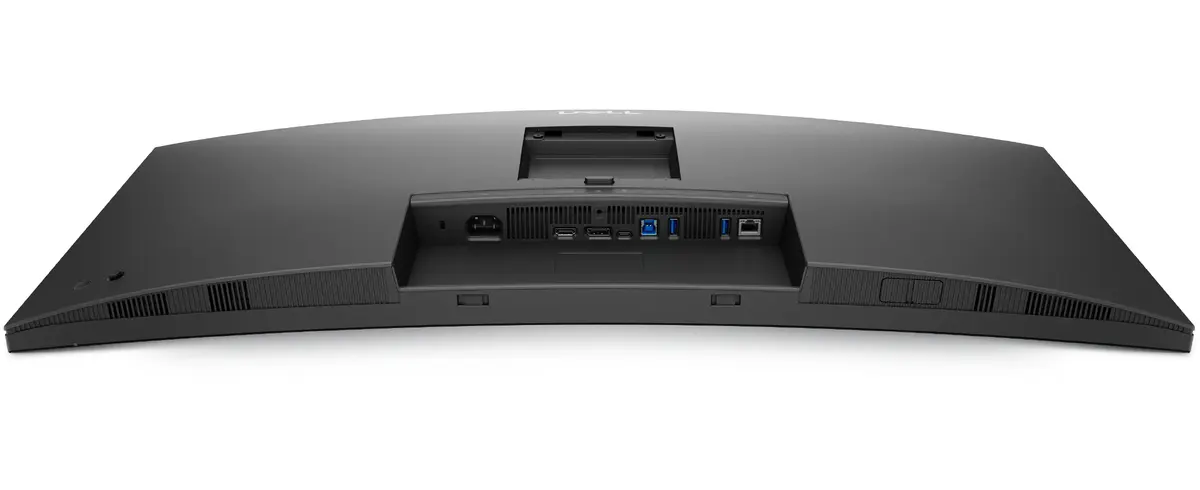
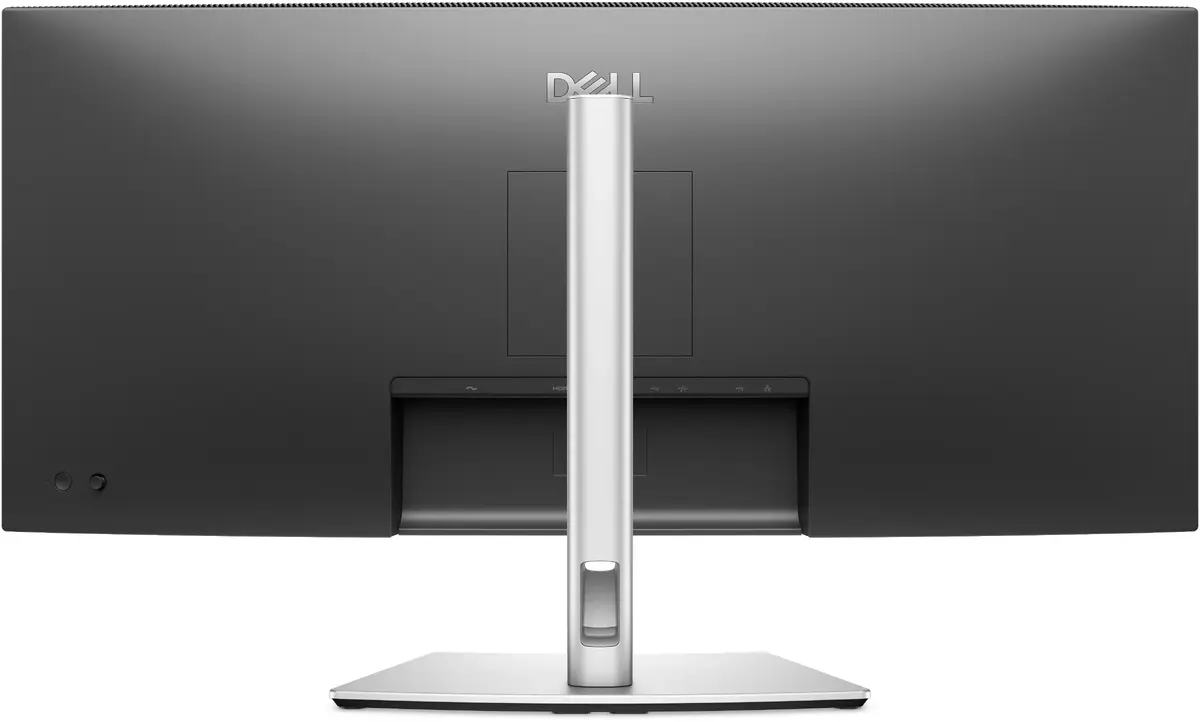
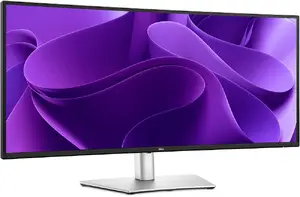
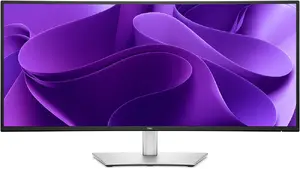
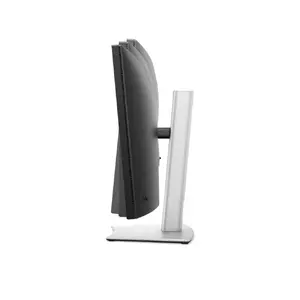
The 34.1" Dell Pro Plus P3425WE is an ultrawide curved LCD monitor with a native 3440×1440 WQHD resolution and a 21:9 aspect ratio, designed for wide-format productivity and multitasking. The panel delivers an expansive viewing area suitable for simultaneous windows and panoramic content. Built-in connectivity includes USB hub, USB-C with power delivery up to 90W, HDMI and DisplayPort inputs, and RJ45 Ethernet support. The monitor comes in a black and grey finish and supports VESA mounting and height adjustment for ergonomic positioning.

Advantages

The ultrawide 34.1" WQHD screen provides extended horizontal workspace, reducing the need for multiple monitors while maintaining sharp detail across the panel. An 8 ms response time and broad 178°/178° viewing angles make the display suitable for general office work, content review and collaborative viewing. Integrated USB hub and USB-C power delivery simplify cable management and device connectivity; RJ45 Ethernet adds a wired network option directly through the monitor. Adjustable stand and VESA compatibility enable ergonomic setup to reduce neck and back strain during long work sessions.

Suitable for

  • Multitasking and office productivity with multiple side-by-side windows
  • Content creation and editing workflows requiring wide timelines or palettes
  • Data analysis and financial applications with large horizontal spreadsheets
  • Video conferencing and collaborative work using integrated connectivity

Key specifications

  • Screen size: 34.1 inches (86.6 cm) ultrawide curved LCD
  • Resolution: 3440 × 1440 (WQHD), native 21:9 aspect ratio
  • Panel type: IPS-class / LCD with wide viewing angles (178°/178°)
  • Response time: 8 ms
  • Typical brightness: 350 cd/m²
  • Contrast ratio: approximately 1500:1
  • Refresh rate: up to 100 Hz
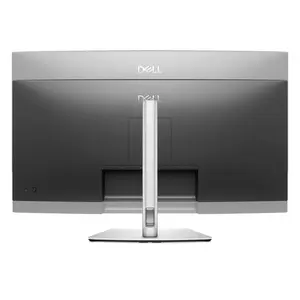
  • Connectivity: USB hub, USB-C with up to 90W power delivery, HDMI, DisplayPort, RJ45 Ethernet
  • Ergonomics: height adjustable stand and VESA mount compatible
  • Colour / finish: black and grey

How to use

Position the monitor on a stable desk or attach it to a compatible VESA arm. Connect a source device via DisplayPort, HDMI or USB-C; when using USB-C with power delivery, the monitor can both receive video and supply up to 90W to a connected laptop. Use the on-screen display (OSD) controls to adjust brightness, color settings and input selection. Adjust the stand height to align the top third of the screen at eye level for ergonomic viewing. For networked setups, connect an Ethernet cable to the monitor’s RJ45 port when using a compatible docking or USB-C host that supports LAN passthrough.

Usage recommendations

For prolonged use, set the monitor brightness and color temperature to comfortable levels, enable any available flicker-free or low-blue-light modes, and take regular short breaks to reduce eye strain. Use the ultrawide workspace to arrange applications side-by-side or enable window management tools to make full use of the 21:9 screen.

Specifications

Product colour:
Black, Grey
All features
Viewable size diagonal:
867.1 mm
Swivel angle range:
-30 - 30
On Screen Display (OSD):
Yes
Picture-in-Picture:
Yes
Supported graphics resolutions:
640 x 480 (VGA), 720 x 400, 800 x 600 (SVGA), 1024 x 768 (XGA), 1152 x 864 (XGA+), 1280 x 1024 (SXGA), 1280 x 800, 1600 x 1200, 1920 x 1080 (HD 1080), 2560 x 1440, 3440 x 1440
Supported video modes:
480p, 576p, 720p, 1080p
Swivelling:
Yes
Mac operating systems supported:
Y
Pivot angle:
-4 - 4
Bezel width (side):
8.85 mm
Bezel width (top):
8.85 mm
Bezel width (bottom):
14.35 mm
Display technology:
LCD
Feet colour:
Grey
Front bezel colour:
Black
Headphone out:
No
Wake-on-LAN:
Yes
Built-in USB hub:
Yes
USB Type-A downstream ports quantity:
3
USB Type-C downstream ports quantity:
1
Adjustable height (max):
150 mm
sRGB coverage (typical):
99 %
USB Type-C DisplayPort Alternate Mode:
Yes
USB Power Delivery (USB PD):
Yes
Response time (fast):
5 ms
Display brightness (typical):
350 cd/m²
Flicker-free technology:
Yes
DisplayPort cable length:
1.8 m
Picture-by-Picture (PbP):
Yes
Heat dissipation (typical):
94.17 BTU/h
Dell Display Manager (DDM) compatibility:
Yes
USB Power Delivery up to:
90 W
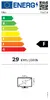
Energy efficiency scale: Range of energy efficiency levels classifying devices from most to least energy-efficient.
A to G
Dell ComfortView technology:
Yes
Screen curvature rating:
3800R
Number of USB Type-C upstream ports quantity:
1
Number of USB Type-B upstream ports quantity:
1
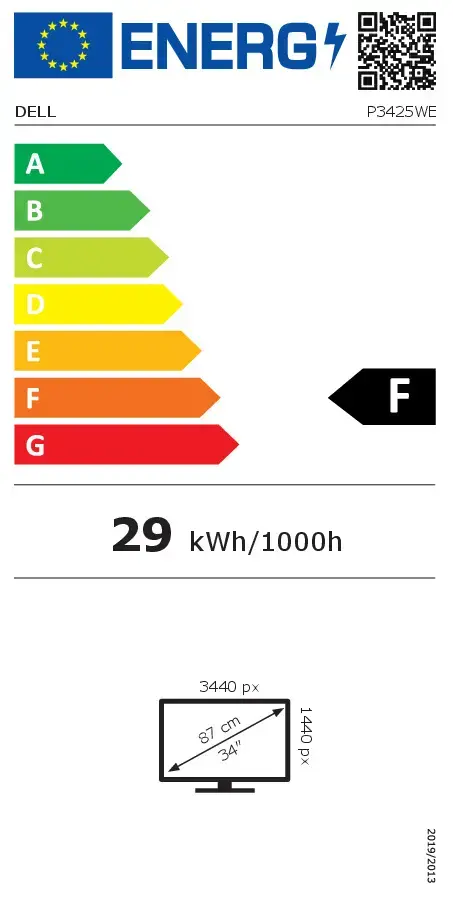
Energy efficiency class (SDR): Energy efficiency class is a standard classification that is used all over Europe and which is understandable at first sight. Products can be efficiently compared according to classes, starting from A (the most energy efficient class), and ending with G (the most energy-intensive class). The classification of energy efficiency is based on annual energy consumption which is being calculated on the basis of several different parameters.
F
Energy efficiency class (HDR): Energy efficiency class is a standard classification that is used all over Europe and which is understandable at first sight. Products can be efficiently compared according to classes, starting from A (the most energy efficient class), and ending with G (the most energy-intensive class). The classification of energy efficiency is based on annual energy consumption which is being calculated on the basis of several different parameters.
Not available
Energy consumption (SDR) per 1000 hours: Power consumption in switched-on state expressed in W.
29 kWh
Response time measurement type:
GTG (Gray to Gray)

Display

HD type:
Wide Quad HD
Pixel pitch:
0.233 x 0.233
Contrast ratio (typical):
1500:1
Horizontal scan range:
28 - 151
Viewing angle, horizontal:
178 °
Viewing angle, vertical:
178 °
Vertical scan range:
30 - 100
Viewable size, horizontal:
799.8 mm
Viewable size, vertical:
334.8 mm
Display diagonal: iagonal of the visible part of the screen expressed in centimeters and inches.
34.1 "
Response time:
8 ms
Display resolution:
3440 x 1440
Tilt angle range:
-5 - 21
Touchscreen:
No
LED backlight:
Yes
Maximum refresh rate:
100 Hz
Tilt adjustment:
Yes
Anti-glare screen:
Yes
Native aspect ratio:
21:9
Pixel density:
110 ppi
Panel type:
IPS
Screen shape:
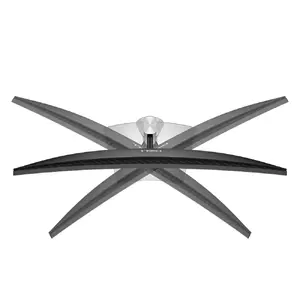
Curved
Display number of colours:
1.07 billion colours
Surface hardness:
3H
Low Blue Light technology:
Yes

Graphics

NVIDIA G-SYNC:
No
AMD FreeSync:
No

Network

Ethernet LAN data rates:
10, 100, 1000

Ports & interfaces

Ethernet LAN (RJ-45) ports:
1
HDMI ports quantity:
1
HDMI version:
2.1
DisplayPorts quantity:
1
DisplayPort version:
1.4
HDCP:
Yes
HDCP version:
1.4

Technical details

Compliance certificates:
RoHS

Design

Product colour:
Black, Grey
Cable lock slot:
Yes
LED indicators:
Y
Cable lock slot type:
Kensington
Height adjustment:
Yes
Pivot:
Yes
Cable management:
Yes
Panel mounting interface:
100 x 100
VESA mounting:
Yes

Operational conditions

Operating altitude:
0 - 5000
Operating relative humidity (H-H):
10 - 80
Storage temperature (T-T):
-20 - 60
Operating temperature (T-T):
0 - 40
Storage relative humidity (H-H):
5 - 90
Non-operating altitude:
0 - 12192

Weight & dimensions

Package weight:
14360 g
Width (with stand):
815.95 mm
Height (with stand):
541.25 mm
Depth (with stand):
229.42 mm
Weight (without stand):
6900 g
Height (without stand):
358 mm
Width (without stand):
815.95 mm
Depth (without stand):
82.98 mm
Weight (with stand):
9380 g

Packaging content

Cables included:
DisplayPort, USB Type-A to USB Type-B, USB Type-C
Stand included:
Yes

Other features

Power supply type:
Internal
Plug and Play:
Yes
Power consumption (off):
0.3 W
HDMI:
Yes
Backlight type:
Edge LED

Certificates

Certification:
TÜV Rheinland Eye Comfort 3.0

Audio

Built-in speaker(s):
No

Performance

Windows operating systems supported:
Windows 10, Y
Doesn't contain:
Arsenic, Mercury (element), PVC/BFR

Power

Power consumption (typical): Power consumption in switched-on state expressed in W.
28.7 W
Power consumption (standby):
0.3 W
AC input frequency:
50/60
AC input voltage:
100 - 240
Power consumption (max):
200 W

Camera

Built-in camera:
No

Carbon footprint

Total carbon footprint (kg of CO2e):
339
Carbon emissions, manufacturing (kg of CO2e):
133.566
Carbon emissions, logistics (kg of CO2e):
27.12
Carbon emissions, energy usage (kg of CO2e):
140.007
Carbon emissions, end-of-life (kg of CO2e):
38.646
PAIA version:
GaBi version 1, 2024

Sustainability

Sustainability certificates:
ENERGY STAR, EPEAT Climate +, EPEAT Gold, TCO

Reasons to buy

Connectivity meets productivity

Work seamlessly with a single-cable USB-C solution that transmits video, data, Ethernet and up to 90W power delivery. A versatile selection of ports — including HDMI, DisplayPort, USB and RJ45 — keeps devices connected and networked. Built-in KVM plus PiP and PbP modes let you view and control content from two PCs using one keyboard and mouse for efficient multitasking.

Connectivity meets productivity

Enhanced eye comfort

TÜV 4-Star certified for eye comfort, this monitor reduces visual fatigue so you can stay productive through long work sessions.

Enhanced eye comfort

Improved ComfortView Plus

ComfortView Plus lowers harmful blue light emissions to ≤35% while preserving accurate colours, offering all-day viewing comfort without sacrificing image fidelity.

Improved ComfortView Plus

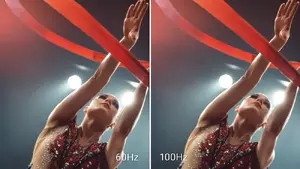
Smooth motion with 100Hz

The 100Hz refresh rate reduces flicker and delivers smoother scrolling and motion, making on-screen movement more fluid for both work and multimedia.

Smooth motion with 100Hz

Vivid, accurate colours

Enjoy wide colour coverage with up to 1.07 billion displayable colours and 99% sRGB reproduction for vibrant, natural-looking images ideal for content and productivity tasks.

Vivid, accurate colours

Clarity from any angle

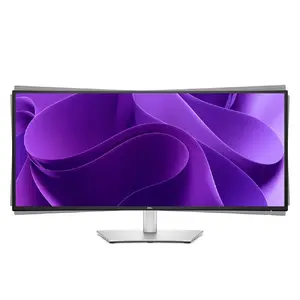
Work on a 34.1" ultrawide curved WQHD (3440 x 1440) display that expands your workspace and enhances detail. IPS technology ensures consistent colour across wide viewing angles, while a 1500:1 contrast ratio delivers deeper blacks and brighter whites for exceptional clarity.

Clarity from any angle

Quick access ports

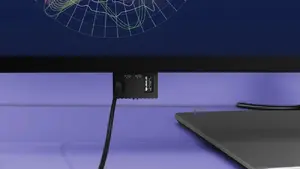
Front-facing pop-out USB-C (with up to 15W charging) and USB-A ports provide fast, convenient connections for peripherals. When not in use, tuck the pop-out module away for a tidy desk.

Quick access ports

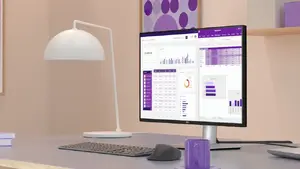
Designed for comfortable work

This curved monitor is built for immersion and comfort, with adjustable features that adapt to your preferred working posture to help you stay focused.

Designed for comfortable work

Tilt adjustability

Fine-tune your viewing angle with a tilt range from -5° to +21° to reduce glare and improve ergonomics.

Tilt adjustability

Swivel for flexible positioning

Bi-directional swivel up to 30° lets you easily share the screen or adjust your viewing position without moving the whole stand.

Swivel for flexible positioning

Slant adjustment

Minor bi-directional slant adjustment up to 4° helps achieve the ideal ergonomic tilt for your setup.

Slant adjustment

Height adjustability

Raise or lower the display up to 150mm to find the most comfortable height for prolonged use.

Height adjustability

Dell Display and Peripheral Manager

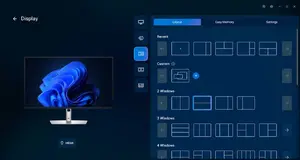
Use Dell’s integrated application to optimise your workspace — arrange and snap windows with Easy Arrange (save and restore layouts with Easy Arrange Memory), automate brightness and contrast schedules, and streamline firmware updates and device management across your fleet with enhanced CLI tools.

Dell Display and Peripheral Manager

Environmentally forward

Built with sustainability in mind: this monitor incorporates up to 85% post-consumer and closed-loop ITE plastics, 100% recycled aluminium, 50% recycled steel and at least 20% recycled glass, contributing to up to 31% recycled content by weight. It’s EPEAT Gold registered with Climate+, ENERGY STAR® certified and TCO certified. Packaging uses 100% renewable materials, and Dell offers secure, responsible IT equipment retirement services.

Environmentally forward

{{highlightedFeature.featureTitle}}:

{{product.title}}
{{product.price}}

{{getProductFeatureValueById(product, highlightedFeature.featureId)}}

Might be useful
{{product.manufacturerName}}
{{product.categoryName}}
{{product.title}}
{{product.specialPrice}}
{{product.price}}

Customer reviews

Customer questions

FAQ

How much does the Dell Pro Plus P3425WE 34.1" WQHD monitor cost, and is it available for purchase?

The price is 703.99 € (valid at the time of publication and already includes all taxes). The item is available for order — 6 pcs. are in stock, and you can place your purchase right now with delivery across Latvia and Europe or choose pickup at the Riga collection point. We offer favorable purchase terms, including the option to split the payment into convenient monthly installments. Availability and price are updated in real time, so we recommend placing your order in advance.

If I order this product today, when will I receive my order?

If you place your order today, delivery will be as fast and convenient as possible. You will be able to pick up your order on 08.07.2026 at the Riga pickup point or choose delivery across Latvia and Europe. We carefully inspect every purchase and pack it securely for safe transportation.

What payment options are available?

AiO.lv offers several payment methods: Bank transfer, Bank cards on-line, Apple Pay, Google Pay, Installment, Leasing for legal entities. All transactions are 100% secure and encrypted.

Can Dell Pro Plus P3425WE 34.1" WQHD monitor be purchased with a lease?

Yes, the purchase is available both on credit and with an interest-free installment plan. We work with leading banks and leasing companies in Latvia, allowing you to make your purchase on convenient terms — with a minimal down payment and a repayment period from 3 to 36 months. You can apply for credit or installments for the Dell Pro Plus P3425WE 34.1" WQHD monitor online, and the application process is as simple as possible:
  • Select the product on the website and add it to your cart;
  • When placing your order, choose the payment method “Installments”;
  • Fill in the required details for the lending partner;
  • Receive a decision within a few minutes.
For more information about available payment options, interest-free installment terms, and credit conditions in Latvia, please visit the Payment page.

Can this product be purchased for a company (with VAT)?

Yes. AiO.lv works with legal entities in Latvia and across Europe. The product price already includes VAT. For certain product categories, as well as for companies from other EU countries with a valid VAT number, a 0% VAT rate may apply. We issue the invoice immediately after the order is placed, support electronic BIS invoices, and automatically generate all necessary accounting documents. You can complete the purchase for a company online — simply select the company profile and choose bank transfer as the payment method during checkout.

What is the warranty period?

All Dell products come with an official 2 Years warranty. It covers all manufacturing defects and malfunctions that may occur during use. The warranty is valid at all authorized Dell service centers and through AiO.lv

Can the product be returned after purchase?

Yes, you can return the product within 14 days of purchase if you bought it as a consumer (not a legal entity). Returns are possible without giving any reason — the main condition is that the product retains its original appearance and full set of accessories. We will make the process as simple and convenient as possible: just contact our customer support team, and we will help you arrange the return.

Where should I contact for warranty service?

For warranty-related questions you can contact the AiO.lv (SIA VSPRO) customer support team. We will assist with consultation, warranty claim processing, and coordination with certified service centers.

How can I tell if this product suits my needs?

When making a choice, we recommend paying attention to the key features: product colour, compatibility with your devices or usage conditions, material quality, functionality, and warranty terms. These characteristics will help you determine how well the model meets your needs.

Where can I download the instructions for Dell Pro Plus P3425WE 34.1" WQHD monitor?

You can download the instructions in PDF format from the “Instructions” section on the product description page. The file contains complete information about installation, setup, and usage.
warranty
14-Day Return Policy We are confident in our quality, but if the purchase doesn’t fit — you have 14 days to return the product with peace of mind.
shipping
Fast Delivery Get your orders as quickly as possible — right to your door, parcel lockers, or pickup points across Latvia and the EU.
payment
Secure Payment Pay the way you prefer: cash, VISA, MasterCard, Apple Pay, Google Pay, bank transfer, or 0% installment plan.
warranty
Quality Since 2008 AiO.lv has been on the market for over 18 years and has earned trust — with more than 6000 genuine positive reviews on Google.