
JBL speakers and headphones for pure and deep sound!
In cart {{totalProductsCount}} item(s)
Your cart is empty
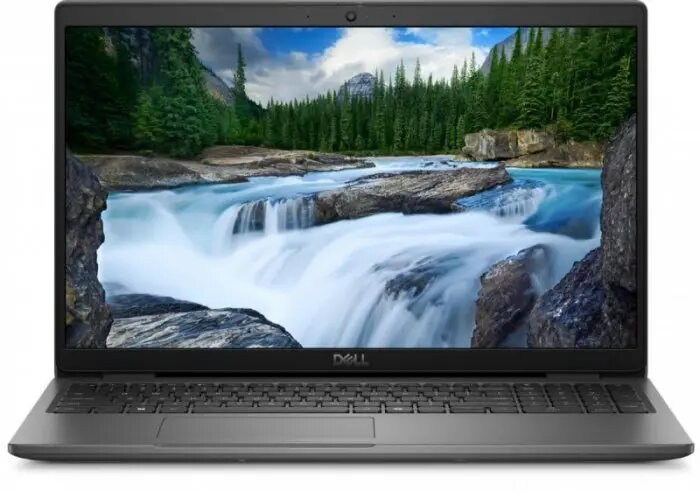
Laptop Dell Latitude 3550 — Intel i5-1335U, 16GB RAM, 512GB SSD, 15.6" FHD, Integrated Graphics, Fingerprint, FHD Webcam, Wi‑Fi+BT, Backlit Keyboard
Dell Latitude 3550 is a business-class 15.6" laptop powered by an Intel i5-1335U processor, 16GB of RAM and a 512GB solid-state drive. The device offers a Full HD (1920×1080) display, integrated graphics and a Full HD webcam with built-in microphone. Security and convenience are supported by a built-in fingerprint reader, a backlit keyboard and modern wireless connectivity including Wi‑Fi and Bluetooth. The laptop ships with Windows 11 Pro and is designed for office tasks, remote collaboration and everyday productivity.
The combination of a 13th-generation Intel i5 processor and 16GB of RAM provides responsive performance for multitasking, spreadsheets and web-based applications. A 512GB SSD delivers fast boot times and quick file access while keeping storage ample for documents and projects. The Full HD display and integrated Full HD webcam support clear image quality for video calls. Built-in fingerprint authentication increases device security without adding complexity to daily use, and the backlit keyboard ensures comfortable typing in low-light conditions.
Unpack the laptop and charge the battery before first use to ensure optimal battery calibration. Sign in to Windows 11 Pro and configure user accounts, security settings and network connections. Use the fingerprint reader to set up biometric login for faster and secure access. Connect to Wi‑Fi or Bluetooth devices through the system settings. For video calls, position the laptop so the Full HD webcam captures a clear view; use the built-in microphone or connect an external headset if needed.
For best performance, keep the system up to date by installing Windows updates and driver updates from Dell. Store large files on the internal SSD or use cloud storage for backups. When working in low light, enable the backlit keyboard. To prolong battery life, use power plans available in Windows and avoid leaving the device at full charge for extended periods.
{{highlightedFeature.featureTitle}}:
{{getProductFeatureValueById(product, highlightedFeature.featureId)}}
{{ productComparisonGenerationError }}
