


Laptop Dock DeLOCK 62855 Wired Black
Offer for a legal entity, non-cash payment.
Short description

Cheapest delivery:
Unisend LV
Product information
Description
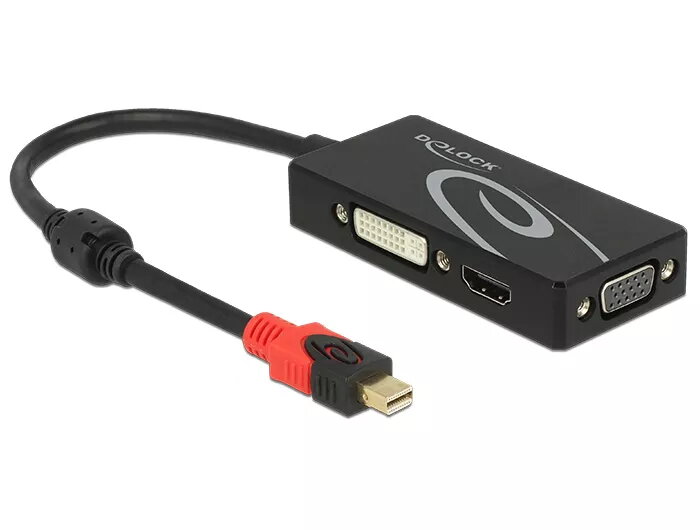
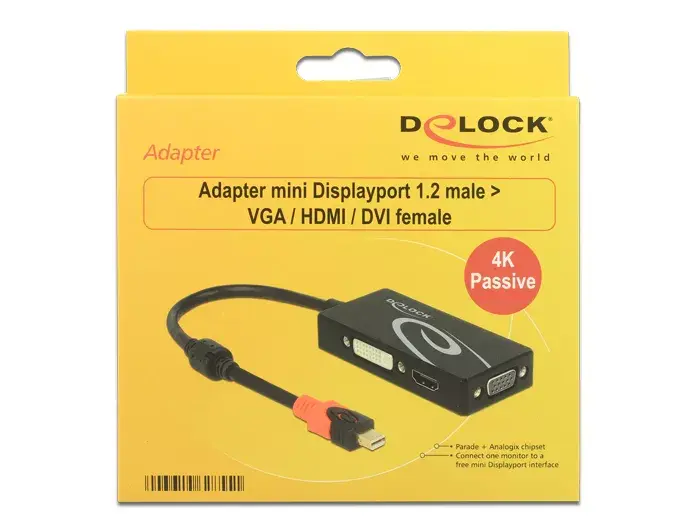
The DeLOCK 62855 mini DisplayPort adapter allows a laptop or other system with a mini DisplayPort to connect a single external display via VGA, HDMI or DVI. The adapter is a passive converter (level shifter) designed for graphics outputs that support DP++ and transmits audio only over the HDMI output. It comes as a short, 0.2 m black cable with integrated chipset components for each signal path.
Advantages
This adapter offers flexible video output options—VGA, HDMI-A and DVI-D (Single Link)—in a compact wired form factor. It supports up to 3840 x 2160 @ 30 Hz on HDMI/DVI and up to WUXGA 1920 x 1200 @ 60 Hz on VGA (actual resolutions depend on the source device and connected hardware). No driver installation is required and the adapter is OS independent. The HDMI and DVI paths are handled by Parade PS8339 chipsets and the VGA path by an Analogix ANX9833 chipset.
Suitable for
- Connecting a laptop with mini DisplayPort/DP++ to an HDMI monitor or TV
- Connecting to a DVI-D (Single Link) display
- Connecting to a VGA projector or legacy monitor
Key specifications
- Input: 1 x mini DisplayPort 20-pin male
- Outputs: 1 x HDMI-A 19-pin female, 1 x DVI-D 24+1 (Single Link) female, 1 x VGA 15-pin female
- Chipsets: 2 x Parade PS8339 (HDMI + DVI), 1 x Analogix ANX9833 (VGA)
- Standards: DisplayPort 1.2, High Speed HDMI with Ethernet (HEC)
- Maximum HDMI/DVI resolution: up to 3840 x 2160 @ 30 Hz (system dependent)
- Maximum VGA resolution: up to 1920 x 1200 @ 60 Hz (system dependent)
- Cable length (without connectors): approx. 20 cm (0.2 m)
- Color: Black
- Note: Passive converter — requires DP++ output; only one monitor can be used at a time; audio only via HDMI
How to use
Plug the mini DisplayPort connector into the laptop or graphics source that supports DP++. Connect the desired display cable to the matching output on the adapter (HDMI, DVI-D or VGA). Ensure only one display is connected to the adapter at any time. Select the external display in the operating system display settings and adjust resolution and refresh rate according to the capabilities of the source device and the connected monitor or projector.
Usage recommendations
Use the adapter with devices that explicitly support DP++ (Dual-Mode DisplayPort). For audio output over HDMI, verify the source device’s audio-over-DisplayPort settings. When connecting high-resolution displays, confirm that the host hardware and cables support the target resolution and refresh rate.
Features
- Card reader integrated:
- No
- Ethernet LAN:
- No
- USB 3.2 Gen 1 (3.1 Gen 1) Type-A ports quantity:
- 0
- Connectivity technology:
- Wired
Instructions

Stock data
| Warehouse | Stock | Delivery to the store | Store Price | |
| WH94 | 63 | 07.12.2026 | 35.49 € | Add to cart |
- 35.49 €Stock: 63Delivery Date: 07.12.2026Warehouse: WH94Add to cart
| Warehouse | Stock | Delivery to the store | Store Price | |
| EU4 | 63 | 21.12.2026 | 35.49 € | Add to cart |
| WH109 | 63 | 21.12.2026 | 38.99 € | Add to cart |
- 35.49 €Stock: 63Delivery Date: 21.12.2026Warehouse: EU4Add to cart
- 38.99 €Stock: 63Delivery Date: 21.12.2026Warehouse: WH109Add to cart


